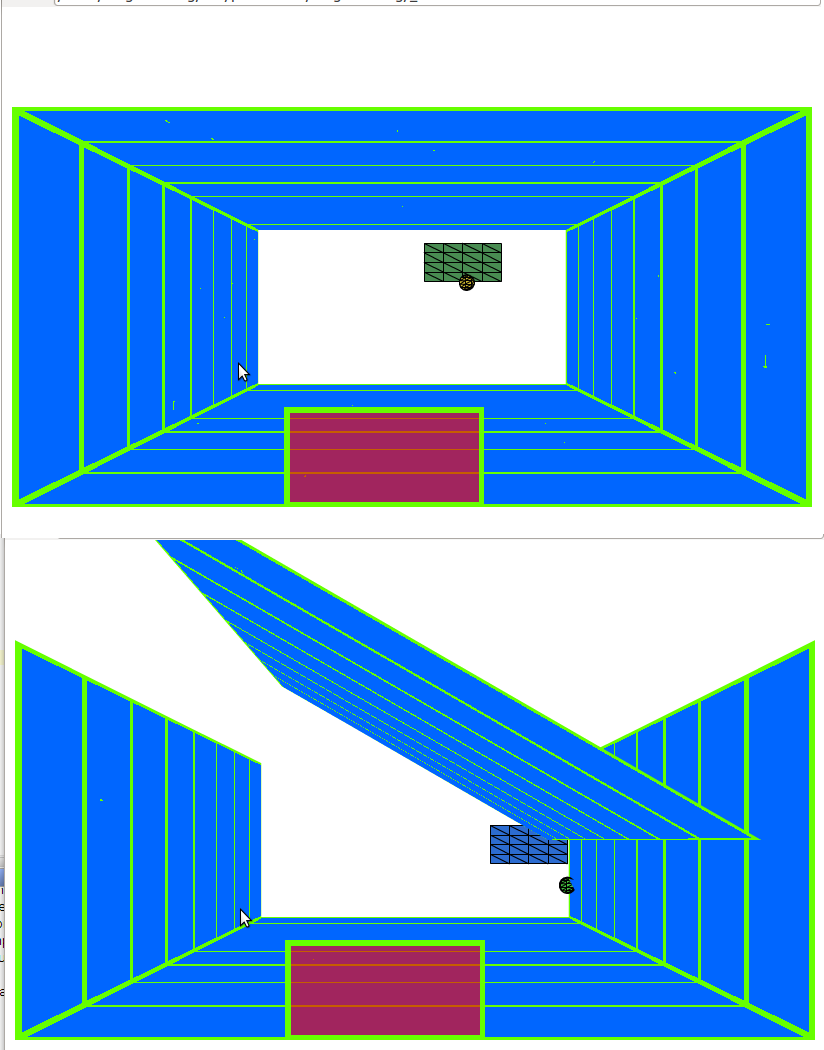
Either an antialising issue or line/triangle draw conflict. do you run in
quality high or low?
But note that you could have similar results for your 3d pong using a single
map, says 256x128 with a a blue rect 250x128 en rest green
then pass settings as scaleX = .2 and scaleY= .5  to your material.
could mean for your project: no extra planes, no lines, same look at higher
framerate and no issue as you describe
the "tunnel" could also be done in a single pass using LinearExtrude or Lathe
instead of 4 planes (what I presume that you use in this case).

Fabrice


On May 27, 2011, at 12:32 PM, Valts Darznieks wrote:

> http://img.lejup.lv/images/1306492152.png
>
> Please take a look at image above.
> Top and bottom plane has same stripes on it as left and right, but it
> somehow it skips to show last 2 lines.
> Not only that : 2nd line is thiner than 1st and 3rd line is again same
> as 2nd (althou they are all the same width, from this view every line
> should be bit thiner than prev)
> Now when i rotate the plane a bit all the lines show up as they
> should.
>