[
https://issues.apache.org/jira/browse/BATIK-1046?page=com.atlassian.jira.plugin.system.issuetabpanels:all-tabpanel
 ]
Marco Herrn updated BATIK-1046:
-------------------------------

    Description:
When setting the "preserveAspectRatio" to "xMinYMin" (and if I recall
correctly, also on other values different from "none", the SVG image is
correctly placed inside the SvgCanvas on opening. However when resizing the
window (and therefore the canvas), the image moves out of the visible canvas
part.

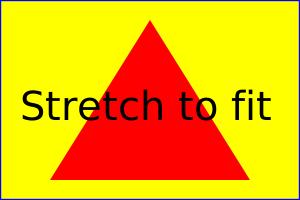
You can reproduce this with the example file
http://www.w3.org/TR/SVG/images/coords/ViewBox.svg
Replace the value of "preserveAspectRatio" with "xMinYMin". Open the file in
squiggle. Then resize the window by making it taller (not wider). The image
stays in the center vertically, but moves out of the canvas horizontally to the
left.
By playing around a bit with window resizing the image can be moved out of the
other edge of the canvas or even completely disappear.

I have tried it with the current SVN and the problem still applies there.

  was:
When setting the "preserveAspectRatio" to "xMinYMin" (and if I recall
correctly, also on other values different from "none", the SVG image is
correctly placed inside the SvgCanvas on opening. However when resizing the
window (and therefore the canvas), the image moves out of the visible canvas
part.

You can reproduce this with the example file
http://www.w3.org/TR/SVG/images/coords/ViewBox.svg
Replace the value of "preserveAspectRatio" with "xMinYMin". Open the file in
squiggle. Then resize the window by making it taller (not wider). The image
stays in the center vertically, but moves out of the canvas horizontally to the
left.
By playing around a bit with window resizing the image can be moved out of the
other edge of the canvas or even completely disappear.

I have tried it with the current SVN and the problem still applies there.

I would like to attach some screenshots of the effects, but don't know how to
attach files to this bug.


> preserveAspectRatio="xMinYMin" wrongly translates viewport
> ----------------------------------------------------------
>
>                 Key: BATIK-1046
>                 URL: https://issues.apache.org/jira/browse/BATIK-1046
>             Project: Batik
>          Issue Type: Bug
>          Components: GVT
>    Affects Versions: 1.7, 1.8
>         Environment: Debian Linux with Java 1.6 or Java 1.7
>            Reporter: Marco Herrn
>         Attachments: pic1.png, pic2.png, pic3.png, pic4.png, pic5.png,
> ViewBox.svg
>
>
> When setting the "preserveAspectRatio" to "xMinYMin" (and if I recall
> correctly, also on other values different from "none", the SVG image is
> correctly placed inside the SvgCanvas on opening. However when resizing the
> window (and therefore the canvas), the image moves out of the visible canvas
> part.
> You can reproduce this with the example file
> http://www.w3.org/TR/SVG/images/coords/ViewBox.svg
> Replace the value of "preserveAspectRatio" with "xMinYMin". Open the file in
> squiggle. Then resize the window by making it taller (not wider). The image
> stays in the center vertically, but moves out of the canvas horizontally to
> the left.
> By playing around a bit with window resizing the image can be moved out of
> the other edge of the canvas or even completely disappear.
> I have tried it with the current SVN and the problem still applies there.

--
This message is automatically generated by JIRA.
If you think it was sent incorrectly, please contact your JIRA administrators
For more information on JIRA, see: http://www.atlassian.com/software/jira

---------------------------------------------------------------------
To unsubscribe, e-mail: [email protected]
For additional commands, e-mail: [email protected]