Hello mailing group readers,

Today we release a pretty big milestone release for bpython: 0.13.
(hopefully not to be followed by 0.13.1 that quickly but package
maintainers might want to hold off for a day or two; with our track record
over the past two releases).
Please check out the changelog below for full notes, but the highlights:

- Dictionary key completion!
- Edit the current line in an external editor with ctrl-x!
- The new curtsies frontend, which is bpython with native terminal
scrolling! And a lot of bugfixes.

Please check out curtsies. My/our planning is to do a lot of work on
removing and merging frontend for 0.14 and one of my things is pushing for
the great work Thomas has done to become the default frontend. Come discuss
my cleanup efforts with me in the IRC mentioned at the end of this email.
You can run the new frontend with either `bpython-curties` or `python -m
bpython.curtsies`.

Frontend dependencies are now installable with extras pip syntax, so pip
install commands
pip install bpython[curtsies]
pip install bpython[urwid]
will install the dependencies for curtsies and urwid frontends.

You can fetch the new release from our releases index as usual at:

http://bpython-interpreter.org/releases/

or you can use the PyPI where the package has been uploaded as this message
reaches your inboxes.

Before I get pinged a lot. I have not yet updated the docs website but will
do so later today, my automatic renderer is broken or such.

If there are any bugs do not hesitate to come tell us on IRC at #bpython
on the Freenode network or through our bugtracker at:

https://bitbucket.org/bobf/bpython/issues

I'm also looking at moving us off of bitbucket and onto github, if you want
to talk to me about the pros/cons of that don't hesitate to respond here or
start a new thread.

Regards,

Simon de Vlieger

---

0.13
----

There are a few new features, a bunch of bugfixes, and a new frontend
for bpython in this release.

* Dictionary key completion, thanks to Maja Frydrychowicz (#226).
  To use normal completion and ignore these key completions, type a space.
* Edit current line in external editor with ctrl-x (#161)

Fixes:

* Python 2.5 compatibility, thanks to Michael Schuller (#279). Python 2.5
  is not officially supported, but a few changes Michael introduced, he
  says it's working fine.
* FakeStream has flush(), so works correctly with
  django.core.email.backends.console thanks to Marc Sibson (#259)
* FakeStdin has fileno() (#232)
* Changes to sys.ps1 and sys.ps2 are respected thanks to Michael Schulle
(#267)
* atexit registered functions run on exit (#258)
* fixed an error on exit code when running a script with bpython script.py
(#260)
* setup.py extras are used to describe frontend dependencies
* Theme paths and docs updated
* Translation files updated

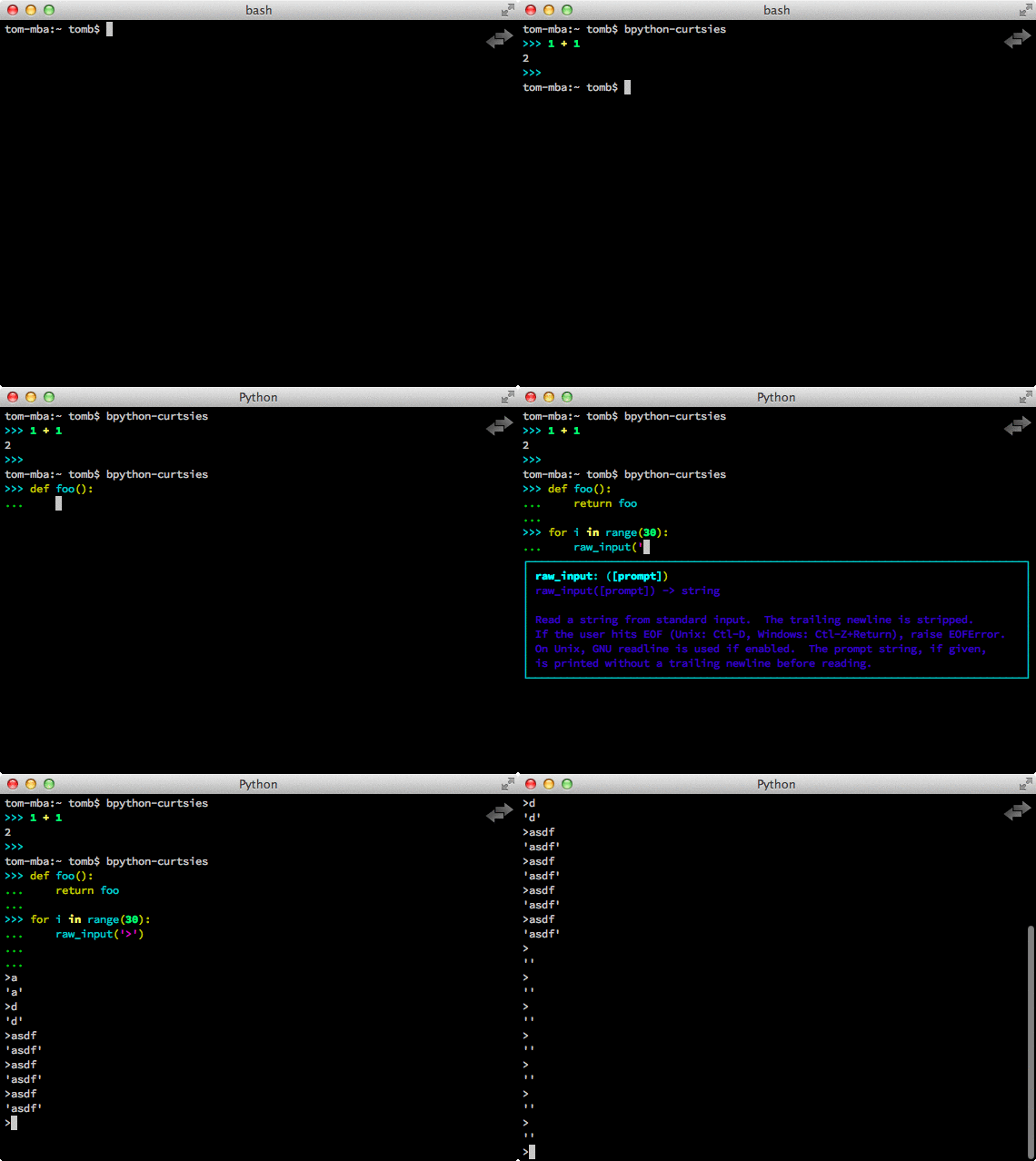
There's a new frontend for bpython: bpython-curtsies. Curtsies is a terminal
wrapper written to making native scrolling work in bpython. (#56, #245)
Try bpython-curtsies for the bpython experience with a vanilla python
layout. (demo:
http://ballingt.com/assets/bpython-curtsies-scroll-demo-large.gif)

This curtsies frontend addresses some issues unfixed in bpython-cli, and has
a few extra features:

* Editing full interpreter history in external editor with F7, which is
rerun
  as in rewind
* A new interpreter is used for rewind, unless bpython-curtsies was started
  with custom locals or in interactive mode (#71)
* Ctrl-c behaves more like vanilla python (#177)
* Completion still works if cursor at the end of the line (#147)
* Movement keys meta-b, meta-f, and meta-backspace, ctrl-left and ctrl-right
  are all honored (#246, #201)
* Non-ascii characters work in the file save prompt (#236)
* New --type / -t option to run the contents of a file as though they were
  typed into the bpython-curtsies prompt

A few things about bpython-curtsies are worse than regular bpython:

* Bad things can happen when using several threads (#265)
* output prints slowly (#262)
* bpython-curtsies can't be backgrounded and resumed correctly (via ctrl-z,
  fg) (#274)

There are two new options in the new [curtsies] section of the bpython
config

* list_above: whether completion window can cover text above the current
line;
  defaults to True
* fill_terminal: whether bpython-curtsies should be fullscreen (like
bpython);
  defaults to False

--
You received this message because you are subscribed to the Google Groups
"bpython" group.
To unsubscribe from this group and stop receiving emails from it, send an email
to [email protected].
To post to this group, send email to [email protected].
Visit this group at http://groups.google.com/group/bpython.
For more options, visit https://groups.google.com/d/optout.