This looks really interesting but I will have to read up on what it does
before I can even begin to test it.
On Sun, Nov 12, 2023 at 9:57 AM Andrew Randrianasulu <
[email protected]> wrote:

> using code example from
>
>
> https://git.ffmpeg.org/gitweb/ffmpeg.git/blobdiff/f7bab37c8e66f3c77a5fbb5b5b72c10b0fb4ca5a..6f79f0971e8ccf6c7a2b8eb1dbc5b64fdd77ca0f:/libavcodec/pngenc.c
>
> and test files from
>
> https://littlecms.com/img/blog/check_lut.jpg
>
> https://littlecms.com/img/blog/check_full.jpg
>
> I think I was able to make png ffmpeg encoder to add built-in profile,
> based on (randomly-choose) colorimetry.
>
> patch itself needed to be applied with usual patch from directory just
> above main cinelerra-5.1 level, and not "git am"
>
> tar.gz not included due to 7Mb size!
>
> Fake colorimetry I used:
>
> ========
>
> # this codec creates a set of image files in a directory
> # use an image2 file name like /dir/p%05d.png
> flags2=0x80000000
> colorspace=smpte2085
> color_primaries=bt2020
> color_trc=bt2020_12bit
> color_range=jpeg
>
>
> ====
>
> resulted in this exiftool output:
>
> exiftool /dev/shm/4.png
> ExifTool Version Number         : 11.11
> File Name                       : 4.png
> Directory                       : /dev/shm
> File Size                       : 29 kB
> File Modification Date/Time     : 2023:11:12 19:28:40+03:00
> File Access Date/Time           : 2023:11:12 19:28:40+03:00
> File Inode Change Date/Time     : 2023:11:12 19:28:40+03:00
> File Permissions                : rw-r--r--
> File Type                       : PNG
> File Type Extension             : png
> MIME Type                       : image/png
> Image Width                     : 400
> Image Height                    : 300
> Bit Depth                       : 8
> Color Type                      : RGB
> Compression                     : Deflate/Inflate
> Filter                          : Adaptive
> Interlace                       : Noninterlaced
> Pixels Per Unit X               : 1
> Pixels Per Unit Y               : 1
> Pixel Units                     : Unknown
> Profile Name                    : icc
> Profile CMM Type                : Little CMS
> Profile Version                 : 4.3.0
> Profile Class                   : Display Device Profile
> Color Space Data                : RGB
> Profile Connection Space        : XYZ
> Profile Date Time               : 2023:11:12 16:28:40
> Profile File Signature          : acsp
> Primary Platform                : Apple Computer Inc.
> CMM Flags                       : Not Embedded, Independent
> Device Manufacturer             :
> Device Model                    :
> Device Attributes               : Reflective, Glossy, Positive, Color
> Rendering Intent                : Perceptual
> Connection Space Illuminant     : 0.9642 1 0.82491
> Profile Creator                 : Little CMS
> Profile ID                      : 0
> Profile Description             : RGB built-in
> Profile Copyright               : No copyright, use freely
> Media White Point               : 0.9642 1 0.82491
> Chromatic Adaptation            : 1.04788 0.02292 -0.05022 0.02959
> 0.99048 -0.01707 -0.00925 0.01508 0.75168
> Red Matrix Column               : 0.67348 0.27904 -0.00194
> Blue Matrix Column              : 0.12505 0.04561 0.79684
> Green Matrix Column             : 0.16566 0.67534 0.02998
> Red Tone Reproduction Curve     : (Binary data 32 bytes, use -b option
> to extract)
> Green Tone Reproduction Curve   : (Binary data 32 bytes, use -b option
> to extract)
> Blue Tone Reproduction Curve    : (Binary data 32 bytes, use -b option
> to extract)
> Chromaticity Channels           : 3
> Chromaticity Colorant           : Unknown (0)
> Chromaticity Channel 1          : 0.70799 0.29201
> Chromaticity Channel 2          : 0.17 0.797
> Chromaticity Channel 3          : 0.131 0.04601
> Image Size                      : 400x300
> Megapixels                      : 0.120
>
>
> Note, of course this is WRONG kind of wrong, randomly setting
> colorimetry tags on encode, but at least it hopefully show that
> ffmpeg's machinery (6.1) works at least that far.
>
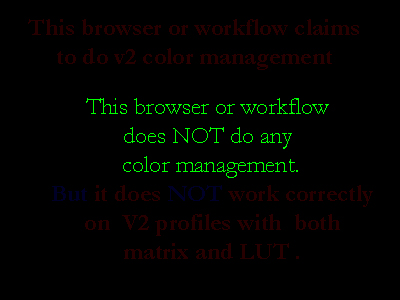
> sadly, no of those two test images show correct text, so I guess
> display icc profile support quite missing step for us ...!
>
> but one micro/nanostep at a time?
>
--
Cin mailing list
[email protected]
https://lists.cinelerra-gg.org/mailman/listinfo/cin