Copilot commented on code in PR #150:
URL: https://github.com/apache/echarts-handbook/pull/150#discussion_r2659298930
##########
contents/zh/how-to/custom-series.md:
##########
@@ -0,0 +1,78 @@
+# 自定义系列
+
+自定义系列可以自定义系列中的图形元素渲染,从而能扩展出不同的图表。本文将介绍使用如何开发或使用自定义系列,更详细的内容参见[配置项手册](${optionPath}series-custom)。
+
+## 可注册式自定义系列(新)
+
+从 Apache ECharts v6.0.0 版本起,我们支持了可注册的自定义系列,并且在
[echarts-custom-series](https://github.com/apache/echarts-custom-series)
中提供了多个可直接通过 NPM 安装的自定义系列。
+
+| | |
+|-|-|
+| `@echarts-x/custom-violin`<br>
[doc](https://github.com/apache/echarts-custom-series/tree/main/custom-series/violin)
[npm](https://www.npmjs.com/package/@echarts-x/custom-violin) <br>
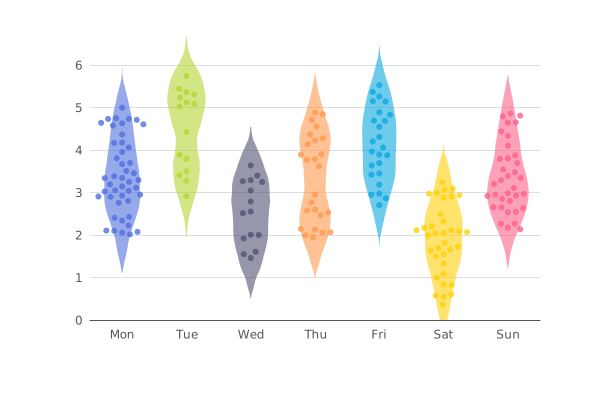
| `@echarts-x/custom-contour`<br>
[doc](https://github.com/apache/echarts-custom-series/tree/main/custom-series/contour)
[npm](https://www.npmjs.com/package/@echarts-x/custom-contour) <br>
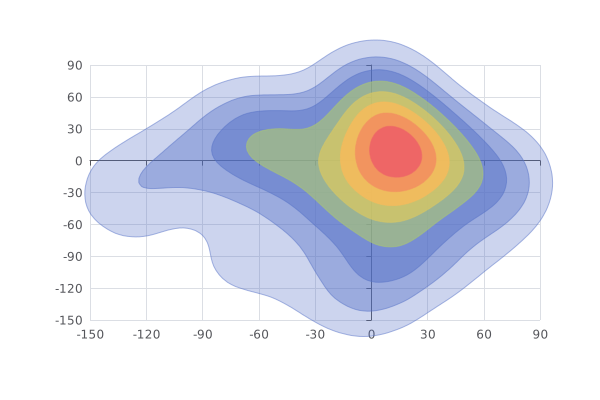
|
+| `@echarts-x/custom-stage`<br>
[doc](https://github.com/apache/echarts-custom-series/tree/main/custom-series/stage)
[npm](https://www.npmjs.com/package/@echarts-x/custom-stage) <br>
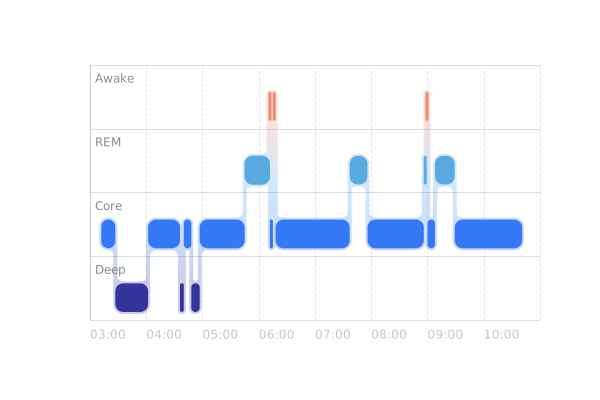
| `@echarts-x/custom-segmented-doughnut`<br>
[doc](https://github.com/apache/echarts-custom-series/tree/main/custom-series/segmentedDoughnut)
[npm](https://www.npmjs.com/package/@echarts-x/custom-segmented-doughnut) <br>

|
+| `@echarts-x/custom-bar-range`<br>
[doc](https://github.com/apache/echarts-custom-series/tree/main/custom-series/barRange)
[npm](https://www.npmjs.com/package/@echarts-x/custom-bar-range) <br>
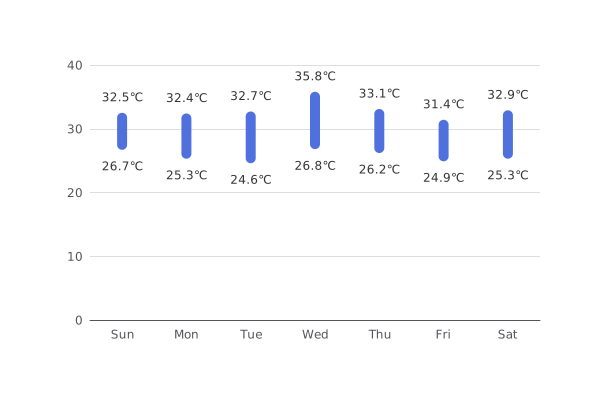
| `@echarts-x/custom-line-range`<br>
[doc](https://github.com/apache/echarts-custom-series/tree/main/custom-series/lineRange)
[npm](https://www.npmjs.com/package/@echarts-x/custom-line-range) <br>
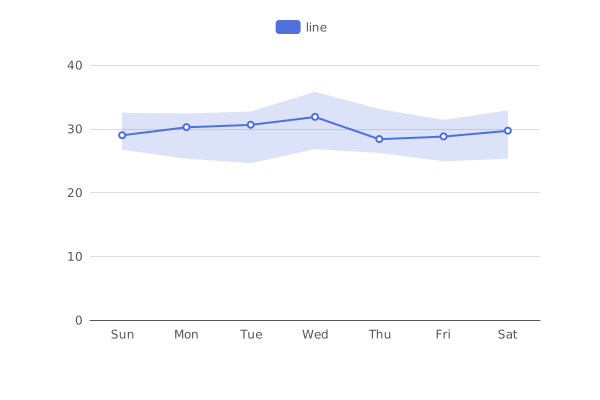
|
+| `@echarts-x/custom-liquid-fill`<br>
[doc](https://github.com/apache/echarts-custom-series/tree/main/custom-series/liquidFill)
[npm](https://www.npmjs.com/package/@echarts-x/custom-liquid-fill) <br>

| |
+
+你可以直接使用该项目中的自定义系列开发图表,或者使用其他人发布的自定义系列,或者自己开发自定义系列(后文将会详细介绍)并通过类似的方式使用。首先,让我们来了解一下最简单的方式——使用官方发布的自定义系列。
+
+### 使用已发布的自定义系列
+
+下面,我们以范围柱状图为例,介绍如何使用已发布的自定义系列。
+
+范围柱状图的文档在
[echarts-custom-series/custom-series/barRange](https://github.com/apache/echarts-custom-series/tree/main/custom-series/barRange),其中有详细的介绍、API
和示例。
+
+简单来说,我们在使用已发布的自定义系列的时候,首先需要通过 `npm install @echarts-x/custom-bar-range`
之类的命令下载,然后根据开发环境,选择使用的方式。
+
+例如,你在网页环境中使用,并且没有额外的打包工具,那么最简单的方式是:
+
+```html
+<script src="./node_modules/echarts/dist/echarts.js"></script>
+<script
src="./node_modules/@echarts-x/custom-bar-range/dist/bar-range.auto.js"></script>
+<script>
+ // 无需调用 echarts.use(),已经自动注册过了
+ const chart = echarts.init(...);
+ const option = {
+ series: [{
+ type: 'custom',
+ renderItem: 'barRange',
+ data: [
+ [0, 26.7, 32.5],
+ [1, 25.3, 32.4],
+ [2, 24.6, 32.7],
+ [3, 26.8, 35.8],
+ [4, 26.2, 33.1],
+ [5, 24.9, 31.4],
+ [6, 25.3, 32.9]
+ ],
+ itemPayload: {
+ barWidth: 10,
+ borderRadius: 5,
+ },
+ encode: {
+ x: 0,
+ y: [1, 2],
+ tooltip: [1, 2],
+ }
+ }]
+ };
+ chart.setOption(option);
+</script>
+```
+
+`bar-range.auto.js` 中的 `auto` 指的是加载它的时候自动会将自定义系列注册到 `echarts`
全局变量上,无需开发者手动注册,只需要在 `setOption` 的时候通过 `type: 'custom'` 指定使用自定义系列,并通过
`renderItem: 'barRange'` 指定使用的自定义系列名称即可。
+
+你通常需要通过 `itemPayload` 是把参数传递给自定义系列。你可以在每个自定义系列的 README 中找到它可配置的参数。
Review Comment:
The phrase "是把参数传递给" contains an unnecessary character "是". It should be
"把参数传递给" (to pass parameters to).
```suggestion
你通常需要通过 `itemPayload` 把参数传递给自定义系列。你可以在每个自定义系列的 README 中找到它可配置的参数。
```
--
This is an automated message from the Apache Git Service.
To respond to the message, please log on to GitHub and use the
URL above to go to the specific comment.
To unsubscribe, e-mail: [email protected]
For queries about this service, please contact Infrastructure at:
[email protected]
---------------------------------------------------------------------
To unsubscribe, e-mail: [email protected]
For additional commands, e-mail: [email protected]







