This is an automated email from the ASF dual-hosted git repository.

gerlowskija pushed a commit to branch main
in repository https://gitbox.apache.org/repos/asf/solr.git
The following commit(s) were added to refs/heads/main by this push:
new b41c7dd1534 SOLR-15625 Improve documentation for the benchmark module.
(#406)
b41c7dd1534 is described below
commit b41c7dd1534ff0bb90e34ac133fc0f970e9081d3
Author: Mark Robert Miller <[email protected]>
AuthorDate: Fri Dec 13 09:06:34 2024 -0600
SOLR-15625 Improve documentation for the benchmark module. (#406)
---
solr/benchmark/README.md | 578 ++++++++++++++++-------------
solr/benchmark/docs/jmh-profilers-setup.md | 405 ++++++++++++++++++++
solr/benchmark/docs/jmh-profilers.md | 189 ++++++++++
3 files changed, 914 insertions(+), 258 deletions(-)
diff --git a/solr/benchmark/README.md b/solr/benchmark/README.md
index 7075ef111a7..9b1b8cdf623 100644
--- a/solr/benchmark/README.md
+++ b/solr/benchmark/README.md
@@ -1,356 +1,418 @@
<!--
- Licensed to the Apache Software Foundation (ASF) under one or more
- contributor license agreements. See the NOTICE file distributed with
- this work for additional information regarding copyright ownership.
- The ASF licenses this file to You under the Apache License, Version 2.0
- (the "License"); you may not use this file except in compliance with
- the License. You may obtain a copy of the License at
+ Licensed to the Apache Software Foundation (ASF) under one or more
+ contributor license agreements. See the NOTICE file distributed with
+ this work for additional information regarding copyright ownership.
+ The ASF licenses this file to You under the Apache License, Version 2.0
+ the "License"); you may not use this file except in compliance with
+ the License. You may obtain a copy of the License at
http://www.apache.org/licenses/LICENSE-2.0
- Unless required by applicable law or agreed to in writing, software
- distributed under the License is distributed on an "AS IS" BASIS,
- WITHOUT WARRANTIES OR CONDITIONS OF ANY KIND, either express or implied.
- See the License for the specific language governing permissions and
- limitations under the License.
+ Unless required by applicable law or agreed to in writing, software
+ distributed under the License is distributed on an "AS IS" BASIS,
+ WITHOUT WARRANTIES OR CONDITIONS OF ANY KIND, either express or implied.
+ See the License for the specific language governing permissions and
+ limitations under the License.
-->
-JMH-Benchmarks module
-=====================
+# Solr JMH Benchmark Module
-This module contains benchmarks written using
[JMH](https://openjdk.java.net/projects/code-tools/jmh/) from OpenJDK.
-Writing correct micro-benchmarks in Java (or another JVM language) is
difficult and there are many non-obvious
-pitfalls (many due to compiler optimizations). JMH is a framework for running
and analyzing benchmarks (micro or macro)
-written in Java (or another JVM language).
+
-* [JMH-Benchmarks module](#jmh-benchmarks-module)
- * [Running benchmarks](#running-benchmarks)
- * [Using JMH with async profiler](#using-jmh-with-async-profiler)
- * [Using JMH GC profiler](#using-jmh-gc-profiler)
- * [Using JMH Java Flight Recorder
profiler](#using-jmh-java-flight-recorder-profiler)
- * [JMH Options](#jmh-options)
- * [Writing benchmarks](#writing-benchmarks)
- * [SolrCloud MiniCluster Benchmark
Setup](#solrcloud-minicluster-benchmark-setup)
- * [MiniCluster Metrics](#minicluster-metrics)
- * [Benchmark Repeatability](#benchmark-repeatability)
+**_`profile, compare and introspect`_**
-## Running benchmarks
+<samp>**A flexible, developer-friendly, microbenchmark framework**</samp>
-If you want to set specific JMH flags or only run certain benchmarks, passing
arguments via gradle tasks is cumbersome.
-The process has been simplified by the provided `jmh.sh` script.
+
-The default behavior is to run all benchmarks:
+## Table Of Content
-`./jmh.sh`
+- [](#)
+ - [Table Of Content](#table-of-content)
+ - [Overview](#overview)
+ - [Getting Started](#getting-started)
+ - [Running `jmh.sh` with no Arguments](#running-jmhsh-with-no-arguments)
+ - [Pass a regex pattern or name after the command to select the
benchmark(s) to
run](#pass-a-regex-pattern-or-name-after-the-command-to-select-the-benchmarks-to-run)
+ - [The argument `-l` will list all the available
benchmarks](#the-argument--l-will-list-all-the-available-benchmarks)
+ - [Check which benchmarks will run by entering a pattern after the -l
argument](#check-which-benchmarks-will-run-by-entering-a-pattern-after-the--l-argument)
+ - [Further Pattern Examples](#further-pattern-examples)
+ - [`jmh.sh` accepts all the standard arguments that the standard JMH
main-class
handles](#jmhsh-accepts-all-the-standard-arguments-that-the-standard-jmh-main-class-handles)
+ - [Overriding Benchmark Parameters](#overriding-benchmark-parameters)
+ - [Format and Write Results to Files](#format-and-write-results-to-files)
+ - [JMH Command-Line Arguments](#jmh-command-line-arguments)
+ - [The JMH Command-Line Syntax](#the-jmh-command-line-syntax)
+ - [The Full List of JMH Arguments](#the-full-list-of-jmh-arguments)
+ - [Writing JMH benchmarks](#writing-jmh-benchmarks)
+ - [Continued Documentation](#continued-documentation)
-Pass a pattern or name after the command to select the benchmarks:
+---
-`./jmh.sh CloudIndexing`
+## Overview
-Check which benchmarks match the provided pattern:
+JMH is a Java **microbenchmark** framework from some of the developers that
work on
+OpenJDK. Not surprisingly, OpenJDK is where you will find JMH's home today,
alongside some
+other useful little Java libraries such as JOL (Java Object Layout).
-`./jmh.sh -l CloudIndexing`
+The significant value in JMH is that you get to stand on the shoulders of some
brilliant
+engineers that have done some tricky groundwork that many an ambitious Java
benchmark writer
+has merrily wandered past.
-Run a specific test and overrides the number of forks, iterations and sets
warm-up iterations to `2`:
+Rather than simply providing a boilerplate framework for driving iterations
and measuring
+elapsed times, which JMH does happily do, the focus is on the many forces that
+deceive and disorient the earnest benchmark enthusiast.
-`./jmh.sh -f 2 -i 2 -wi 2 CloudIndexing`
+From spinning your benchmark into all new generated source code
+in an attempt to avoid falling victim to undesirable optimizations, to offering
+**BlackHoles** and a solid collection of convention and cleverly thought out
yet
+simple boilerplate, the goal of JMH is to lift the developer off the
+microbenchmark floor and at least to their knees.
-Run a specific test with async and GC profilers on Linux and flame graph
output:
+JMH reaches out a hand to both the best and most regular among us in a solid,
cautious
+effort to promote the willing into the real, often-obscured world of the
microbenchmark.
-`./jmh.sh -prof gc -prof
async:libPath=/path/to/libasyncProfiler.so\;output=flamegraph\;dir=profile-results
CloudIndexing`
+## Code Organization Breakdown
-### Using JMH with async profiler
+
-It's good practice to check profiler output for micro-benchmarks in order to
verify that they represent the expected
-application behavior and measure what you expect to measure. Some example
pitfalls include the use of expensive mocks or
-accidental inclusion of test setup code in the benchmarked code. JMH includes
-[async-profiler](https://github.com/jvm-profiling-tools/async-profiler)
integration that makes this easy:
+- **JMH:** microbenchmark classes and some common base code to support them.
-`./jmh.sh -prof
async:libPath=/path/to/libasyncProfiler.so\;dir=profile-results`
+- **Random Data:** a framework for easily generating specific and repeatable
random data.
+
+## Getting Started
+
+Running **JMH** is handled via the `jmh.sh` shell script. This script uses
Gradle to
+extract the correct classpath and configures a handful of helpful Java
+command prompt arguments and system properties. For the most part, `jmh.sh`
script
+will pass any arguments it receives directly to JMH. You run the script
+from the root benchmark module directory (i.e. `solr/benchmark`).
+
+### Running `jmh.sh` with no Arguments
-With flame graph output:
-
-`./jmh.sh -prof
async:libPath=/path/to/libasyncProfiler.so\;output=flamegraph\;dir=profile-results`
-
-Simultaneous cpu, allocation and lock profiling with async profiler 2.0 and
jfr output:
-
-`./jmh.sh -prof
async:libPath=/path/to/libasyncProfiler.so\;output=jfr\;alloc\;lock\;dir=profile-results
CloudIndexing`
-
-A number of arguments can be passed to configure async profiler, run the
following for a description:
-
-`./jmh.sh -prof async:help`
-
-You can also skip specifying libPath if you place the async profiler lib in a
predefined location, such as one of the
-locations in the env variable `LD_LIBRARY_PATH` if it has been set (many Linux
distributions set this env variable, Arch
-by default does not), or `/usr/lib` should work.
-
-#### OS Permissions for Async Profiler
-
-Async Profiler uses perf to profile native code in addition to Java code. It
will need the following for the necessary
-access.
-
-```bash
-echo 0 > /proc/sys/kernel/kptr_restrict
-echo 1 > /proc/sys/kernel/perf_event_paranoid
-```
-
-or
-
-```bash
-sudo sysctl -w kernel.kptr_restrict=0
-sudo sysctl -w kernel.perf_event_paranoid=1
-```
-
-### Using JMH GC profiler
-
-You can run a benchmark with `-prof gc` to measure its allocation rate:
-
-`./jmh.sh -prof gc:dir=profile-results`
-
-Of particular importance is the `norm` alloc rates, which measure the
allocations per operation rather than allocations
-per second.
-
-### Using JMH Java Flight Recorder profiler
-
-JMH comes with a variety of built-in profilers. Here is an example of using
JFR:
-
-`./jmh.sh -prof jfr:dir=profile-results\;configName=jfr-profile.jfc`
-
-In this example we point to the included configuration file with configName,
but you could also do something like
-settings=default or settings=profile.
-
-### Benchmark Outputs
-
-By default, output that benchmarks generate is created in the build/work
directory. You can change this location by setting the workBaseDir system
property like this:
-
- -jvmArgsAppend -DworkBaseDir=/data3/bench_work
-
-If a profiler generates output, it will generally be written to the current
working directory - that is the benchmark module directory itself. You can
usually change this via the dir option, for example:
-
- ./jmh.sh -prof jfr:dir=build/work/profile-results JsonFaceting
-
-### Using a Separate MiniCluster Base Directory
-
-If you have a special case MiniCluster you have generated, such as one you
have prepared with very large indexes for a search benchmark run, you can
change the base directory used by the profiler
-for the MiniCluster with the miniClusterBaseDir system property. This is for
search based benchmarks in general and the MiniCluster wil not be removed
automatically by the benchmark.
-
-### JMH Options
-
-Some common JMH options are:
-
-```text
+>
+> ```zsh
+> # run all benchmarks found in subdirectories
+> ./jmh.sh
+> ```
+
+### Pass a regex pattern or name after the command to select the benchmark(s)
to run
+
+>
+> ```zsh
+> ./jmh.sh BenchmarkClass
+> ```
+
+### The argument `-l` will list all the available benchmarks
+
+>
+> ```zsh
+> ./jmh.sh -l
+> ```
+
+### Check which benchmarks will run by entering a pattern after the -l argument
+
+Use the full benchmark class name, the simple class name, the benchmark
+method name, or a substring.
+
+>
+> ```zsh
+> ./jmh.sh -l Ben
+> ```
+
+### Further Pattern Examples
+
+>
+> ```shell
+>./jmh.sh -l org.apache.solr.benchmark.search.BenchmarkClass
+>./jmh.sh -l BenchmarkClass
+>./jmh.sh -l BenchmarkClass.benchmethod
+>./jmh.sh -l Bench
+>./jmh.sh -l benchme
+
+### The JMH Script Accepts _ALL_ of the Standard JMH Arguments
+
+Here we tell JMH to run the trial iterations twice, forking a new JVM for each
+trial. We also explicitly set the number of warmup iterations and the
+measured iterations to 2.
+
+>
+> ```zsh
+> ./jmh.sh -f 2 -wi 2 -i 2 BenchmarkClass
+> ```
+
+### Overriding Benchmark Parameters
+
+> 
+>
+> ```java
+> @Param("1000")
+> private int numDocs;
+> ```
+
+The state objects that can be specified in benchmark classes will often have a
+number of input parameters that benchmark method calls will access. The
notation
+above will default numDocs to 1000 and also allow you to override that value
+using the `-p` argument. A benchmark might also use a @Param annotation such
as:
+
+> 
+>
+> ```java
+> @Param("1000","5000","1000")
+> private int numDocs;
+> ```
+
+By default, that would cause the benchmark
+to be run enough times to use each of the specified values. If multiple input
+parameters are specified this way, the number of runs needed will quickly
+expand. You can pass multiple `-p`
+arguments and each will completely replace the behavior of any default
+annotation values.
+
+>
+> ```zsh
+> # use 2000 docs instead of 1000
+> ./jmh.sh BenchmarkClass -p numDocs=2000
+>
+>
+> # use 5 docs, then 50, then 500
+> ./jmh.sh BenchmarkClass -p numDocs=5,50,500
+>
+>
+> # run the benchmark enough times to satisfy every combination of two
+> # multi-valued input parameters
+> ./jmh.sh BenchmarkClass -p numDocs=10,20,30 -p docSize 250,500
+> ```
+
+### Format and Write Results to Files
+
+Rather than just dumping benchmark results to the console, you can specify the
+`-rf` argument to control the output format; for example, you can choose CSV or
+JSON. The `-rff` argument will dictate the filename and output location.
+
+>
+> ```zsh
+> # format output to JSON and write the file to the `work` directory relative
to
+> # the JMH working directory.
+> ./jmh.sh BenchmarkClass -rf json -rff work/jmh-results.json
+> ```
+>
+> 💡 **If you pass only the `-rf` argument, JMH will write out a file to the
+> current working directory with the appropriate extension, e.g.,**
`jmh-results.csv`.
+
+## JMH Command-Line Arguments
+
+### The JMH Command-Line Syntax
+
+> 
+>
+> ```zsh
+> Usage: ./jmh.sh [regexp*] [options]
+> [opt] means optional argument.
+> <opt> means required argument.
+> "+" means comma-separated list of values.
+> "time" arguments accept time suffixes, like "100ms".
+>
+> Command-line options usually take precedence over annotations.
+> ```
+
+### The Full List of JMH Arguments
+
+```zsh
Usage: ./jmh.sh [regexp*] [options]
[opt] means optional argument.
<opt> means required argument.
- "+" means comma-separated list of values.
+ "+" means a comma-separated list of values.
"time" arguments accept time suffixes, like "100ms".
-Command line options usually take precedence over annotations.
+Command-line options usually take precedence over annotations.
[arguments] Benchmarks to run (regexp+). (default: .*)
- -bm <mode> Benchmark mode. Available modes are:
[Throughput/thrpt,
- AverageTime/avgt, SampleTime/sample,
SingleShotTime/ss,
+ -bm <mode> Benchmark mode. Available modes are:
+ [Throughput/thrpt, AverageTime/avgt,
+ SampleTime/sample, SingleShotTime/ss,
All/all]. (default: Throughput)
-bs <int> Batch size: number of benchmark method calls per
operation. Some benchmark modes may ignore this
- setting, please check this separately. (default:
- 1)
+ setting; please check this separately.
+ (default: 1)
-e <regexp+> Benchmarks to exclude from the run.
- -f <int> How many times to fork a single benchmark. Use 0
to
- disable forking altogether. Warning: disabling
- forking may have detrimental impact on benchmark
- and infrastructure reliability, you might want
- to use different warmup mode instead. (default:
- 5)
-
- -foe <bool> Should JMH fail immediately if any benchmark had
- experienced an unrecoverable error? This helps
- to make quick sanity tests for benchmark suites,
- as well as make the automated runs with checking
error
+ -f <int> How many times to fork a single benchmark. Use 0
+ to disable forking altogether. Warning:
+ disabling forking may have a detrimental impact
on
+ benchmark and infrastructure reliability. You
might
+ want to use a different warmup mode instead.
(default: 1)
+
+ -foe <bool> Should JMH fail immediately if any benchmark has
+ experienced an unrecoverable error? Failing fast
+ helps to make quick sanity tests for benchmark
+ suites and allows automated runs to do error
+ checking.
codes. (default: false)
-gc <bool> Should JMH force GC between iterations? Forcing
- the GC may help to lower the noise in GC-heavy
benchmarks,
- at the expense of jeopardizing GC ergonomics
decisions.
+ GC may help lower the noise in GC-heavy
benchmarks
+ at the expense of jeopardizing GC ergonomics
+ decisions.
Use with care. (default: false)
- -h Display help, and exit.
+ -h Displays this help output and exits.
- -i <int> Number of measurement iterations to do.
Measurement
- iterations are counted towards the benchmark
score.
- (default: 1 for SingleShotTime, and 5 for all
other
- modes)
+ -i <int> Number of measurement iterations to do.
+ Measurement
+ iterations are counted towards the benchmark
+ score.
+ (default: 1 for SingleShotTime, and 5 for all
+ other modes)
- -jvm <string> Use given JVM for runs. This option only affects
forked
- runs.
+ -jvm <string> Use given JVM for runs. This option only affects
+ forked runs.
- -jvmArgs <string> Use given JVM arguments. Most options are
inherited
- from the host VM options, but in some cases you
want
- to pass the options only to a forked VM. Either
single
- space-separated option line, or multiple options
- are accepted. This option only affects forked
runs.
+ -jvmArgs <string> Use given JVM arguments. Most options are
+ inherited from the host VM options, but in some
+ cases, you want to pass the options only to a
forked
+ VM. Either single space-separated option line or
+ multiple options are accepted. This option only
+ affects forked runs.
- -jvmArgsAppend <string> Same as jvmArgs, but append these options after
the
- already given JVM args.
+ -jvmArgsAppend <string> Same as jvmArgs, but append these options after
+ the already given JVM args.
-jvmArgsPrepend <string> Same as jvmArgs, but prepend these options
before
the already given JVM arg.
- -l List the benchmarks that match a filter, and
exit.
+ -l List the benchmarks that match a filter and
exit.
- -lp List the benchmarks that match a filter, along
with
+ -lp List the benchmarks that match a filter, along
+ with
parameters, and exit.
- -lprof List profilers, and exit.
+ -lprof List profilers and exit.
- -lrf List machine-readable result formats, and exit.
+ -lrf List machine-readable result formats and exit.
-o <filename> Redirect human-readable output to a given file.
- -opi <int> Override operations per invocation, see
@OperationsPerInvocation
- Javadoc for details. (default: 1)
+ -opi <int> Override operations per invocation, see
+ @OperationsPerInvocation Javadoc for details.
+ (default: 1)
- -p <param={v,}*> Benchmark parameters. This option is expected to
- be used once per parameter. Parameter name and
parameter
- values should be separated with equals sign.
Parameter
- values should be separated with commas.
+ -p <param={v,}*> Benchmark parameters. This option is expected to
+ be used once per parameter. The parameter name
and
+ parameter values should be separated with an
+ equal sign. Parameter values should be separated
+ with commas.
- -prof <profiler> Use profilers to collect additional benchmark
data.
- Some profilers are not available on all JVMs
and/or
- all OSes. Please see the list of available
profilers
- with -lprof.
+ -prof <profiler> Use profilers to collect additional benchmark
+ data.
+ Some profilers are not available on all JVMs or
+ all OSes. '-lprof' will list the available
+ profilers that are available and that can run
+ with the current OS configuration and installed
dependencies.
- -r <time> Minimum time to spend at each measurement
iteration.
- Benchmarks may generally run longer than
iteration
- duration. (default: 10 s)
+ -r <time> Minimum time to spend at each measurement
+ iteration. Benchmarks may generally run longer
+ than the iteration duration. (default: 10 s)
-rf <type> Format type for machine-readable results. These
- results are written to a separate file (see
-rff).
- See the list of available result formats with
-lrf.
+ results are written to a separate file
+ (see -rff). See the list of available result
+ formats with -lrf.
(default: CSV)
-rff <filename> Write machine-readable results to a given file.
- The file format is controlled by -rf option.
Please
- see the list of result formats for available
formats.
+ The -rf option controls the file format. Please
+ see the list of result formats available.
(default: jmh-result.<result-format>)
- -si <bool> Should JMH synchronize iterations? This would
significantly
- lower the noise in multithreaded tests, by
making
- sure the measured part happens only when all
workers
- are running. (default: true)
+ -si <bool> Should JMH synchronize iterations? Doing so would
+ significantly lower the noise in multithreaded
+ tests by ensuring that the measured part happens
+ when all workers are running.
+ (default: true)
- -t <int> Number of worker threads to run with. 'max'
means
- the maximum number of hardware threads available
- on the machine, figured out by JMH itself.
(default:
- 1)
+ -t <int> Number of worker threads to run with. 'max' means
+ the maximum number of hardware threads available
+ the machine, figured out by JMH itself.
+ (default: 1)
-tg <int+> Override thread group distribution for
asymmetric
benchmarks. This option expects a
comma-separated
- list of thread counts within the group. See
@Group/@GroupThreads
+ list of thread counts within the group. See
+ @Group/@GroupThreads
Javadoc for more information.
- -to <time> Timeout for benchmark iteration. After reaching
- this timeout, JMH will try to interrupt the
running
- tasks. Non-cooperating benchmarks may ignore
this
+ -to <time> Timeout for benchmark iteration. After reaching
+ this timeout, JMH will try to interrupt the
running
+ tasks. Non-cooperating benchmarks may ignore
this =
timeout. (default: 10 min)
- -tu <TU> Override time unit in benchmark results.
Available
- time units are: [m, s, ms, us, ns]. (default:
SECONDS)
+ -tu <TU> Override time unit in benchmark results.
Available
+ time units are: [m, s, ms, us, ns].
+ (default: SECONDS)
- -v <mode> Verbosity mode. Available modes are: [SILENT,
NORMAL,
- EXTRA]. (default: NORMAL)
+ -v <mode> Verbosity mode. Available modes are: [SILENT,
+ NORMAL, EXTRA]. (default: NORMAL)
- -w <time> Minimum time to spend at each warmup iteration.
Benchmarks
+ -w <time> Minimum time to spend at each warmup iteration.
+ Benchmarks
may generally run longer than iteration
duration.
(default: 10 s)
- -wbs <int> Warmup batch size: number of benchmark method
calls
- per operation. Some benchmark modes may ignore
this
- setting. (default: 1)
+ -wbs <int> Warmup batch size: number of benchmark method
+ calls per operation. Some benchmark modes may
+ ignore this setting. (default: 1)
- -wf <int> How many warmup forks to make for a single
benchmark.
- All iterations within the warmup fork are not
counted
- towards the benchmark score. Use 0 to disable
warmup
- forks. (default: 0)
+ -wf <int> How many warmup forks to make for a single
+ benchmark. All benchmark iterations within the
+ warmup fork do not count towards the benchmark
score.
+ Use 0 to disable warmup forks. (default: 0)
- -wi <int> Number of warmup iterations to do. Warmup
iterations
- are not counted towards the benchmark score.
(default:
- 0 for SingleShotTime, and 5 for all other modes)
+ -wi <int> Number of warmup iterations to do. Warmup
+ iterations do not count towards the benchmark
+ score.
+ (default: 0 for SingleShotTime, and 5 for all
other
+ modes)
-wm <mode> Warmup mode for warming up selected benchmarks.
- Warmup modes are: INDI = Warmup each benchmark
individually,
- then measure it. BULK = Warmup all benchmarks
first,
- then do all the measurements. BULK_INDI = Warmup
- all benchmarks first, then re-warmup each
benchmark
- individually, then measure it. (default: INDI)
-
- -wmb <regexp+> Warmup benchmarks to include in the run in
addition
- to already selected by the primary filters.
Harness
- will not measure these benchmarks, but only use
them
- for the warmup.
+ Warmup modes are INDI = Warmup each benchmark
+ individually,
+ then measure it. BULK = Warm up all benchmarks
+ first, then do all the measurements. BULK_INDI =
+ warmup all benchmarks first, then re-warm up each
+ benchmark individually, then measure it.
+ (default: INDI)
+
+ -wmb <regexp+> Warmup benchmarks to include in the run, in
+ addition to already selected by the primary
filters.
+ The harness will not measure these benchmarks
but only
+ use them for the warmup.
```
-## Writing benchmarks
+</details>
+
+---
-For help in writing correct JMH tests, the best place to start is
+## Writing JMH benchmarks
+
+For additional insight around writing correct JMH tests, the best place to
start is
the [sample
code](https://hg.openjdk.java.net/code-tools/jmh/file/tip/jmh-samples/src/main/java/org/openjdk/jmh/samples/)
provided by the JMH project.
-JMH is highly configurable and users are encouraged to look through the
samples for suggestions on what options are
-available. A good tutorial for using JMH can be
+JMH is highly configurable, and users are encouraged to look through the
samples
+for exposure around what options are available. A good tutorial for learning
JMH basics is
found
[here](http://tutorials.jenkov.com/java-performance/jmh.html#return-value-from-benchmark-method)
-Many Solr JMH benchmarks are actually closer to a full integration benchmark
in that they run a single action against a
-full Solr mini cluster.
-
-See
[org.apache.solr.bench.index.CloudIndexing](https://github.com/apache/solr/blob/main/solr/benchmark/src/java/org/apache/solr/bench/index/CloudIndexing.java)
-for an example of this.
-
-### SolrCloud MiniCluster Benchmark Setup
-
-#### MiniCluster Setup
-
-- CloudIndexing.java
-
-```java
- @Setup(Level.Trial)
- public void doSetup(MiniClusterState.MiniClusterBenchState
miniClusterState) throws Exception {
- System.setProperty("mergePolicyFactory",
"org.apache.solr.index.NoMergePolicyFactory");
- miniClusterState.startMiniCluster(nodeCount);
- miniClusterState.createCollection(COLLECTION, numShards, numReplicas);
- }
-```
-
-#### MiniCluster Metrics
-
-After every iteration, the metrics collected by Solr will be dumped to the
build/work/metrics-results folder. You can
-disable metrics collection using the metricsEnabled method of the
MiniClusterState, in which case the same output files
-will be dumped, but the values will all be 0/null.
-
-### Benchmark Repeatability
-
-Indexes created for the benchmarks often involve randomness when generating
terms, term length and number of terms in a
-field. In order to make benchmarks repeatable, a static seed is used for
randoms. This allows for generating varying
-data while ensuring that data is consistent across runs.
-
-You can vary that seed by setting a system property to explore a wider range
of variation in the benchmark:
-
-`-jvmArgsAppend -Dsolr.bench.seed=6624420638116043983`
-
-The seed used for a given benchmark run will be printed out near the top of
the output.
-
-> --> benchmark random seed: 6624420638116043983
+## Additional Documentation
-You can also specify where to place the mini-cluster with a system property:
+### 📚 Profilers
-`-jvmArgsAppend -DminiClusterBaseDir=/benchmark-data/mini-cluster`
+JMH is compatible with a number of profilers that can be used both to (1)
+validate that benchmarks are measuring the things they intend to, and (2) to
+identify performance bottlenecks and hotspots.
-In this case, new data will not be generated for the benchmark, even if you
change parameters. The use case for this if
-you are running a query based benchmark and want to create a large index for
testing and reuse (say hundreds of GB's).
-Be aware that with this system property set, that same mini-cluster will be
reused for any benchmarks run, regardless of
-if that makes sense or not.
+- 📒 [docs/jmh-profilers.md](docs/jmh-profilers.md)
+- 📒 [docs/jmh-profilers-setup.md](docs/jmh-profilers-setup.md)
diff --git a/solr/benchmark/docs/jmh-profilers-setup.md
b/solr/benchmark/docs/jmh-profilers-setup.md
new file mode 100644
index 00000000000..e8b16a0c638
--- /dev/null
+++ b/solr/benchmark/docs/jmh-profilers-setup.md
@@ -0,0 +1,405 @@
+<!--
+ Licensed to the Apache Software Foundation (ASF) under one or more
+ contributor license agreements. See the NOTICE file distributed with
+ this work for additional information regarding copyright ownership.
+ The ASF licenses this file to You under the Apache License, Version 2.0
+ the "License"); you may not use this file except in compliance with
+ the License. You may obtain a copy of the License at
+
+ http://www.apache.org/licenses/LICENSE-2.0
+
+ Unless required by applicable law or agreed to in writing, software
+ distributed under the License is distributed on an "AS IS" BASIS,
+ WITHOUT WARRANTIES OR CONDITIONS OF ANY KIND, either express or implied.
+ See the License for the specific language governing permissions and
+ limitations under the License.
+ -->
+
+# JMH Profiler Setup (Async-Profiler and Perfasm)
+
+JMH ships with a number of built-in profiler options that have grown in number
over time. The profiler system is also pluggable,
+allowing for "after-market" profiler implementations to be added on the fly.
+
+Many of these profilers, most often the ones that stay in the realm of Java,
will work across platforms and architectures and do
+so right out of the box. Others may be targeted at a specific OS, though there
is a good chance a similar profiler for other OS's
+may exist where possible. A couple of very valuable profilers also require
additional setup and environment to either work fully
+or at all.
+
+[TODO: link to page that only lists commands with simple section]
+
+- [JMH Profiler Setup (Async-Profiler and
Perfasm)](#jmh-profiler-setup-async-profiler-and-perfasm)
+ - [Async-Profiler](#async-profiler)
+ - [Install async-profiler](#install-async-profiler)
+ - [Install Java Debug Symbols](#install-java-debug-symbols)
+ - [Ubuntu](#ubuntu)
+ - [Arch](#arch)
+ - [Perfasm](#perfasm)
+ - [Arch](#arch-1)
+ - [Ubuntu](#ubuntu-1)
+
+<br/>
+This guide will cover setting up both the async-profiler and the Perfasm
profiler. Currently, we roughly cover two Linux family trees,
+but much of the information can be extrapolated or help point in the right
direction for other systems.
+
+<br/> <br/>
+
+|<b>Path 1: Arch, Manjaro, etc</b>|<b>Path 2: Debian, Ubuntu, etc</b>|
+|
:----------------------------------------------------------------------------------------------------------------------------------------------------------------------------------------------------------------------------------:
|
:----------------------------------------------------------------------------------------------------------------------------------------------------------------------------------------------------------------------------------:
|
+| <image
src="https://user-images.githubusercontent.com/448788/137563725-0195a732-da40-4c8b-a5e8-fd904a43bb79.png"/><image
src="https://user-images.githubusercontent.com/448788/137563722-665de88f-46a4-4939-88b0-3f96e56989ea.png"/>
| <image
src="https://user-images.githubusercontent.com/448788/137563909-6c2d2729-2747-47a0-b2bd-f448a958b5be.png"/><image
src="https://user-images.githubusercontent.com/448788/137563908-738a7431-88db-47b0-96a4-baaed7e5024b.png"/>
|
+
+<br/>
+
+If you run `jmh.sh` with the `-lprof` argument, it will make an attempt to
only list the profilers that it detects will work in your particular
environment.
+
+You should do this first to see where you stand.
+
+
+<div style="z-index: 8; background-color: #364850; border-style: solid;
border-width: 1px; border-color: #3b4d56;border-radius: 0px; margin: 0px 5px
3px 10px; padding-bottom: 1px;padding-top: 5px;" data-code-wrap="true">
+
+
+
+```Shell
+./jmh.sh -lprof`
+```
+
+</div>
+
+
+<br/>
+
+In our case, we will start with very **minimal** Arch and Ubuntu clean
installations, and so we already know there is _**no chance**_ that
async-profiler or Perfasm
+are going to run.
+
+In fact, first we have to install a few project build requirements before
thinking too much about JMH profiler support.
+
+We will run on **Arch/Manjaro**, but there should not be any difference than
on **Debian/Ubuntu** for this stage.
+
+<div style="z-index: 8; background-color: #364850; border-style: solid;
border-width: 1px; border-color: #3b4d56;border-radius: 0px; margin: 5px 10px
10px;padding-bottom: 1px;padding-top: 5px;" data-code-wrap="true">
+
+
+
+```Shell
+sudo pacman -S wget jdk-openjdk11
+```
+
+</div>
+
+<br/>
+
+Here we give **async-profiler** a try on **Arch** anyway and observe the
failure indicating that we need to obtain the async-profiler library and
+put it in the correct location at a minimum.
+
+<div style="z-index: 8; background-color: #364850; border-style: solid;
border-width: 1px; border-color: #3b4d56;border-radius: 0px; margin: 0px 5px
3px 10px; padding-bottom: 1px;padding-top: 5px;" data-code-wrap="true">
+
+
+```Shell
+./jmh.sh BenchMark -prof async
+```
+
+<pre>
+ <image
src="https://user-images.githubusercontent.com/448788/137534191-01c2bc7a-5c1f-42a2-8d66-a5d1a5280db4.png"/>
Profilers failed to initialize, exiting.
+
+ Unable to load async-profiler. Ensure asyncProfiler library is on
LD_LIBRARY_PATH (Linux)
+ DYLD_LIBRARY_PATH (Mac OS), or -Djava.library.path.
+
+ Alternatively, point to explicit library location with: '-prof
async:libPath={path}'
+
+ no asyncProfiler in java.library.path: [/usr/java/packages/lib,
/usr/lib64, /lib64, /lib, /usr/lib]
+ </pre>
+
+</div>
+
+### Async-Profiler
+
+#### Install async-profiler
+
+<div style="z-index: 8; background-color: #364850; border-style: solid;
border-width: 1px; border-color: #3b4d56;border-radius: 0px; margin: 0px 5px
3px 10px; padding-bottom: 1px;padding-top: 5px;" data-code-wrap="true">
+
+
+
+```Shell
+wget -c
https://github.com/jvm-profiling-tools/async-profiler/releases/download/v2.5/async-profiler-2.5-linux-x64.tar.gz
-O - | tar -xz
+sudo mkdir -p /usr/java/packages/lib
+sudo cp async-profiler-2.5-linux-x64/build/* /usr/java/packages/lib
+```
+
+</div>
+
+<br/>
+
+That should work out better, but there is still an issue that will prevent a
successful profiling run. async-profiler relies on Linux's perf,
+and in any recent Linux kernel, perf is restricted from doing its job without
some configuration loosening.
+
+Manjaro should have perf available, but you may need to install it in the
other cases.
+
+<br/>
+
+
+
+<div style="z-index: 8; background-color: #364850; border-style: solid;
border-width: 1px; border-color: #3b4d56;border-radius: 0px; margin: 0px 5px
3px 10px; padding-bottom: 1px;padding-top: 5px;" data-code-wrap="true">
+
+
+
+```Shell
+apt-get install linux-tools-common linux-tools-generic linux-tools-`uname -r`
+```
+
+</div>
+
+<br/>
+
+
+
+<div style="z-index: 8; background-color: #364850; border-style: solid;
border-width: 1px; border-color: #3b4d56;border-radius: 0px; margin: 0px 5px
3px 10px; padding-bottom: 1px;padding-top: 5px;" data-code-wrap="true">
+
+
+
+```Shell
+pacman -S perf
+```
+
+</div>
+
+
+<br/>
+
+And now the permissions issue. The following changes will persist across
restarts, and that is likely how you should leave things.
+
+<div style="z-index: 8; background-color: #364850; border-style: solid;
border-width: 1px; border-color: #3b4d56;border-radius: 0px; margin: 0px 5px
3px 10px; padding-bottom: 1px;padding-top: 5px;" data-code-wrap="true">
+
+```zsh
+sudo sysctl -w kernel.kptr_restrict=0
+sudo sysctl -w kernel.perf_event_paranoid=1
+```
+
+</div>
+
+<br/>
+
+Now we **should** see some success:
+
+<div style="z-index: 8; background-color: #364850; border-style: solid;
border-width: 1px; border-color: #3b4d56;border-radius: 0px; margin: 0px 5px
3px 10px; padding-bottom: 1px;padding-top: 5px;" data-code-wrap="true">
+
+
+
+```Shell
+./jmh.sh FuzzyQuery -prof async:output=flamegraph
+```
+
+</div>
+
+<br/>
+
+
+
+<br/>
+
+But you will also find an important _warning_ if you look closely at the logs.
+
+<br/>
+
+
+<span style="color: yellow; margin-left: 5px;">[WARN]</span> `Install JVM
debug symbols to improve profile accuracy`
+
+<br/>
+
+Ensuring that **Debug symbols** remain available provides the best experience
for optimal profiling accuracy and heap-analysis.
+
+And it also turns out that if we use async-profiler's **alloc** option to
sample and create flamegraphs for heap usage, the **debug** symbols
+are _required_.
+
+<br/>
+
+#### Install Java Debug Symbols
+
+---
+
+##### Ubuntu
+
+
+
+Grab the debug package of OpenJdk using your package manager for the correct
Java version.
+
+<div style="z-index: 8; background-color: #364850; border-style: solid;
border-width: 1px; border-color: #3b4d56;border-radius: 0px; margin: 0px 5px
3px 10px; padding-bottom: 1px;padding-top: 5px;" data-code-wrap="true">
+
+
+
+```Shell
+sudo apt update
+sudo apt upgrade
+sudo apt install openjdk-11-dbg
+```
+
+</div>
+
+---
+
+##### Arch
+
+
+
+On the **Arch** side we will rebuild the Java 11 package, but turn off the
option that strips debug symbols. Often, large OS package and Java repositories
originated in SVN and can be a bit a of a bear to wrestle with git about for
just a fraction
+of the repository, we do so GitHub API workaround efficiency.
+
+<div style="z-index: 8; background-color: #364850; border-style: solid;
border-width: 1px; border-color: #3b4d56;border-radius: 0px; margin: 0px 5px
3px 10px; padding-bottom: 1px;padding-top: 5px;" data-code-wrap="true">
+
+
+
+```Shell
+sudo pacman -S dkms base-devel linux-headers dkms git vi jq --needed
--noconfirm
+
+curl -sL
"https://api.github.com/repos/archlinux/svntogit-packages/contents/java11-openjdk/repos/extra-x86_64";
\
+| jq -r '.[] | .download_url' | xargs -n1 wget
+```
+
+</div>
+
+<br/>
+
+Now we need to change that option in PKGBUILD. Choose your favorite editor.
(nano, vim, emacs, ne, nvim, tilde etc)
+
+<div style="z-index: 8; background-color: #364850; border-style: solid;
border-width: 1px; border-color: #3b4d56;border-radius: 0px; margin: 0px 5px
3px 10px; padding-bottom: 1px;padding-top: 5px;" data-code-wrap="true">
+
+
+
+```Shell
+vi PKGBUILD
+```
+
+</div>
+
+<br/>
+
+Insert a single option line:
+
+<div style="z-index: 8; background-color: #364850; border-style: solid;
border-width: 1px; border-color: #3b4d56;border-radius: 0px; margin: 0px 5px
3px 10px; padding-bottom: 1px;padding-top: 5px;" data-code-wrap="true">
+
+```Diff
+arch=('x86_64')
+url='https://openjdk.java.net/'
+license=('custom')
++ options=('debug' '!strip')
+makedepends=('java-environment>=10' 'java-environment<12' 'cpio' 'unzip' 'zip'
'libelf' 'libcups' 'libx11' 'libxrender' 'libxtst' 'libxt' 'libxext'
'libxrandr' 'alsa-lib' 'pandoc'
+```
+
+</div>
+
+<br/>
+
+Then build and install. (`-s: --syncdeps -i: --install -f: --force`)
+
+<div style="z-index: 8; background-color: #364850; border-style: solid;
border-width: 1px; border-color: #3b4d56;border-radius: 0px; margin: 0px 5px
3px 10px; padding-bottom: 1px;padding-top: 5px;" data-code-wrap="true">
+
+
+
+```Shell
+makepkg -sif
+```
+
+</div>
+
+<br/>
+
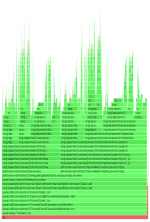
+When that is done, if everything went well, we should be able to successfully
run async-profiler in alloc mode to generate a flame graph based on memory
rather than cpu.
+
+<br/>
+
+
+<div style="z-index: 8; background-color: #364850; border-style: solid;
border-width: 1px; border-color: #3b4d56;border-radius: 0px; margin: 0px 5px
3px 10px; padding-bottom: 1px;padding-top: 5px;" data-code-wrap="true">
+
+
+
+```Shell
+./jmh.sh FuzzyQuery -prof async:output=flamegraph
+```
+
+</div>
+
+<br/>
+
+
+
+## Perfasm
+
+Perfasm will run perf to collect hardware counter infromation (cycles by
default) and it will also pass an argument to Java
+to cause it to log assembly output (amoung other things). The performance data
from perf is married with the assembly from the Java output log and Perfasm
then does its thing to produce human parsable output. Java generally cannot
output assembly as shipped however, so now
+we must install **hsdis** to allow for `-XX+PrintAssembly`
+
+* * *
+
+### Arch
+
+
+
+<br/>
+
+[//]: # ( https://aur.archlinux.org/packages/java11-openjdk-hsdis/)
+
+If you have `yay` or another **AUR** helper available, or if you have the
**AUR** enabled in your package manager, simply install `java11-openjdk-hdis`
+
+If you do not have simple access to **AUR**, set it up or just grab the
package manually:
+
+<div style="z-index: 8; background-color: #364850; border-style: solid;
border-width: 1px; border-color: #3b4d56;border-radius: 0px; margin: 0px 5px
3px 10px; padding-bottom: 1px;padding-top: 5px;" data-code-wrap="true">
+
+
+
+```Shell
+wget -c
https://aur.archlinux.org/cgit/aur.git/snapshot/java11-openjdk-hsdis.tar.gz -O
- | tar -xz
+cd java11-openjdk-hsdis/
+makepkg -si
+```
+
+</div>
+
+<br/>
+
+---
+
+### Ubuntu
+
+
+
+<br/>
+
+<div style="z-index: 8; background-color: #364850; border-style: solid;
border-width: 1px; border-color: #3b4d56;border-radius: 0px; margin: 0px 5px
3px 10px; padding-bottom: 1px;padding-top: 5px;" data-code-wrap="true">
+
+
+
+```Shell
+sudo apt update
+sudo apt -y upgrade
+sudo apt -y install openjdk-11-jdk git wget jq
+```
+
+</div>
+
+<br/>
+
+<div style="z-index: 8; background-color: #364850; border-style: solid;
border-width: 1px; border-color: #3b4d56;border-radius: 0px; margin: 0px 5px
3px 10px; padding-bottom: 1px;padding-top: 5px;" data-code-wrap="true">
+
+
+
+```Shell
+curl -sL "https://api.github.com/repos/openjdk/jdk11/contents/src/utils/hsdis";
| jq -r '.[] | .download_url' | xargs -n1 wget
+
+# Newer versions of binutils don't appear to compile, must use 2.28 for JDK 11
+wget http://ftp.heanet.ie/mirrors/ftp.gnu.org/gnu/binutils/binutils-2.28.tar.gz
+tar xzvf binutils-2.28.tar.gz
+make BINUTILS=binutils-2.28 ARCH=amd64
+```
+
+</div>
+
+<br/>
+
+Now we should be able to do a little Perfasm:
+
+<div style="z-index: 8; background-color: #364850; border-style: solid;
border-width: 1px; border-color: #3b4d56;border-radius: 0px; margin: 0px 5px
3px 10px; padding-bottom: 1px;padding-top: 5px;" data-code-wrap="true">
+
+
+
+```Shell
+./jmh.sh FuzzyQuery -prof perfasm
+```
+
+</div>
diff --git a/solr/benchmark/docs/jmh-profilers.md
b/solr/benchmark/docs/jmh-profilers.md
new file mode 100644
index 00000000000..e700add93ae
--- /dev/null
+++ b/solr/benchmark/docs/jmh-profilers.md
@@ -0,0 +1,189 @@
+<!--
+ Licensed to the Apache Software Foundation (ASF) under one or more
+ contributor license agreements. See the NOTICE file distributed with
+ this work for additional information regarding copyright ownership.
+ The ASF licenses this file to You under the Apache License, Version 2.0
+ the "License"); you may not use this file except in compliance with
+ the License. You may obtain a copy of the License at
+
+ http://www.apache.org/licenses/LICENSE-2.0
+
+ Unless required by applicable law or agreed to in writing, software
+ distributed under the License is distributed on an "AS IS" BASIS,
+ WITHOUT WARRANTIES OR CONDITIONS OF ANY KIND, either express or implied.
+ See the License for the specific language governing permissions and
+ limitations under the License.
+ -->
+
+# JMH Profilers
+
+- [JMH Profilers](#jmh-profilers)
+ - [Introduction](#introduction)
+ - [Using JMH Profilers](#using-jmh-profilers)
+ - [Using JMH with the Async-Profiler](#using-jmh-with-the-async-profiler)
+ - [OS Permissions for Async-Profiler](#os-permissions-for-async-profiler)
+ - [Using JMH with the GC Profiler](#using-jmh-with-the-gc-profiler)
+ - [Using JMH with the Java Flight Recorder
Profiler](#using-jmh-with-the-java-flight-recorder-profiler)
+
+## Introduction
+
+Some may think that the appeal of a micro-benchmark is in the relatively easy
+learning curve and the often isolated nature of what is being measured. But
+this perspective is actually what can often make them dangerous. Benchmarking
+can be easy to approach from a non-rigorous, casual angle that results in the
+feeling that they are a relatively straightforward part of the developer's
+purview. From this viewpoint, microbenchmarks can appear downright easy. But
good
+benchmarking is hard. Microbenchmarks are very hard. Java and HotSpot make
"hard"
+even harder.
+
+JMH was developed by engineers that understood the dark side of benchmarks very
+well. They also work on OpenJDK, so they are abnormally suited to building a
+java microbenchmark framework that tackles many common issues that naive
+approaches and go-it-alone efforts are likely to trip on. Even still, they will
+tell you, JMH is a sharp blade. Best to be cautious and careful when swinging
it
+around.
+
+The good folks working on JMH did not just build a better than average java
+micro-benchmark framework and then leave us to the still many wolves, though.
They
+also built-in first-class support for the essential tools that the
+ambitious developer absolutely needs for defense when bravely trying to
+understand performance. This brings us to the JMH profiler options.
+
+## Using JMH Profilers
+
+### Using JMH with the Async-Profiler
+
+It's good practice to check profiler output for micro-benchmarks in order to
+verify that they represent the expected application behavior and measure what
+you expect to measure. Some example pitfalls include the use of expensive mocks
+or accidental inclusion of test setup code in the benchmarked code. JMH
includes
+[async-profiler](https://github.com/jvm-profiling-tools/async-profiler)
+integration that makes this easy:
+
+<div style="z-index: 8; background-color: #364850; border-style: solid;
border-width: 1px; border-color: #3b4d56;border-radius: 0px; margin: 0px 5px
3px 10px; padding-bottom: 1px;padding-top: 5px;" data-code-wrap="true">
+
+
+
+```Shell
+./jmh.sh -prof async:libPath=/path/to/libasyncProfiler.so\;dir=profile-results
+```
+
+</div>
+
+Run a specific test with async and GC profilers on Linux and flame graph
output.
+
+<div style="z-index: 8; background-color: #364850; border-style: solid;
border-width: 1px; border-color: #3b4d56;border-radius: 0px; margin: 0px 5px
3px 10px; padding-bottom: 1px;padding-top: 5px;" data-code-wrap="true">
+
+
+
+```Shell
+ ./jmh.sh -prof gc -prof
async:libPath=/path/to/libasyncProfiler.so\;output=flamegraph\;dir=profile-results
BenchmarkClass
+```
+
+</div>
+
+With flame graph output:
+
+<div style="z-index: 8; background-color: #364850; border-style: solid;
border-width: 1px; border-color: #3b4d56;border-radius: 0px; margin: 0px 5px
3px 10px; padding-bottom: 1px;padding-top: 5px;" data-code-wrap="true">
+
+
+
+```Shell
+./jmh.sh -prof
async:libPath=/path/to/libasyncProfiler.so\;output=flamegraph\;dir=profile-results
+```
+
+</div>
+
+Simultaneous CPU, allocation, and lock profiling with async profiler 2.0 and
Java Flight Recorder
+output:
+
+<div style="z-index: 8; background-color: #364850; border-style: solid;
border-width: 1px; border-color: #3b4d56;border-radius: 0px; margin: 0px 5px
3px 10px; padding-bottom: 1px;padding-top: 5px;" data-code-wrap="true">
+
+
+
+```Shell
+./jmh.sh -prof
async:libPath=/path/to/libasyncProfiler.so\;output=jfr\;alloc\;lock\;dir=profile-results
BenchmarkClass
+```
+
+</div>
+
+A number of arguments can be passed to configure async profiler, run the
+following for a description:
+
+<div style="z-index: 8; background-color: #364850; border-style: solid;
border-width: 1px; border-color: #3b4d56;border-radius: 0px; margin: 0px 5px
3px 10px; padding-bottom: 1px;padding-top: 5px;" data-code-wrap="true">
+
+
+
+```Shell
+./jmh.sh -prof async:help
+```
+
+</div>
+
+You can also skip specifying libPath if you place the async profiler lib in a
+predefined location, such as one of the locations in the env
+variable `LD_LIBRARY_PATH` if it has been set (many Linux distributions set
this
+env variable, Arch by default does not), or `/usr/lib` should work.
+
+#### OS Permissions for Async-Profiler
+
+Async Profiler uses perf to profile native code in addition to Java code. It
+will need the following for the necessary access.
+
+<div style="z-index: 8; background-color: #364850; border-style: solid;
border-width: 1px; border-color: #3b4d56;border-radius: 0px; margin: 0px 5px
3px 10px; padding-bottom: 1px;padding-top: 5px;" data-code-wrap="true">
+
+
+
+```Shell
+echo 0 > /proc/sys/kernel/kptr_restrict
+echo 1 > /proc/sys/kernel/perf_event_paranoid
+```
+
+</div>
+
+or
+
+<div style="z-index: 8; background-color: #364850; border-style: solid;
border-width: 1px; border-color: #3b4d56;border-radius: 0px; margin: 0px 5px
3px 10px; padding-bottom: 1px;padding-top: 5px;" data-code-wrap="true">
+
+
+
+```Shell
+sudo sysctl -w kernel.kptr_restrict=0
+sudo sysctl -w kernel.perf_event_paranoid=1
+```
+
+</div>
+
+### Using JMH with the GC Profiler
+
+You can run a benchmark with `-prof gc` to measure its allocation rate:
+
+<div style="z-index: 8; background-color: #364850; border-style: solid;
border-width: 1px; border-color: #3b4d56;border-radius: 0px; margin: 0px 5px
3px 10px; padding-bottom: 1px;padding-top: 5px;" data-code-wrap="true">
+
+
+
+```Shell
+./jmh.sh -prof gc:dir=profile-results
+```
+
+</div>
+
+Of particular importance is the `norm` alloc rates, which measure the
+allocations per operation rather than allocations per second.
+
+### Using JMH with the Java Flight Recorder Profiler
+
+JMH comes with a variety of built-in profilers. Here is an example of using
JFR:
+
+<div style="z-index: 8; background-color: #364850; border-style: solid;
border-width: 1px; border-color: #3b4d56;border-radius: 0px; margin: 0px 5px
3px 10px; padding-bottom: 1px;padding-top: 5px;" data-code-wrap="true">
+
+
+
+```Shell
+./jmh.sh -prof jfr:dir=profile-results\;configName=jfr-profile.jfc
BenchmarkClass
+```
+
+</div>
+
+In this example, we point to the included configuration file with config name,
but
+you could also do something like settings=default or settings=profile.



