This is an automated email from the ASF dual-hosted git repository.

mssun pushed a commit to branch master
in repository https://gitbox.apache.org/repos/asf/incubator-teaclave-sgx-sdk.git
The following commit(s) were added to refs/heads/master by this push:
new 5510192 Polish documents (#359)
5510192 is described below
commit 551019224a62c34d1643f6a659d97d051efd3635
Author: tpluck <[email protected]>
AuthorDate: Tue Sep 14 21:11:22 2021 +0100
Polish documents (#359)
---
Readme.md | 349 ++++++++++---------
documents/README.md | 30 +-
documents/ccsp17.pdf | Bin 424716 -> 0 bytes
...ocal-rust-sgx-enclave-in-docker-with-sgx-gdb.md | 236 +++++++++++++
documents/developing-with-vscode.md | 2 +-
documents/environment-setup.md | 139 ++++++++
.../mitigation-of-intel-sa-00219-in-rust-sgx.md | 379 +++++++++++++++++++++
documents/performance-optimization-tips.md | 52 +++
documents/public-cloud-for-rust-sgx-development.md | 9 +
...-18.04-for-vscode---sgx-gdb-remote-debugging.md | 70 ++++
documents/sgx_in_mesalock_linux.md | 11 +-
documents/sgxtime.md | 4 +-
documents/the-world-of-forked-crates.md | 40 +++
...x-gdb-for-graphic-developing-(not-in-docker).md | 81 +++++
14 files changed, 1239 insertions(+), 163 deletions(-)
diff --git a/Readme.md b/Readme.md
index a44b8f9..1c0f1c3 100644
--- a/Readme.md
+++ b/Readme.md
@@ -2,260 +2,308 @@
[](https://gitter.im/rust-sgx-sdk/community?utm_source=badge&utm_medium=badge&utm_campaign=pr-badge)
-# Rust SGX SDK
-Rust SGX SDK helps developers write Intel SGX applications in Rust programming
language. [[CCS'17 Paper pdf]](documents/ccsp17.pdf) [[CCS'19 Paper
pdf]](https://dingelish.com/ccs19.pdf)
+# Teaclave SGX SDK
+The Teaclave SGX SDK (also known as the Rust SGX SDK) helps developers write
Intel SGX applications in the Rust programming language.
<sup>[[1]](documents/ccsp17.pdf) [[2]](https://dingelish.com/ccs19.pdf)</sup>
Please read our documentation for SDK crates which can be found
[here](https://teaclave.apache.org/api-docs/sgx-sdk/sgx_tstd/index.html.) or
can be autogenerated with `cargo doc`.
-Good News! Our paper "Building and Maintaining a Third-Party Library Supply
Chain for Productive and Secure SGX Enclave Development" has been accepted by
ICSE'20 SEIP track. See you guys in Seoul!
+To help users understand our project and know how to use it, we are writing
some [wiki](https://teaclave.apache.org/sgx-sdk-docs/) articles. Please contact
us on our [mailing list](https://teaclave.apache.org/community/#mailing-lists)
if you'd like to see other topics. We'll add it as soon as possible.
-We open-sourced [gbdt-rs](https://github.com/mesalock-linux/gbdt-rs), a
light-weight, amazingly fast, memory safe, and trustworthy gradient boosting
decision tree implementation and the [paper](documents/gbdt.pdf) has been
accepted by IEEE S&P'19! It is optimized for SGX!
+# Getting Started
+The SDK container can either be built from source or pulled from docker hub
and run as a docker container.
-To achieve better security, we recommend developers to apply [Non-bypassable
Security Paradigm
(NbSP)](https://github.com/apache/teaclave-sgx-sdk/blob/master/documents/nbsp.pdf)
to the system design and implementation.
-
-To help understand this project and know how to use it, we are writing some
[wiki](https://github.com/apache/teaclave-sgx-sdk/wiki) articles. Please [send
me an email](mailto:[email protected]?subject=Wiki%20page%20needed:) if you'd
like to see other topics. We'll add it as soon as possible.
-
-Current wiki pages:
-
-* [Mitigation of Intel SA 00219 in Rust
SGX](https://github.com/apache/incubator-mesatee-sgx/wiki/Mitigation-of-Intel-SA-00219-in-Rust-SGX)
-
-* [`is_x86_feature_detected` in Rust SGX
SDK](https://github.com/apache/incubator-mesatee-sgx/wiki/%60is_x86_feature_detected%60-in-Rust-SGX-SDK)
-
-* [The World of Forked
crates](https://github.com/apache/teaclave-sgx-sdk/wiki/The-World-of-Forked-crates)
introduces the forked crate ecosystem, and provides some guidelines and usage,
and show how we secure them.
-
-* [Setup gdb 7.11 on Ubuntu 18.04 for VSCode sgx-gdb remote
debugging](https://github.com/apache/teaclave-sgx-sdk/wiki/Setup-gdb-7.11-on-Ubuntu-18.04-for-VSCode---sgx-gdb-remote-debugging)
If you encounter errors like `gdb.error: syntax error in expression, near
)0x7ffff4127370 = 0.`, probably you need to follow this instruction to setup
gdb 7. Thanks to @akoskinas for this great instruction!
+## Configuration
-* [Performance Optimization
Tips](https://github.com/apache/teaclave-sgx-sdk/wiki/Performance-Optimization-Tips)
+The docker image now supports Intel ME. If you need it, please refer to the
sgxtime [readme](documents/sgxtime.md) for instructions.
-* [Use VSCode rls+rust-analysis+sgx-gdb for graphic developing (not in
docker)](https://github.com/apache/teaclave-sgx-sdk/wiki/Use-VSCode---rls---rust-analysis---sgx-gdb-for-graphic-developing-(not-in-docker))
+## Prerequisites
-* [Debugging local enclave in
docker](https://github.com/apache/teaclave-sgx-sdk/wiki/Debugging-a-local-Rust-SGX-enclave-in-docker-with-sgx-gdb)
+* #### Docker
+* #### Intel SGX OOT 2.11.0 Driver or DCAP 1.36.2 Driver
+* #### Intel SGX SDK v2.12
+* #### Intel SGX PSW
+* #### Rust nightly-2020-10-25
-* Everything about [environment
setup](https://github.com/apache/teaclave-sgx-sdk/wiki/Environment-Setup)
+You can find the [installation
guides](https://download.01.org/intel-sgx/sgx-linux/2.9/docs/) for Intel SGX
software on the 01.org website.
-## v1.1.3
+**Note**: if you are running our SDK on a machine without SGX support, you
will still need the simulation versions of the Intel PSW and SDK.
-Supports Intel SGX SDK v2.12, and Rust nightly-2020-10-25. Added support to
Ubuntu 20.04. **We strongly recommend users to upgrade to Intel SGX SDK v2.12
and drivers to DCAP 1.36.2 and OOT 2.11.0.** [release_notes](release_notes.md).
+## Pulling a Pre-Built Docker Container
-## v1.1.2
+It is assumed that the user has [correctly installed
docker](https://docs.docker.com/get-docker/). We provide 5 containers:
-Supports Intel SGX SDK v2.9.1, and Rust nightly-2020-04-07. v1.1.2 provides a
handy crate `sgx_signal`, which enables signal capture. One can easily find the
place where exception happens and finally triggered `ud2`. And we added
`Backtrace::capture` in sgx_tstd. With the help of Intel SGX SDk v2.9.1's
patch, dtor of thread local storage finally works on regular SGX thread and
pthread thread. Removed sgx_core_futures since Rust is supporting
`async`/`await` in `no_std` environment. Pleas [...]
+* `baiduxlab/sgx-rust:1604-1.1.3`
+* `baiduxlab/sgx-rust:1804-1.1.3`
+* `baiduxlab/sgx-rust:2004-1.1.3`
+* `baiduxlab/sgx-rust:fedora31-1.1.3`
+* `baiduxlab/sgx-rust:centos8-1.1.3`
-## v1.1.1
+With `latest` pinned to `1604-1.1.3`.
-Supports Intel SGX SDK v2.9, and Rust nightly-2020-03-12. v1.1.1 contains a
bunch of bug fix and new proc macro `sgx_align` to help with aligning given
structure. For LVI migigation, it only works on C/C++ parts (EDL
headers/Intel's libs) and supports both two modes:
`MITIGATION-CVE-2020-0551=LOAD` or `MITIGATION-CVE-2020-0551=CF`. To enable it,
one need `env "MITIGATION-CVE-2020-0551=LOAD"` to set this environment
variable. For detailed information, please refer to [release_notes](relea [...]
-
-## v1.1.0
-
-Supports Intel SGX SDK v2.7.1, and Rust nightly-2019-11-25. v1.1.0 brings up
dynamic static supports by `thread::spawn`, and almost everything of
`std::sync`. Also v1.1.0 benefits from Intel SGX SDK's aligned memory
allocation primitives to mitigate
[INTEL-SA-00219](https://github.com/apache/incubator-mesatee-sgx/wiki/Mitigation-of-Intel-SA-00219-in-Rust-SGX).
Besides, we enabled
[`is_x86_feature_detected!`](https://github.com/apache/incubator-mesatee-sgx/wiki/%60is_x86_feature_detected%
[...]
-
-## v1.0.9 Release
-
-Supports Intel SGX SDK v2.6, and Rust nightly-2019-08-01. Bumps everything to
edition. Removed third_party directory since we have all of those dependencies
forked and maintained with merge bot. Since Intel SGX SDK v2.6 imports some
breaking changes in global thread metata, thread local features of v1.0.9 is
not works on Intel SGX SDK v2.5. EDL and common headers are changed
respectively. For detailed information, please refer to
[release_notes](release_notes.md) for more details.
+First, pull the docker container of your choosing, this command will download
`latest`:
+```
+$ docker pull baiduxlab/sgx-rust
+```
+To run the container, we recommend that you download our samplecode
+### Running with Intel SGX Drivers:
+We recommend starting by using the github repository as a first volume to run
the container on:
+```
+$ git clone https://github.com/apache/incubator-teaclave-sgx-sdk.git
+```
+To run the container with SGX support, run:
+```
+$ docker run -v /path/to/rust-sgx:/root/sgx --device /dev/libsgx -ti
baiduxlab/sgx-rust
+```
+If instead, you are using DCAP drivers you must run:
+```
+$ docker run -v /path/to/rust-sgx:/root/sgx -ti --device /dev/sgx/enclave
--device /dev/sgx/provision baiduxlab/sgx-rust
+```
+Whilst inside the container, we must start the AESM daemon and define
`LD_LIBRARY_PATH`:
+```
+# LD_LIBRARY_PATH=/opt/intel/sgx-aesm-service/aesm/
-## v1.0.8 Release
+# /opt/intel/sgx-aesm-service/aesm/aesm_service
+```
+If everything has been properly configured, it is now possible to run a quick
`helloworld` program inside the container:
+```
+# cd sgx/samplecode/helloworld
-Supports the most recent Rust nightly (nightly-2019-05-22) and Rust stable
(stable-2019-05-14). Code coverage support has been added to sgx_cov. Bug fixes
in memory allocator and panicking routines. New third party libraries to
support kvdb-memorydb. Please refer to [release_notes](release_notes.md) for
more details.
+# make
-## v1.0.7 Release
+# cd bin
-Supports Intel SGX SDK v2.5. Master branch supports Rust nightly build
(nightly-2019-04-26) and stable branch supports Rust stable build
(stable-2019-04-25). Refactored `sgx_tstd` to support `mio`. More sample codes
added, including Java/Go clients for ue-ra (Thanks to @bradyjoestar)!. And we
are maintaining forks of popular crates on Github organization
[mesalock-linux](https://github.com/mesalock-linux). The ported crates are
syncing with the original crates with the help of [Pull](ht [...]
+# ./app
+```
+We recommend you look at other files in the `samplecode` folder to familiarize
yourself with programming in our SDK.
-We changed the built-in EDL files. Please carefully upgrade your EDL files on
`import` statements. If you encountered any problems during compilation, please
create issue and let me know. Thanks!
+### Running without Intel SGX Drivers:
-**ATTENTION**: (Ubuntu Channel) Starts from Intel SGX SDK 2.8, `aesmd`
requires a environment variable to start. If you are using docker, please start
`aesmd` as:
-```
-LD_LIBRARY_PATH=/opt/intel/sgx-aesm-service/aesm
/opt/intel/sgx-aesm-service/aesm/aesm_service
-```
+**Note**: Intel provides a simulation mode so you can develop on regular
machines, by building the enclave app using the libraries sgx_urts_sim,
lsgx_uae_service_sim, sgx_trts_sim, sgx_tservice_sim.
-Starts from Intel SGX SDK 2.5, `aesmd` requires a environment variable to
start. If you are using docker, please start `aesmd` as:
+We recommend starting by using the github repository as a first volume to run
the container on:
```
-LD_LIBRARY_PATH=/opt/intel/libsgx-enclave-common/aesm
/opt/intel/libsgx-enclave-common/aesm/aesm_service
+$ git clone https://github.com/apache/incubator-teaclave-sgx-sdk.git
```
-
-(CentOS Channel) As of 2.6, CentOS branch of Intel SGX SDK is still in format
of bin executable. Please start the `aesmd` as past:
+To run the container without SGX support, run:
```
-LD_LIBRARY_PATH=/opt/intel/sgxpsw/aesm /opt/intel/sgxpsw/aesm/aesm_service
+$ docker run -v /path/to/rust-sgx:/root/sgx -ti baiduxlab/sgx-rust
```
+Once inside the container, when running any of the `samplecode` you may either:
+- Modify the Makefile and set `SGX_MODE` to `SW`
+- Run `export SGX_MODE=SW`
+- Run `make` with the build flag `SGX_MODE=SW`
-## v1.0.6 Release
-Fix bugs in sgx_alloc, sgx_types, ucd-generate and improve sgx_tunittest.
Added rust-base58. Thanks to @elichai, @cbeck88, @brenzi and @nhynes.
-
-## v1.0.5 Release
-This version supports Rust nightly build (nightly-2019-01-28, v1.34.0) in the
master branch and the most recent stable build (stable-2019-01-16, v1.32.0) in
the rust-stable branch. It supports the latest Intel SGX SDK **v2.4.0** and
Ubuntu Linux 16.04+18.04. We provide support to Intel's Protected Code Loader.
We provide sgx_ucrypto and sgx_crypto_helper for using SGX-style crypto
primitives in untrusted app and RSA keypair serialization/deserialization in
both trusted and untrusted prog [...]
-
-## v1.0.4 Release
-This version supports Rust nightly build (nightly-2018-10-01) in the master
branch and the most recent stable build (stable-2018-09-25) in the rust-stable
branch. It supports the latest Intel SGX SDK **v2.3.1** and Ubuntu Linux 18.04.
It now contains further third party libraries including: bit-vec, chrono,
erased-serde, fxhash, nan-preserving-float, num-bigint, quick-error, raft-rs,
time, webpki-roots, and yasna. Some third party libraries, like untrusted,
parity-wasm and lazy-static, a [...]
+We may now run our `helloworld` example:
-## v1.0.1 Release
-This version supports the Rust nightly build (nightly-2018-07-16) in master
branch and the most recent Rust stable build (stable-2018-07-10). And it
supports the latest Intel SGX SDK **v2.2**. New third party libraries include:
bytes, http, iovec, rust-crypto, rust-fnv and rust-threshold-secret-sharing.
New code sample 'secretsharing' and 'rust-threshold-secret-sharing' is provided
by @davidp94. Please refer to [release_notes](release_notes.md) for further
details.
+```
+# cd sgx/samplecode/helloworld
-## v1.0.0 Release
-We proudly announce v1.0.0 of rust-sgx-sdk! We port Parity's [Webassembly
Interpreter](https://github.com/paritytech/wasmi) to Intel SGX and provide a
full functional in-enclave [wasmi sample](samplecode/wasmi), and a [sample
solution](samplecode/psi) of two-party private-set-intersection resisting
side-channel attacks! From this version, we start to support most recent stable
branch of Rust instead of nightly for better stability and future production
use. Thus, the [stable branch](http [...]
+# make SGX_MODE=SW
-## v0.9.8 Release
-This version provides security updates regards to recent Spectre attacks in
Intel SGX, and supports **Rust stable (2018-03-01)** (in branch named
'rust-stable'). It contains support of [Intel SGX SDK
2.1.2](https://download.01.org/intel-sgx/linux-2.1.2/) and a series of API
functions to stop speculative execution on demand. In addition, we provide a
ported version of [rust-protobuf](https://crates.io/crates/protobuf) v1.4.4.
Please refer to [release_notes](release_notes.md) for further details.
+# cd bin
-## v0.9.7 Release
-This version provides a new namespace: `sgx_tstd::untrusted`, including
`sgx_tstd::untrusted::fs` `sgx_tstd::untrusted::time` and
`sgx_tstd::untrusted::path`, providing supports to operation to ocalls in a
**untrusted** namespace. The **untrusted** namespace is always enabled no
matter `untrusted_*` is set or not. We **urge** the developers to use the
`sgx_tstd::untrusted` namespace to port their crates, instead of using the
`untrusted_` series of features. Also, we renamed the `untruste [...]
-
-## Run Rust SGX applications in Mesalock Linux
-[MesaLock Linux](https://github.com/mesalock-linux/mesalock-distro) is a
general purpose Linux distribution which aims to provide a safe and secure user
space environment. Now we can run Rust SGX applications in Mesalock Linux
within a few steps. Please refer to the
[tutorial](documents/sgx_in_mesalock_linux.md) for details.
+# ./app
+```
+## Building a Docker Image
-## Requirement
+Make sure Intel SGX SDK is properly installed and service started on the host
OS. Then `cd dockerfile` and run `docker build -t rust-sgx-docker -f
Dockerfile.1604.nightly .` to build.
-Ubuntu 16.04 or 18.04
+# Code Samples
-[Intel SGX SDK 2.9.1 for
Linux](https://01.org/intel-software-guard-extensions/downloads) installed
+We provide eighteen code samples to help developers understand how to write
Enclave code in Rust. These samples are located in the `samplecode` directory.
-Docker (Recommended)
+<details>
+<summary>See Code Samples</summary>
+* `helloworld` is a very simple app. It shows some basic usages of argument
passing, Rust string and ECALL/OCALLs.
-## Configuration
+* `crypto` shows the usage of crypto APIs provided by Intel SGX libraries. It
does some crypto calculations inside the enclave, which is recommended in most
circumstances.
-The docker image now supports Intel ME. If you need it, please refer to the
sgxtime [readme](documents/sgxtime.md) for instructions.
+* `localattestation` is a sample ported from the original Intel SGX SDK. It
shows how to do local attestation in Rust programming language.
-### Native without docker (Not recommended)
+* `sealeddata` sample shows how to seal secret data in an enclave and how to
verify the sealed data.
-Install Intel SGX driver and SDK first. And refer to
[Dockerfile](dockerfile/Dockerfile.1604.nightly) or stable branch
[Dockerfile](Dockerfile.1604.stable) to setup your own native Rust-SGX
environment.
+* `thread` sample is a sample ported from the original Intel SGX SDK, showing
some basic usages of threading APIs.
-### Using docker (Recommended) without ME support
+* `remoteattestation` sample shows how to make remote attestation with Rust
SGX SDK. The sample is forked from
[linux-sgx-attestation](https://github.com/svartkanin/linux-sgx-remoteattestation)
and credits to Blackrabbit ([email protected]). The enclave in Rust is
shipped in this sample and Makefiles are modified accordingly.
-* As of v1.1.3, we provide 5 docker images: `baiduxlab/sgx-rust:1604-1.1.3`
`baiduxlab/sgx-rust:1804-1.1.3` `baiduxlab/sgx-rust:2004-1.1.3`
`baiduxlab/sgx-rust:fedora31-1.1.3`, `baiduxlab/sgx-rust:centos8-1.1.3`. The
`latest` tag pins on `baiduxlab/sgx-rust:1804-1.1.3`.
+* `hugemem` sample shows how to use huge mem in SGX enclave. In this sample,
we allocate reserve 31.75GB heap space and allocate 31.625GB buffers!
-First, make sure Intel SGX Driver for 2.11 is installed and functions well.
`/dev/isgx` should appear. If you use DCAP driver, please ensure
`/dev/sgx/enclave` and `/dev/sgx/provision` both appear.
+* `file` sample shows how to read/write files in SGX enclave.
-`$ docker pull baiduxlab/sgx-rust`
+* `hello-rust` is the helloworld sample writtin in pure Rust.
-Third, start a docker with sgx device support and the Rust SGX SDK.
+* `backtrace` is a sample showing how to enabling backtrace mechanism inside
the enclave.
-`$ docker run -v /your/path/to/rust-sgx:/root/sgx -ti --device /dev/isgx
baiduxlab/sgx-rust`
+* `unit-test` shows the way of writing unit tests and conduct unit testing.
-If you use DCAP, the command is:
+* `zlib-lazy-static-sample` shows how to use ported third party crates inside
enclave.
-`$ docker run -v /your/path/to/rust-sgx:/root/sgx -ti --device
/dev/sgx/enclave --device /dev/sgx/provision baiduxlab/sgx-rust`
+* `machine-learning` shows how to use
[rusty-machine](https://github.com/AtheMathmo/rusty-machine) for machine
learning inside Intel SGX enclave.
-Next, start the aesm service inside the docker
+* `tls` contains a pair of TLS client/server runs perfectly in SGX enclave!
-`root@docker:/# LD_LIBRARY_PATH=/opt/intel/sgx-aesm-service/aesm/
/opt/intel/sgx-aesm-service/aesm/aesm_service &`
+* `sgxtime` shows how to acquire trusted timestamp via Intel ME. Please refer
to this [instruction](documents/sgxtime.md) for detail.
-Finally, check if the sample code works
+* `protobuf` shows how to use the ported `rust-protobuf` to pass messages to
the enclave using protobuf. Please install protobuf-compiler by `apt-get
install protobuf-compiler` and protobuf-codegen by `cargo install
protobuf-codegen --vers=2.8.1` before compiling this sample.
-`root@docker:~/sgx/samplecode/helloworld# make`
+* `wasmi` shows how to pass WebAssembly test suites using the ported
WebAssembly interpreter.
-`root@docker:~/sgx/samplecode/helloworld# cd bin`
+* `psi` is a prototype solution of the Private-Set-Intersection problem.
-`root@docker:~/sgx/samplecode/helloworld/bin# ./app`
+* `secretsharing` shows the usage of Shamir sharing in Rust-SGX environment
(provided by @davidp94).
-## Build the docker image by yourself
+* `switchless` shows the usage of latest "switchless" execution model provided
by intel. Please pay attention to the Makefile and the position of link flag
"-lsgx_tswitchless".
-Make sure Intel SGX SDK is properly installed and service started on the host
OS. Then `cd dockerfile` and run `docker build -t rust-sgx-docker -f
Dockerfile.1604.nightly .` to build.
+* `mutual-ra` provides remote attestation based TLS connection between SGX
enclaves. See the [readme](samplecode/mutual-ra/Readme.md) for details.
-## Use simulation mode for non SGX-enabled machine (includes macOS)
+* `ue-ra` provides remote attestation based TLS connection between an
untrusted party and one SGX enclave. See the
[readme](samplecode/ue-ra/Readme.md) for details.
-Intel provides a simulation mode so you can develop on regular machines, by
building the enclave app using the libraries `sgx_urts_sim`,
`lsgx_uae_service_sim`, `sgx_trts_sim`, `sgx_tservice_sim`.
+* `sgx-cov` shows how to use lcov with Rust SGX enclave to generate code
coverage report. See the [readme](samplecode/sgx-cov/Readme.md) for details.
-First, pull the docker image. If you'd like to work on stable branch of Rust
and `rust-stable` branch of this SDK, please pull `baiduxlab/sgx-rust-stable`
instead.
+* `tcmalloc` shows how to link Rust-SGX enclave with tcmalloc (provided by
Intel SGX SDK), and test its performance with different kinds of workload.
+</details>
-`$ docker pull baiduxlab/sgx-rust`
+# Tips for writing enclaves in Rust
-Second, start a docker with the Rust SGX SDK.
+<details>
+<summary>See tips</summary>
-`$ docker run -v /your/path/to/rust-sgx:/root/sgx -ti baiduxlab/sgx-rust`
+## Writing EDL
-But when building any sample code, set the `SGX_MODE` to `SW` in `Makefile`.
+* For fixed-length array in ECALL/OCALL definition, declare it as an array.
For dynamic-length array, use the keyword `size=` to let the Intel SGX knows
how many bytes should be copied.
-`root@docker:~/sgx/samplecode/helloworld# vi Makefile`
+## ECALL Function Naming
-Replace `SGX_MODE ?= HW` with `SGX_MODE ?= SW`
+* Add `#[no_mangle]` for every ECALL function.
-or run `export SGX_MODE=SW` in your terminal.
+## Passing/returning arrays
-Finally, check if the sample code works
+* For dynamic-length array, the only way is to use raw pointers in Rust. There
are several functions to get/set data using raw pointers such as
[`offset`](https://doc.rust-lang.org/1.9.0/std/primitive.pointer.html#method.offset)
method. One can also use
[`slice::from_raw_parts`](https://doc.rust-lang.org/std/slice/fn.from_raw_parts.html)
to convert the array to a slice.
-`root@docker:~/sgx/samplecode/helloworld# make`
+* For Fixed-length array, the above method is acceptable. And according to
discussions in [issue 30382](https://github.com/rust-lang/rust/issues/30382)
and [issue 31227](https://github.com/rust-lang/rust/issues/31227),
thin-pointers (such as fixed-length array) are FFI-safe for now, but
undocumented. In the sample codes, we use fixed-length arrays for passing and
returning some fixed-length data.
-`root@docker:~/sgx/samplecode/helloworld# cd bin`
+## Non-bypassable Security Paradigm (NbSP)
-`root@docker:~/sgx/samplecode/helloworld/bin# ./app`
+* To achieve better security, we recommend developers to apply [Non-bypassable
Security Paradigm
(NbSP)](https://github.com/apache/teaclave-sgx-sdk/blob/master/documents/nbsp.pdf)
to the system design and implementation.
+</details>
-If not set, you could get an error:
-```
-Info: Please make sure SGX module is enabled in the BIOS, and install SGX
driver afterwards.
-Error: Invalid SGX device.
-```
+# Releases
+## Latest: v1.1.3
-# Documents
+Supports Intel SGX SDK v2.12, and Rust nightly-2020-10-25. Added support to
Ubuntu 20.04. **We strongly recommend users to upgrade to Intel SGX SDK v2.12
and drivers to DCAP 1.36.2 and OOT 2.11.0.** [release_notes](release_notes.md).
-The online documents for SDK crates can be found
[here](https://dingelish.github.io/).
-We recommend to use `cargo doc` to generate documents for each crate in this
SDK by yourself. The auto generated documents are easy to read and search.
+<details>
+<summary>Version 1.1.2</summary>
-# Sample Codes
+## v1.1.2
-We provide eighteen sample codes to help developers understand how to write
Enclave codes in Rust. These codes are located at `samplecode` directory.
+Supports Intel SGX SDK v2.9.1, and Rust nightly-2020-04-07. v1.1.2 provides a
handy crate `sgx_signal`, which enables signal capture. One can easily find the
place where exception happens and finally triggered `ud2`. And we added
`Backtrace::capture` in sgx_tstd. With the help of Intel SGX SDk v2.9.1's
patch, dtor of thread local storage finally works on regular SGX thread and
pthread thread. Removed sgx_core_futures since Rust is supporting
`async`/`await` in `no_std` environment. Pleas [...]
+</details>
-* `helloworld` is a very simple app. It shows some basic usages of argument
passing, Rust string and ECALL/OCALLs.
+<details>
+<summary>Version 1.1.1</summary>
-* `crypto` shows the usage of crypto APIs provided by Intel SGX libraries. It
does some crypto calculations inside the enclave, which is recommended in most
circumstances.
+## v1.1.1
-* `localattestation` is a sample ported from the original Intel SGX SDK. It
shows how to do local attestation in Rust programming language.
+Supports Intel SGX SDK v2.9, and Rust nightly-2020-03-12. v1.1.1 contains a
bunch of bug fix and new proc macro `sgx_align` to help with aligning given
structure. For LVI migigation, it only works on C/C++ parts (EDL
headers/Intel's libs) and supports both two modes:
`MITIGATION-CVE-2020-0551=LOAD` or `MITIGATION-CVE-2020-0551=CF`. To enable it,
one need `env "MITIGATION-CVE-2020-0551=LOAD"` to set this environment
variable. For detailed information, please refer to [release_notes](relea [...]
+</details>
-* `sealeddata` sample shows how to seal secret data in an enclave and how to
verify the sealed data.
+<details>
+<summary>Version 1.1.0</summary>
-* `thread` sample is a sample ported from the original Intel SGX SDK, showing
some basic usages of threading APIs.
+## v1.1.0
-* `remoteattestation` sample shows how to make remote attestation with Rust
SGX SDK. The sample is forked from
[linux-sgx-attestation](https://github.com/svartkanin/linux-sgx-remoteattestation)
and credits to Blackrabbit ([email protected]). The enclave in Rust is
shipped in this sample and Makefiles are modified accordingly.
+Supports Intel SGX SDK v2.7.1, and Rust nightly-2019-11-25. v1.1.0 brings up
dynamic static supports by `thread::spawn`, and almost everything of
`std::sync`. Also v1.1.0 benefits from Intel SGX SDK's aligned memory
allocation primitives to mitigate
[INTEL-SA-00219](https://github.com/apache/incubator-mesatee-sgx/wiki/Mitigation-of-Intel-SA-00219-in-Rust-SGX).
Besides, we enabled
[`is_x86_feature_detected!`](https://github.com/apache/incubator-mesatee-sgx/wiki/%60is_x86_feature_detected%
[...]
+</details>
-* `hugemem` sample shows how to use huge mem in SGX enclave. In this sample,
we allocate reserve 31.75GB heap space and allocate 31.625GB buffers!
+<details>
+<summary>Version 1.0.9</summary>
-* `file` sample shows how to read/write files in SGX enclave.
+## v1.0.9 Release
-* `hello-rust` is the helloworld sample writtin in pure Rust.
+Supports Intel SGX SDK v2.6, and Rust nightly-2019-08-01. Bumps everything to
edition. Removed third_party directory since we have all of those dependencies
forked and maintained with merge bot. Since Intel SGX SDK v2.6 imports some
breaking changes in global thread metata, thread local features of v1.0.9 is
not works on Intel SGX SDK v2.5. EDL and common headers are changed
respectively. For detailed information, please refer to
[release_notes](release_notes.md) for more details.
+</details>
-* `backtrace` is a sample showing how to enabling backtrace mechanism inside
the enclave.
+<details>
+<summary>Version 1.0.8</summary>
-* `unit-test` shows the way of writing unit tests and conduct unit testing.
+## v1.0.8 Release
-* `zlib-lazy-static-sample` shows how to use ported third party crates inside
enclave.
+Supports the most recent Rust nightly (nightly-2019-05-22) and Rust stable
(stable-2019-05-14). Code coverage support has been added to sgx_cov. Bug fixes
in memory allocator and panicking routines. New third party libraries to
support kvdb-memorydb. Please refer to [release_notes](release_notes.md) for
more details.
+</details>
-* `machine-learning` shows how to use
[rusty-machine](https://github.com/AtheMathmo/rusty-machine) for machine
learning inside Intel SGX enclave.
+<details>
+<summary>Version 1.0.7</summary>
-* `tls` contains a pair of TLS client/server runs perfectly in SGX enclave!
+## v1.0.7 Release
-* `sgxtime` shows how to acquire trusted timestamp via Intel ME. Please refer
to this [instruction](documents/sgxtime.md) for detail.
+Supports Intel SGX SDK v2.5. Master branch supports Rust nightly build
(nightly-2019-04-26) and stable branch supports Rust stable build
(stable-2019-04-25). Refactored `sgx_tstd` to support `mio`. More sample codes
added, including Java/Go clients for ue-ra (Thanks to @bradyjoestar)!. And we
are maintaining forks of popular crates on Github organization
[mesalock-linux](https://github.com/mesalock-linux). The ported crates are
syncing with the original crates with the help of [Pull](ht [...]
-* `protobuf` shows how to use the ported `rust-protobuf` to pass messages to
the enclave using protobuf. Please install protobuf-compiler by `apt-get
install protobuf-compiler` and protobuf-codegen by `cargo install
protobuf-codegen --vers=2.8.1` before compiling this sample.
+We changed the built-in EDL files. Please carefully upgrade your EDL files on
`import` statements. If you encountered any problems during compilation, please
create issue and let me know. Thanks!
-* `wasmi` shows how to pass WebAssembly test suites using the ported
WebAssembly interpreter.
+**ATTENTION**: (Ubuntu Channel) Starts from Intel SGX SDK 2.8, `aesmd`
requires a environment variable to start. If you are using docker, please start
`aesmd` as:
+```
+LD_LIBRARY_PATH=/opt/intel/sgx-aesm-service/aesm
/opt/intel/sgx-aesm-service/aesm/aesm_service
+```
-* `psi` is a prototype solution of the Private-Set-Intersection problem.
+Starts from Intel SGX SDK 2.5, `aesmd` requires a environment variable to
start. If you are using docker, please start `aesmd` as:
+```
+LD_LIBRARY_PATH=/opt/intel/libsgx-enclave-common/aesm
/opt/intel/libsgx-enclave-common/aesm/aesm_service
+```
-* `secretsharing` shows the usage of Shamir sharing in Rust-SGX environment
(provided by @davidp94).
+(CentOS Channel) As of 2.6, CentOS branch of Intel SGX SDK is still in format
of bin executable. Please start the `aesmd` as past:
+```
+LD_LIBRARY_PATH=/opt/intel/sgxpsw/aesm /opt/intel/sgxpsw/aesm/aesm_service
+```
+</details>
-* `switchless` shows the usage of latest "switchless" execution model provided
by intel. Please pay attention to the Makefile and the position of link flag
"-lsgx_tswitchless".
+<details>
+<summary>Version 1.0.6</summary>
-* `mutual-ra` provides remote attestation based TLS connection between SGX
enclaves. See the [readme](samplecode/mutual-ra/Readme.md) for details.
+## v1.0.6 Release
+Fix bugs in sgx_alloc, sgx_types, ucd-generate and improve sgx_tunittest.
Added rust-base58. Thanks to @elichai, @cbeck88, @brenzi and @nhynes.
+</details>
-* `ue-ra` provides remote attestation based TLS connection between an
untrusted party and one SGX enclave. See the
[readme](samplecode/ue-ra/Readme.md) for details.
+<details>
+<summary>Version 1.0.5</summary>
-* `sgx-cov` shows how to use lcov with Rust SGX enclave to generate code
coverage report. See the [readme](samplecode/sgx-cov/Readme.md) for details.
+## v1.0.5 Release
+This version supports Rust nightly build (nightly-2019-01-28, v1.34.0) in the
master branch and the most recent stable build (stable-2019-01-16, v1.32.0) in
the rust-stable branch. It supports the latest Intel SGX SDK **v2.4.0** and
Ubuntu Linux 16.04+18.04. We provide support to Intel's Protected Code Loader.
We provide sgx_ucrypto and sgx_crypto_helper for using SGX-style crypto
primitives in untrusted app and RSA keypair serialization/deserialization in
both trusted and untrusted prog [...]
+</details>
+<details>
+<summary>Version 1.0.4</summary>
-* `tcmalloc` shows how to link Rust-SGX enclave with tcmalloc (provided by
Intel SGX SDK), and test its performance with different kinds of workload.
+## v1.0.4 Release
+This version supports Rust nightly build (nightly-2018-10-01) in the master
branch and the most recent stable build (stable-2018-09-25) in the rust-stable
branch. It supports the latest Intel SGX SDK **v2.3.1** and Ubuntu Linux 18.04.
It now contains further third party libraries including: bit-vec, chrono,
erased-serde, fxhash, nan-preserving-float, num-bigint, quick-error, raft-rs,
time, webpki-roots, and yasna. Some third party libraries, like untrusted,
parity-wasm and lazy-static, a [...]
+</details>
-# Tips for writing enclaves in Rust
+<details>
+<summary>Version 1.0.1</summary>
-## Writing EDL
+## v1.0.1 Release
+This version supports the Rust nightly build (nightly-2018-07-16) in master
branch and the most recent Rust stable build (stable-2018-07-10). And it
supports the latest Intel SGX SDK **v2.2**. New third party libraries include:
bytes, http, iovec, rust-crypto, rust-fnv and rust-threshold-secret-sharing.
New code sample 'secretsharing' and 'rust-threshold-secret-sharing' is provided
by @davidp94. Please refer to [release_notes](release_notes.md) for further
details.
+</details>
-* For fixed-length array in ECALL/OCALL definition, declare it as an array.
For dynamic-length array, use the keyword `size=` to let the Intel SGX knows
how many bytes should be copied.
+<details>
+<summary>Version 1.0.0</summary>
-## ECALL Function Naming
+## v1.0.0 Release
+We proudly announce v1.0.0 of rust-sgx-sdk! We port Parity's [Webassembly
Interpreter](https://github.com/paritytech/wasmi) to Intel SGX and provide a
full functional in-enclave [wasmi sample](samplecode/wasmi), and a [sample
solution](samplecode/psi) of two-party private-set-intersection resisting
side-channel attacks! From this version, we start to support most recent stable
branch of Rust instead of nightly for better stability and future production
use. Thus, the [stable branch](http [...]
+</details>
-* Add `#[no_mangle]` for every ECALL function.
+<details>
+<summary>Version 0.9.8</summary>
-## Passing/returning arrays
+## v0.9.8 Release
+This version provides security updates regards to recent Spectre attacks in
Intel SGX, and supports **Rust stable (2018-03-01)** (in branch named
'rust-stable'). It contains support of [Intel SGX SDK
2.1.2](https://download.01.org/intel-sgx/linux-2.1.2/) and a series of API
functions to stop speculative execution on demand. In addition, we provide a
ported version of [rust-protobuf](https://crates.io/crates/protobuf) v1.4.4.
Please refer to [release_notes](release_notes.md) for further details.
+</details>
-* For dynamic-length array, the only way is to use raw pointers in Rust. There
are several functions to get/set data using raw pointers such as
[`offset`](https://doc.rust-lang.org/1.9.0/std/primitive.pointer.html#method.offset)
method. One can also use
[`slice::from_raw_parts`](https://doc.rust-lang.org/std/slice/fn.from_raw_parts.html)
to convert the array to a slice.
+<details>
+<summary>Version 0.9.7</summary>
-* For Fixed-length array, the above method is acceptable. And according to
discussions in [issue 30382](https://github.com/rust-lang/rust/issues/30382)
and [issue 31227](https://github.com/rust-lang/rust/issues/31227),
thin-pointers (such as fixed-length array) are FFI-safe for now, but
undocumented. In the sample codes, we use fixed-length arrays for passing and
returning some fixed-length data.
+## v0.9.7 Release
+This version provides a new namespace: `sgx_tstd::untrusted`, including
`sgx_tstd::untrusted::fs` `sgx_tstd::untrusted::time` and
`sgx_tstd::untrusted::path`, providing supports to operation to ocalls in a
**untrusted** namespace. The **untrusted** namespace is always enabled no
matter `untrusted_*` is set or not. We **urge** the developers to use the
`sgx_tstd::untrusted` namespace to port their crates, instead of using the
`untrusted_` series of features. Also, we renamed the `untruste [...]
+</details>
# License
@@ -265,11 +313,6 @@ The Apache Teaclave Rust-SGX SDK is provided under the
Apache license. Please re
Ran Duan, Long Li, Chan Zhao, Shi Jia, Yu Ding, Yulong Zhang, Huibo Wang,
Yueqiang Cheng, Lenx Wei, Tanghui Chen
-# Acknowledgement
-
-Thanks to [Prof. Jingqiang Lin](http://people.ucas.ac.cn/~0010268) for his
contribution to this project.
-
# Contacts
Yu Ding, [email protected]
-
diff --git a/documents/README.md b/documents/README.md
index 719704f..3975c5c 100644
--- a/documents/README.md
+++ b/documents/README.md
@@ -4,9 +4,33 @@ permalink: /sgx-sdk-docs
# Teaclave SGX SDK Documentation
-* [`is_x86_feature_detected` in Teaclave SGX
SDK](/documents/is_x86_feature_detected-in-sgx-sdk)
-* [Developing with Visual Studio Code](/documents/developing-with-vscode/)
+Welcome to the Teaclave Rust-SGX SDK[[1]](documents/ccsp17.pdf)
[[2]](https://dingelish.com/ccs19.pdf) documentation wiki. To help users
understand our project and know how to use it, we are writing some articles.
Please join our [mailing
list](https://teaclave.apache.org/community/#mailing-lists) if you'd like to
see other topics. We'll add it as soon as possible.
+
+Please read our documentation for SDK crates which can be found [here](
https://teaclave.apache.org/api-docs/sgx-sdk/sgx_tstd/index.html) or can be
autogenerated with `cargo doc`.
+
+## Development
+
+* [Setting up your Development Environment](/documents/environment-setup.md)
+* [Rust SGX Applications in Mesalock
Linux](/documents/sgx_in_mesalock_linux.md)
+* [`is_x86_feature_detected` in Teaclave SGX
SDK](/documents/is_x86_feature_detected-in-sgx-sdk.md)
+* [Developing with Visual Studio Code](/documents/developing-with-vscode.md)
+* [Debugging a Local Enclave in
Docker](/documents/debugging-a-local-rust-sgx-enclave-in-docker-with-sgx-gdb.md)
+* [Public Cloud Rust SGX
Development](/documents/public-cloud-for-rust-sgx-development.md)
+* [The World of Forked Crates](/documents/the-world-of-forked-crates.md)
+
+## Tutorials
+
+* [Acquiring Trusted Timestamp from Intel ME in SGX
enclave](/documents/sgxtime.md)
+* [Performance Optimization Tips](/documents/performance-optimization-tops.md)
+* [Using `gdb` in Ubuntu 18 VSCode for Remote
Debugging](/documents/setup-gdb-7.11-on-ubuntu-18.04-for-vscode---sgx-remote-debugging.md)
+* [Using `gdb` in VSCode for Graphic Developing (Not in
Docker)](/documents/use-vscode---rls---rust-analysis---sgx-gdb-for-graphic-developing-(not-in-docker))
## Security
-* [Everything about CVE-2020-5499](/documents/everything-about-cve-2020-5499/)
+* [Everything about
CVE-2020-5499](/documents/everything-about-cve-2020-5499.md)
+* [Non-Bypassable Security Protocol](/documents/nbsp.pdf)
+* [Mitigation of Intel SA 00219 in
Rust-SGX](/documents/mitigation-of-intel-sa-00219-in-rust-sgx.md)
+
+## Applications
+
+* [Fast and Trustworthy Gradient Boosting Decision Tree](/documents/gbdt.pdf)
diff --git a/documents/ccsp17.pdf b/documents/ccsp17.pdf
deleted file mode 100644
index 9bb68c3..0000000
Binary files a/documents/ccsp17.pdf and /dev/null differ
diff --git
a/documents/debugging-a-local-rust-sgx-enclave-in-docker-with-sgx-gdb.md
b/documents/debugging-a-local-rust-sgx-enclave-in-docker-with-sgx-gdb.md
new file mode 100644
index 0000000..fdf35e7
--- /dev/null
+++ b/documents/debugging-a-local-rust-sgx-enclave-in-docker-with-sgx-gdb.md
@@ -0,0 +1,236 @@
+---
+permalink: /sgx-sdk-docs/debugging-a-local-rust-sgx-enclave
+---
+# Before start
+
+As of today (03/19/2019), `sgx-gdb` cannot work well with gdb > 7.12. In this
wiki page, I'm using the gdb 7.11.1. Please check if you have the correct
version of gdb.
+
+# Requirement
+
+* Linux
+* docker installed
+* Intel SGX driver installed and `/dev/isgx` works.
+* docker image baiduxlab/sgx-rust:1604
+
+# Prepare the code
+
+Let's use
[hello-rust](https://github.com/apache/incubator-teaclave-sgx-sdk/tree/master/samplecode/hello-rust)
as debuggee. We need to add debug info for all of the Rust/C codes.
+
+First, switch to debug build for the Rust codes. In the root Makefile of
hello-rust, remove the `--release` Rust flag and fix the path:
+```diff
+-App_Rust_Flags := --release
++App_Rust_Flags :=
+ App_SRC_Files := $(shell find app/ -type f -name '*.rs') $(shell find app/
-type f -name 'Cargo.toml')
+ App_Include_Paths := -I ./app -I./include -I$(SGX_SDK)/include
-I$(CUSTOM_EDL_PATH)
+ App_C_Flags := $(SGX_COMMON_CFLAGS) -fPIC -Wno-attributes $(App_Include_Paths)
+
+-App_Rust_Path := ./app/target/release
++App_Rust_Path := ./app/target/debug
+ App_Enclave_u_Object :=app/libEnclave_u.a
+ App_Name := bin/app
+```
+And do the same thing in enclave/Makefile:
+```diff
+- RUSTC_BOOTSTRAP=1 cargo build --release
+- cp ./target/release/libhelloworldsampleenclave.a ../lib/libenclave.a
+-endif
++ RUSTC_BOOTSTRAP=1 cargo build
++ cp ./target/debug/libhelloworldsampleenclave.a ../lib/libenclave.a
++endif
+```
+
+And we also need to add debug symbol to for Enclave_t.c and Enclave_u.c. In
the root Makefile:
+```diff
+ SGX_ENCLAVE_SIGNER := $(SGX_SDK)/bin/x86/sgx_sign
+ SGX_EDGER8R := $(SGX_SDK)/bin/x86/sgx_edger8r
+ else
+- SGX_COMMON_CFLAGS := -m64
++ SGX_COMMON_CFLAGS := -m64 -ggdb
+ SGX_LIBRARY_PATH := $(SGX_SDK)/lib64
+ SGX_ENCLAVE_SIGNER := $(SGX_SDK)/bin/x64/sgx_sign
+ SGX_EDGER8R := $(SGX_SDK)/bin/x64/sgx_edger8r
+```
+
+# Start the docker container
+
+Next, use the following command to start a docker container. Please **fix the
path** before running it.
+
+```bash
+$ docker run -ti \
+ --rm \
+ --privileged \
+ -v /home/ding/rust-sgx-sdk:/root/rust-sgx-sdk \
+ --device /dev/isgx \
+ baiduxlab/sgx-rust:1604 bash
+root@ef40bc98b273:~#
+```
+
+Then, set up gdb using `apt-get`:
+
+```
+root@ef40bc98b273:~# apt-get update && apt-get install -y gdb
+```
+
+Then check if the version is correct:
+
+```
+root@ef40bc98b273:~# gdb --version
+GNU gdb (Ubuntu 7.11.1-0ubuntu1~16.5) 7.11.1
+Copyright (C) 2016 Free Software Foundation, Inc.
+License GPLv3+: GNU GPL version 3 or later <http://gnu.org/licenses/gpl.html>
+This is free software: you are free to change and redistribute it.
+There is NO WARRANTY, to the extent permitted by law. Type "show copying"
+and "show warranty" for details.
+This GDB was configured as "x86_64-linux-gnu".
+Type "show configuration" for configuration details.
+For bug reporting instructions, please see:
+<http://www.gnu.org/software/gdb/bugs/>.
+Find the GDB manual and other documentation resources online at:
+<http://www.gnu.org/software/gdb/documentation/>.
+For help, type "help".
+Type "apropos word" to search for commands related to "word".
+```
+
+As of today (03-19-2019), the installed version is 7.11.1 and it's ok.
+
+Then we need to start the aesm service daemon:
+
+```
+root@ef40bc98b273:~# /opt/intel/libsgx-enclave-common/aesm/aesm_service
+aesm_service[878]: The server sock is 0x55ed65a9a560
+aesm_service[878]: [ADMIN]White List update requested
+aesm_service[878]: [ADMIN]Platform Services initializing
+aesm_service[878]: [ADMIN]Platform Services initialization failed due to DAL
error
+aesm_service[878]: [ADMIN]White list update request successful for Version: 49
+```
+
+Just ignore the `DAL error`.
+
+# Debug the enclave
+
+```
+root@ef40bc98b273:~# cd rust-sgx-sdk/samplecode/hello-rust/
+root@ef40bc98b273:~/rust-sgx-sdk/samplecode/hello-rust# make
+info: syncing channel updates for 'stable-2019-01-17-x86_64-unknown-linux-gnu'
+info: latest update on 2019-01-17, rust version 1.32.0 (9fda7c223 2019-01-16)
+info: downloading component 'rustc'
+..........(suppressed output)..........
+LINK => enclave/enclave.so
+<!-- Please refer to User's Guide for the explanation of each field -->
+<EnclaveConfiguration>
+ <ProdID>0</ProdID>
+ <ISVSVN>0</ISVSVN>
+ <StackMaxSize>0x40000</StackMaxSize>
+ <HeapMaxSize>0x100000</HeapMaxSize>
+ <TCSNum>1</TCSNum>
+ <TCSPolicy>1</TCSPolicy>
+ <DisableDebug>0</DisableDebug>
+ <MiscSelect>0</MiscSelect>
+ <MiscMask>0xFFFFFFFF</MiscMask>
+</EnclaveConfiguration>
+tcs_num 1, tcs_max_num 1, tcs_min_pool 1
+The required memory is 1798144B.
+Succeed.
+SIGN => bin/enclave.signed.so
+```
+
+Let's debug it!
+
+```
+root@ef40bc98b273:~/rust-sgx-sdk/samplecode/hello-rust# cd bin/
+root@ef40bc98b273:~/rust-sgx-sdk/samplecode/hello-rust/bin# sgx-gdb ./app
+GNU gdb (Ubuntu 7.11.1-0ubuntu1~16.5) 7.11.1
+Copyright (C) 2016 Free Software Foundation, Inc.
+License GPLv3+: GNU GPL version 3 or later <http://gnu.org/licenses/gpl.html>
+This is free software: you are free to change and redistribute it.
+There is NO WARRANTY, to the extent permitted by law. Type "show copying"
+and "show warranty" for details.
+This GDB was configured as "x86_64-linux-gnu".
+Type "show configuration" for configuration details.
+For bug reporting instructions, please see:
+<http://www.gnu.org/software/gdb/bugs/>.
+Find the GDB manual and other documentation resources online at:
+<http://www.gnu.org/software/gdb/documentation/>.
+For help, type "help".
+Type "apropos word" to search for commands related to "word"...
+Source directories searched: /opt/sgxsdk/lib64/gdb-sgx-plugin:$cdir:$cwd
+Setting environment variable "LD_PRELOAD" to null value.
+Reading symbols from ./app...done.
+warning: Missing auto-load script at offset 0 in section .debug_gdb_scripts
+of file /root/rust-sgx-sdk/samplecode/hello-rust/bin/app.
+Use `info auto-load python-scripts [REGEXP]' to list them.
+(gdb) b say_something
+Breakpoint 1 at 0x11800: file app/Enclave_u.c, line 731.
+(gdb) r
+Starting program: /root/rust-sgx-sdk/samplecode/hello-rust/bin/app
+detect urts is loaded, initializing
+[Thread debugging using libthread_db enabled]
+Using host libthread_db library "/lib/x86_64-linux-gnu/libthread_db.so.1".
+[+] Home dir is /root
+[-] Open token file /root/enclave.token error! Will create one.
+add-symbol-file
'/root/rust-sgx-sdk/samplecode/hello-rust/bin/enclave.signed.so' 0x7ffff5805340
-readnow -s .interp 0x7ffff5800270 -s .note.gnu.build-id 0x7ffff580028c -s
.gnu.hash 0x7ffff58002b0 -s .dynsym 0x7ffff58002e0 -s .dynstr 0x7ffff5800388
-s .gnu.version 0x7ffff58003c2 -s .gnu.version_d 0x7ffff58003d0 -s .rela.dyn
0x7ffff5800408 -s .plt 0x7ffff5805310 -s .plt.got 0x7ffff5805320 -s .nipx
0x7ffff5845060 -s .rodata 0x7ffff58458a0 -s .eh_frame_hdr 0x7ffff584ace0 -s
.eh_ [...]
+[+] Saved updated launch token!
+[+] Init Enclave Successful 2!
+
+Breakpoint 1, say_something (eid=2, retval=0x7fffffffe288,
+ some_string=0x5555557c0f00 "This is a normal world string passed into
Enclave!\n", len=51) at app/Enclave_u.c:731
+731 {
+(gdb)
+```
+
+Look at the automatically triggered `add-symbol-file` command. `sgx-gdb` helps
us load the debug sym automatically. If you can't see this line, it means that
`sgx-gdb` is not working.
+
+Let's check where it stopped at:
+
+```
+(gdb) info reg rip
+rip 0x555555565800 0x555555565800 <say_something>
+```
+
+It stopped at 0x555555565800, not in the enclave. It the place where
`say_something` located in `Enclave_u.c`. But we can set another breakpoint at
the one inside enclave:
+
+```
+(gdb) info line say_something
+Line 731 of "app/Enclave_u.c" starts at address 0x555555565800 <say_something>
+ and ends at 0x555555565804 <say_something+4>.
+Line 51 of "src/lib.rs" starts at address 0x7ffff5827ab0 <say_something>
+ and ends at 0x7ffff5827ac1 <say_something+17>.
+(gdb) b "src/lib.rs:say_something"
+Note: breakpoint 1 also set at pc 0x7ffff5827ac1.
+Breakpoint 2 at 0x7ffff5827ac1: file src/lib.rs, line 52.
+```
+
+So now bp #2 is the correct bp inside SGX enclave. Continue:
+
+```
+(gdb) c
+Continuing.
+
+Breakpoint 1, say_something (
+ some_string=0x7ffff5a71040 "This is a normal world string passed into
Enclave!\n", some_len=51) at src/lib.rs:52
+(gdb) info reg rip
+rip 0x7ffff5827ac1 0x7ffff5827ac1 <say_something+17>
+```
+
+That's it! It stopped correctly at the first statement in enclave function
`say_something`! We can do something more using gdb:
+
+```
+(gdb) n
+54 let str_slice = unsafe { slice::from_raw_parts(some_string,
some_len) };
+(gdb)
+55 let _ = io::stdout().write(str_slice);
+(gdb)
+This is a normal world string passed into Enclave!
+58 let rust_raw_string = "This is a in-Enclave ";
+(gdb) n
+60 let word:[u8;4] = [82, 117, 115, 116];
+(gdb) p rust_raw_string
+$1 = {data_ptr = 0x7ffff5847150 "This is a in-Enclave Invalid UTF-8\n",
+ length = 21}
+```
+
+That's it! Try `p` more stuffs!
+
+## Tips
+
+[peda](https://github.com/longld/peda) is helpful with some commands like
`vmmap`.
diff --git a/documents/developing-with-vscode.md
b/documents/developing-with-vscode.md
index 0aa6760..1bc71d2 100644
--- a/documents/developing-with-vscode.md
+++ b/documents/developing-with-vscode.md
@@ -34,7 +34,7 @@ permalink: /sgx-sdk-docs/developing-with-vscode
### Create an rls-friendly Teaclave SGX SDK project.
-[hello-rust-vscode-debug](https://github.com/baidu/rust-sgx-sdk/tree/master/samplecode/hello-rust-vscode-debug)
+[hello-rust-vscode-debug](https://github.com/apacher/incubator-teaclave-sgx-sdk/tree/master/samplecode/hello-rust-vscode-debug)
is an example. Differences between this and `hello-rust` are:
1. An extra `Cargo.toml` at the root, which contains two Rust crates: `app`
and `enclave`. This change would result in changing the path of `target`
folders.
2. Tweak `Makefile` and `enclave/Makefile` and correct the path of `target`
folders.
diff --git a/documents/environment-setup.md b/documents/environment-setup.md
new file mode 100644
index 0000000..87e3277
--- /dev/null
+++ b/documents/environment-setup.md
@@ -0,0 +1,139 @@
+---
+permalink: /sgx-sdk-docs/environment-setup
+---
+# Recommended OS to start with
+
+We recommend Ubuntu 16.04/18.04. Desktop or server is the same. It could be
your host OS or guest OS (inside docker). Technically, a full compatible list
could be found at Intel's download
[page](https://download.01.org/intel-sgx/linux-2.4/). As of 04-01-2019 (v
2.4.0), the list contains:
+
+* CentOS 7.5
+* Fedora 27 server
+* RedHat Enterprise Linux 7.4
+* SUSE 12.3 server
+* Ubuntu 16.04
+* Ubuntu 18.04
+
+# Hardware setup
+
+A good reference for hardware compatibility is
[SGX-Hardware](https://github.com/ayeks/SGX-hardware). You can use the script
[test-sgx.c](https://github.com/ayeks/SGX-hardware/blob/master/test-sgx.c)
there to check if SGX is/could be enabled.
+
+Followings are FAQs I've been always asked:
+1. Macbook Pro? No to all on hardware support! Docker-based simulation is OK.
+2. Rack Server? Here are my listings:
+* SuperServer
[5019S-MR](https://www.supermicro.com/products/system/1U/5019/SYS-5019S-MR.cfm)
+* Lenovo
[SR250](https://www.lenovo.com/us/en/data-center/servers/racks/ThinkSystem-SR250/p/77XX7SRSR25)
+* SuperMicro Microblade server with
[MBI-6119G-T4](https://www.supermicro.com/products/MicroBlade/module/MBI-6119G-T4.cfm).
+3. Laptops? I don't know. If you can find something related to Intel SGX in
the BIOS, then Yes.
+
+Another solution is Intel's [VCA
2](https://www.intel.com/content/dam/support/us/en/documents/server-products/server-accessories/VCA2_HW_User_Guide.pdf)
card. It should be placed only in 2-socket Xeon E5 systems (or following).
Dmitrii of Intel Lab is using it for
[Redis-SGX](https://redislabs.com/rlsessions_post_type/redis-sgx-secure-redis-intel-sgx/).
+
+# Software Setup
+
+## Rust toolchain
+
+Please use [rustup](https://rustup.rs/) to install and manage Rust toolchains.
**DO NOT** use anything like `apt` or `yum`.
+
+During the installation you'll be asked about 'installation options' as
follows:
+```
+Current installation options:
+
+ default host triple: x86_64-unknown-linux-gnu
+ default toolchain: stable
+ modify PATH variable: yes
+```
+
+The host triple (though quadruple here) is correct. You could just press enter
to skip it. When asking about default toolchain, you could enter
`nightly-2019-01-28` or similar version number. And we recommend to answer 'Y'
to the PATH modification.
+
+rustup is always installed in `~` and does not affect other users.
+
+Then you will have rustup works well. To switch to another toolchain, try
+```
+$ rustup toolchain default nightly-2019-03-31
+```
+This would triggers downloading and installation if the desired toolchain is
not found on your disk.
+
+To add more rust tools such as `rust-src` (for xargo), `rust-clippy` (for
lint):
+```
+$ rustup component add rust-src
+```
+
+## Intel SGX toolchain setup
+
+The toolchain setup strictly follows the following steps:
+
+0. Driver installation ( sgx_linux_x64_driver_??????.bin ). You'll get a misc
device '/dev/isgx' after this step.
+1. (OPTIONAL, if Intel ME is required) iCls setup
(iclsClient-1.45.449.12-1.x86_64.rpm)
+2. (OPTIONAL, if Intel ME is required) jhi setup
https://github.com/01org/dynamic-application-loader-host-interface
+3. Platform Software installation (libsgx-enclave-common,
libsgx-enclave-common-dev, libsgx-enclave-common-dbgsym)
+4. Intel SGX SDK installation ( sgx_linux_x64_sdk_???????.bin )
+
+And don't forget to source the `environment` file for Intel SGX SDK (such as
sgx-sign).
+
+## Docker setup
+
+### Use docker with hardware support, and run aesm inside docker
+
+Firstly, do step 0 to get `/dev/isgx` works. Then start a docker container as
follows:
+
+```
+$ docker run -ti --rm -v /path/to/sdk:/root/sgx \
+ --device /dev/isgx \
+ --device /dev/mei0 \ # Optional if you have it and want to use it
+ baiduxlab/sgx-rust
+root@913e6a00c8d8:~#
+```
+
+(Optional) Install iCls and jhi daemon. Steps are
[here](https://github.com/apache/incubator-teaclave-sgx-sdk/blob/master/dockerfile/Dockerfile.1604.nightly#L50)
+
+(Optional) Start jhi daemon: `jhid -d`
+
+Start aesm daemon
+```
+root@913e6a00c8d8:~# aesm_service[18]: The server sock is 0x5636e90be960
+aesm_service[18]: [ADMIN]White List update requested
+aesm_service[18]: [ADMIN]Platform Services initializing
+aesm_service[18]: [ADMIN]Platform Services initialization failed due to DAL
error
+aesm_service[18]: [ADMIN]White list update request successful for Version: 49
+
+root@913e6a00c8d8:~#
+```
+
+And then change directory to `/root/sgx/samplecode/hello-rust` and `make`.
Then cd to `bin` and `./app`.
+
+## Use docker without hardware support, only with simulation. Windows/Macbook
compatible.
+
+Make sure you have docker installed and working.
+
+Start docker as:
+
+```
+$ docker run -ti --rm -v /path/to/sdk:/root/sgx baiduxlab/sgx-rust
+root@913e6a00c8d8:~#
+```
+
+And then build in simulation mode
+```
+$ cd /root/sgx/samplecode/hello-rust
+$ SGX_MODE=SW make
+$ cd bin
+$ ./app
+```
+
+### Use docker with hardware support, and run aesm outside docker (on the host
OS)
+
+
+
+Just add another device mapping to the command to have `aesm.socket` works in
SGX. This requires step 3 finished on the host OS and
`/var/run/aesmd/aesm.socket` exists on the host OS.
+
+```
+$ docker run --rm -ti \
+ --device /dev/isgx \ # forward isgx
device
+ -v /path/to/rust-sgx-sdk:/root/sgx \ # add SDK
+ -v /var/run/aesmd:/var/run/aesmd \ # forward
domain socket
+ baiduxlab/sgx-rust
+```
+
+Then you can skip launching `aesmd` in the docker container.
+
+# CI setup
+
+The only known solution:[drone.io](http://drone.io) is provided by @elichai.
We've set it up successfully.
diff --git a/documents/mitigation-of-intel-sa-00219-in-rust-sgx.md
b/documents/mitigation-of-intel-sa-00219-in-rust-sgx.md
new file mode 100644
index 0000000..eed25cb
--- /dev/null
+++ b/documents/mitigation-of-intel-sa-00219-in-rust-sgx.md
@@ -0,0 +1,379 @@
+---
+permalink: /sgx-sdk-docs/mitigation-of-intel-sa-00219
+---
+# Background
+
+Intel issued [Intel
SA-00219](https://www.intel.com/content/www/us/en/security-center/advisory/intel-sa-00219.html)
on Nov 12, 2019, with CVE number
[CVE-2019-0117](http://cve.mitre.org/cgi-bin/cvename.cgi?name=CVE-2019-0117).
Intel also published a
[guidance](https://software.intel.com/en-us/download/intel-sgx-sdk-developer-guidance-intel-sa-00219)
to instruct the developers/researchers. Then Intel released [Intel SGX SDK
v2.7.1](https://01.org/intel-softwareguard-extensions/downloads/i [...]
+
+This article is to help people understand Intel-SA-00219, and how Rust SGX SDK
handles it. Please feel free to reach me at [email protected], or
[email protected].
+
+## The problem statement and my thoughts
+
+The only statement I found is on the [Intel-SA-00219
page](https://www.intel.com/content/www/us/en/security-center/advisory/intel-sa-00219.html):
+
+> Organize the code/data within enclave memory to avoid putting sensitive
materials in DWORD0 and DWORD1 of cache line. The effectiveness of this
mitigation is dependent on the ability for the software to avoid the affected
memory region. To assist the enclave application providers to modify their
code, Intel is releasing SGX SDK update (Windows version 2.5.101.3, Linux
version 2.7.101.3) with new memory allocation APIs to avoid the affected memory
region. More details about the APIs can [...]
+
+Intel does not directly describe the vulnerability here. But it's clear that
the 64-byte cache line would contain 8-byte or sensitive data, which can be
keys protected by Intel SGX. So the following memory layout can be problematic
in SGX:
+
+```
+
--------------------------------------------------------------------------------------
+| attacker accessible data A | private key (inaccessible) | attacker
accessible data B |
+
--------------------------------------------------------------------------------------
+```
+
+It's equal to a vulnerable data structure like:
+
+```
+struct foo {
+ uint64_t A;
+ uint64_t secret;
+ uint64_t B;
+}
+```
+
+where `foo.A` and `foo.B` are accessible by design, while `foo.secret` is not.
+
+If an attacker somehow can access either A or B, he probably will have first
or last 8-byte of the "inaccessible" secret in cache line. Then something bad
may happen.
+
+So, the most straightforward mitigation is to insert additional "guard bytes"
before and after the sensitive data:
+
+```
+
----------------------------------------------------------------------------------------------
+| attacker data A | 8-byte guard | private key (inaccessible) | 8-byte guard |
attacker data B |
+
----------------------------------------------------------------------------------------------
+```
+
+It results in a modified structure like
+
+```
+struct foo {
+ uint64_t A;
+ (private) uint64_t _guard0;
+ uint64_t secret;
+ (private) uint64_t _guard1;
+ uint64_t B;
+}
+```
+
+Further investigation from Intel's code reveals that `_guard1` is not
required. So it can be:
+
+```
+
-------------------------------------------------------------------------------
+ | attacker data A | 8-byte guard | private key (inaccessible) | attacker
data B |
+
-------------------------------------------------------------------------------
+```
+
+## Intel's new allocator primitive
+
+Intel's guidance provides:
+
+(1) A C++ template `custom_alignment_aligned`
+(2) A C function `sgx_get_aligned_ptr` and one of its parameter's type `struct
align_req_t`
+(3) A dynamic memory allocator function `sgx_aligned_malloc`
+
+After spending hours on Intel's code, I realized that these primitives are
helping developers allocate a larger object which:
+
+a) contains all fields of the original object.
+b) adds "guard bytes" before and after each "specified secret field".
+c) align each "specified secret field" on demand
+
+## Intel's patches on PSW enclaves
+
+The most easy to understand example is from `psw/ae/pse_op/session_mgr.cpp`:
+
+```diff
+@@ -417,7 +461,12 @@ pse_op_error_t pse_exchange_report(uint64_t tick,
+ {
+ pse_op_error_t status = OP_SUCCESS;
+ sgx_dh_session_t sgx_dh_session;
+- sgx_key_128bit_t aek;
++ //
++ // securely align aek
++ //
++ //sgx_key_128bit_t aek;
++ sgx::custom_alignment_aligned<sgx_key_128bit_t, sizeof(sgx_key_128bit_t),
0, sizeof(sgx_key_128bit_t)> oaek;
++ sgx_key_128bit_t& aek = oaek.v;
+ sgx_dh_session_enclave_identity_t initiator_identity;
+ cse_sec_prop_t * pcse_sec = NULL;
+ secu_info_t* psec_info = NULL;
+```
+
+The template generates a larger struct `oaek`. Size of `sgx_key_128bit_t` is
16 bytes, and `sizeof(oaek)` equals to 32. And the offset of `oaek.v` is 8.
+
+And in the same file, another fix is:
+
+```diff
+--- a/psw/ae/pse/pse_op/session_mgr.cpp
++++ b/psw/ae/pse/pse_op/session_mgr.cpp
+@@ -29,21 +29,65 @@
+ *
+ */
+
+-
++#include <sgx_secure_align.h>
+ #include "utility.h"
+ #include "session_mgr.h"
+ #include "pse_op_t.h"
+ #include "sgx_dh.h"
+
+ // ISV enclave <-> pse-op sessions
+-static pse_session_t g_session[SESSION_CONNECTION];
++//
++// securely align all ISV enclave - pse sessions' secrets
++//
++static sgx::custom_alignment_aligned<pse_session_t, 16,
__builtin_offsetof(pse_session_t, active.AEK), 16>
og_session[SESSION_CONNECTION];
++//
++// following allows existing references to g_session[index]
++// to not have to change
++//
++class CSessions
++{
++public:
++ pse_session_t& operator[](int index) {
++ return og_session[index].v;
++ }
++};
++static CSessions g_session;
+ static uint32_t g_session_count = 0;
+```
+
+It seems that the original global `g_session` array is vulnerabile to
INTEL-SA-00219. So Intel created a new structure `CSessions` and reloaded the
`[]` operator, and used `custom_alignment_aligned` template to create the array
of guarded `CSessions`.
+
+We can see some more complex samples in the same file, such as:
+
+```diff
+ // ephemeral session global variables
+ static uint8_t g_nonce_r_pse[EPH_SESSION_NONCE_SIZE] = {0};
// nonce R(PSE) for ephemeral session establishment
+ static uint8_t g_nonce_r_cse[EPH_SESSION_NONCE_SIZE] = {0};
// nonce R(CSE) for ephemeral session establishment
+-static pairing_data_t g_pairing_data; // unsealed
pairing data
+-eph_session_t g_eph_session; //
ephemeral session information
++
++//
++// securely align pairing data
++// Id_pse and Id_cse aren't secrets
++// I don't think pairingNonce is a secret and even if it is, we can't align
++// all of [mk, sk, pairingID, pairingNonce]
++//
++//static pairing_data_t g_pairing_data; //
unsealed pairing data
++static sgx::custom_alignment<pairing_data_t,
++ //__builtin_offsetof(pairing_data_t, secret_data.Id_pse),
sizeof(((pairing_data_t*)0)->secret_data.Id_pse),
++ //__builtin_offsetof(pairing_data_t, secret_data.Id_cse),
sizeof(((pairing_data_t*)0)->secret_data.Id_cse),
++ __builtin_offsetof(pairing_data_t, secret_data.mk),
sizeof(((pairing_data_t*)0)->secret_data.mk),
++ __builtin_offsetof(pairing_data_t, secret_data.sk),
sizeof(((pairing_data_t*)0)->secret_data.sk),
++ __builtin_offsetof(pairing_data_t, secret_data.pairingID),
sizeof(((pairing_data_t*)0)->secret_data.pairingID)
++ //__builtin_offsetof(pairing_data_t, secret_data.pairingNonce),
sizeof(((pairing_data_t*)0)->secret_data.pairingNonce)
++ > opairing_data;
++pairing_data_t& g_pairing_data = opairing_data.v;
++//
++// securely align pse - cse/psda ephemeral session secrets
++//
++//eph_session_t g_eph_session; //
ephemeral session information
++sgx::custom_alignment<eph_session_t,
++ __builtin_offsetof(eph_session_t, TSK), sizeof(((eph_session_t*)0)->TSK),
++ __builtin_offsetof(eph_session_t, TMK), sizeof(((eph_session_t*)0)->TMK)
++> oeph_session;
++//
++// this reference trick requires change to declaration
++// in other files, but still cleaner than changing
++// all references
++//
++eph_session_t& g_eph_session = oeph_session.v;
+
+ /**
+ * @brief Check the status of the ephemeral session
+```
+
+To understand it, let me expand `struct pairing_data_t` here:
+
+```
+/* Pairing blob unsealed and usable inside of enclave*/
+typedef struct _pairing_data_t
+{
+ se_plaintext_pairing_data_t plaintext; // does not involved
+ struct se_secret_pairing_data_t {
+ SHA256_HASH Id_pse;
+ SHA256_HASH Id_cse;
+ SIGMA_MAC_KEY mk;
+ SIGMA_SECRET_KEY sk;
+ SIGMA_SECRET_KEY pairingID; // old_sk used for repairing check
+ Nonce128_t pairingNonce;
+ EcDsaPrivKey VerifierPrivateKey;
+ } secret_data;
+} pairing_data_t;
+```
+
+The patch seems to protect `mk`, `sk`, and `pairingID`, and all the other
fields are commented out. What's more, this patch uses a **undocumented**
template `sgx::custom_alignment` defined as:
+
+```cpp
+ template <class T, std::size_t... OLs>
+ using custom_alignment = custom_alignment_aligned<T, alignof(T), OLs...>;
+```
+
+## Experiments on the undocument template
+
+To test how the undocumented template work, I write the following codes:
+
+```cpp
+ struct foo {
+ uint64_t secret1[5]; // offset = 0
+ };
+
+ typedef sgx::custom_alignment<foo, __builtin_offsetof(foo, secret1),
sizeof(((foo*)0)->secret1)> AFOO;
+
+ printf("=== Size of foo = %u ===\n", sizeof(foo));
// 40
+ printf("=== Size of bar = %u ===\n", sizeof(AFOO));
// 64
+ printf("=== offset of AROO.v = %u ===\n", __builtin_offsetof(AFOO, v));
// 8
+ printf("=== offset of secret1 = %u ===\n", __builtin_offsetof(AFOO,
v.secret1)); // 8
+```
+
+So we can see that the structure of AROO is:
+
+```cpp
+struct AROO {
+ uint64_t _padding_head[1] // offset = 0, len = 8
+ struct {
+ uint64_t secret1[5]; // offset = 8, len = 40
+ } v;
+ uint64_t _padding_tail[2]; // offset = 40, len = 16
+```
+
+It seems the undocumented C++ template aligns `AROO` to the next level, and
add 8-byte headings into it. If we add the second secret in `foo` like:
+
+```cpp
+ struct foo {
+ uint64_t secret1[5]; // offset = 0
+ uint64_t secret2[1]; // offset = 40
+ };
+
+ typedef sgx::custom_alignment<foo,
+ __builtin_offsetof(foo, secret1), sizeof(((foo*)0)->secret1),
+ __builtin_offsetof(foo, secret2), sizeof(((foo*)0)->secret2)
+ > AFOO;
+
+ printf("=== Size of foo = %u ===\n", sizeof(foo)); // 48
+ printf("=== Size of bar = %u ===\n", sizeof(AFOO)); // 64
+ printf("=== offset of AROO.v = %u ===\n", __builtin_offsetof(AFOO, v));
// 8
+ printf("=== offset of AROO.v.secret1 = %u ===\n", __builtin_offsetof(AFOO,
v.secret1)); // 8
+ printf("=== offset of AROO.v.secret2 = %u ===\n", __builtin_offsetof(AFOO,
v.secret2)); // 48
+```
+
+we can see that the structure of AROO is:
+
+```cpp
+struct AROO {
+ uint64_t _padding_head[1] // offset = 0, len = 8
+ struct {
+ uint64_t secret1[5]; // offset = 8, len = 40
+ uint64_t secret2[1]; // offset = 48, len = 8
+ } v;
+ uint64_t _padding_tail[1]; // offset = 56, len = 8
+```
+
+If we increase `secret2` to 16-bytes, it works well as usual. And the
`_padding_tail` will have **zero length**. So does it means that *only extra
heading is required for mitigation*? But it'll not compile if we make `secret2`
24-bytes, like:
+
+```c++
+ struct foo {
+ uint64_t secret1[5]; // offset = 0
+ uint64_t secret2[3]; // offset = 40
+ };
+
+ typedef sgx::custom_alignment<foo,
+ __builtin_offsetof(foo, secret1), sizeof(((foo*)0)->secret1),
+ __builtin_offsetof(foo, secret2), sizeof(((foo*)0)->secret2)
+ > AFOO;
+```
+
+GCC would terminate on:
+
+```
+make[1]: Entering directory '/root/linux-sgx/SampleCode/Cxx11SGXDemo'
+In file included from Enclave/TrustedLibrary/Libcxx.cpp:47:0:
+/opt/sgxsdk/include/sgx_secure_align.h: In instantiation of 'struct
sgx::__custom_alignment_internal::custom_alignment<ecall_lambdas_demo()::foo,
8ul, -1>':
+Enclave/TrustedLibrary/Libcxx.cpp:125:53: required from here
+/opt/sgxsdk/include/sgx_secure_align.h:123:13: error: static assertion failed:
No viable offset
+ static_assert(LZ > 0, "No viable offset");
+ ^
+/opt/sgxsdk/include/sgx_secure_align.h:125:48: error: size of array is negative
+ char __no_secret_allowed_in_here[LZ];
+ ^
+Makefile:255: recipe for target 'Enclave/TrustedLibrary/Libcxx.o' failed
+```
+
+Nothing changes if we switch to the original template
`sgx::custom_alignment_aligned`. So I guess the template does not support
structures:
+
+- contains secrets consecutively, and
+- the consecutive secrets' size is larger than a certain number (not sure yet)
+
+If we break down `secret1` and `secret2` by inserting something in the middle,
the template works:
+
+```c++
+struct foo {
+ uint64_t secret1[5]; // offset = 0
+ char dumb; // offset = 40
+ uint64_t secret2[3]; // offset = 48
+};
+
+typedef sgx::custom_alignment<foo,
+__builtin_offsetof(foo, secret1), sizeof(((foo*)0)->secret1),
+__builtin_offsetof(foo, secret2), sizeof(((foo*)0)->secret2)
+ > AFOO;
+
+printf("=== Size of foo = %u ===\n", sizeof(foo)); // 72
+printf("=== Size of bar = %u ===\n", sizeof(AFOO)); // 128
+printf("=== offset of AROO.v = %u ===\n", __builtin_offsetof(AFOO, v));
// 24
+printf("=== offset of AROO.v.secret1 = %u ===\n", __builtin_offsetof(AFOO,
v.secret1)); // 24
+printf("=== offset of AROO.v.secret2 = %u ===\n", __builtin_offsetof(AFOO,
v.secret2)); // 72
+```
+
+## Changes/Actions required
+
+From Intel's usage, we can learn that:
+
+**Don't construct a sensitive data structure directly. Always allocate an
aligned structure and fill it up later **
+
+It means:
+
+* if you allocate something sensitive (e.g. keys in `sgx_key_128bit_t`) on
stack/heap, you probably need to allocate another guarded structure first, and
get a mutable reference to its inner data.
+* if you want to make `sgx_key_128bit_t` as the type of return value, you can
choose between (1) return a guarded structure, or (2) takes an additional
argument of caller-allocated, mutuable reference of `sgx_key_128bit_t` and fill
it.
+
+## Rust SGX provided primitive
+
+* We provided `AlignBox` as a replacement of `Box`
+
+ * `Box` is somewhat tricky because it always "initialize on stack first and
copy to heap later". [copyless](https://github.com/kvark/copyless) provides a
novel primitive to solve [it but it does not always
effective](https://github.com/dingelish/realbox). To this end, we created
`AlignBox` which guarantees "on-heap initialization" without copying any bits.
Usage:
+
+ ```rust
+ let heap_align_obj = AlignBox::<struct_align_t>::heap_init_with_req(|mut
t| {
+ t.key1 = [0xf0, 0xf1, 0xf2, 0xf3, 0xf4, 0xf5, 0xf6, 0xf7, 0xf8, 0xf9,
0xfa, 0xfb, 0xfc, 0xfd, 0xfe, 0xff];
+ t.pad1 = [0x00; 16];
+ t.key2 = [0xf0, 0xf1, 0xf2, 0xf3, 0xf4, 0xf5, 0xf6, 0xf7, 0xf8, 0xf9,
0xfa, 0xfb, 0xfc, 0xfd, 0xfe, 0xff];
+ t.pad2 = [0x00; 16];
+ t.key3 = [0xf0, 0xf1, 0xf2, 0xf3, 0xf4, 0xf5, 0xf6, 0xf7, 0xf8, 0xf9,
0xfa, 0xfb, 0xfc, 0xfd, 0xfe, 0xff];
+ t.pad3 = [0x00; 16];
+ t.key4 = [0xf0, 0xf1, 0xf2, 0xf3, 0xf4, 0xf5, 0xf6, 0xf7, 0xf8, 0xf9,
0xfa, 0xfb, 0xfc, 0xfd, 0xfe, 0xff];
+ }, 16, &str_slice);
+ assert!(heap_align_obj.is_some());
+ ```
+
+* We provided aligned key type for each built-in key type. The layout are
calculated by Intel's template.
+
+ * `sgx_align_key_128bit_t`
+ * `sgx_align_mac_128bit_t`
+ * `sgx_align_key_256bit_t`
+ * `sgx_align_mac_256bit_t`
+ * `sgx_align_ec256_dh_shared_t`
+ * `sgx_align_ec256_private_t`
+
+We modified `sgx_tcrypto`, `sgx_tse`, and `sgx_tdh` and use the above
primitives for enhancement, following the above required changes. One sample is
from `sgx_tcrypto`:
+
+```rust
++ let mut align_mac = sgx_align_mac_128bit_t::default();
++ let ret = unsafe {
++ sgx_rijndael128_cmac_msg(key as * const sgx_cmac_128bit_key_t,
++ src.as_ptr() as * const u8,
++ size as u32,
++ &mut align_mac.mac as * mut
sgx_cmac_128bit_tag_t)
++ };
+```
+
+We allocate an aligned structure first, and then fill it up using Intel's
crypto primitive later.
diff --git a/documents/performance-optimization-tips.md
b/documents/performance-optimization-tips.md
new file mode 100644
index 0000000..1f827cf
--- /dev/null
+++ b/documents/performance-optimization-tips.md
@@ -0,0 +1,52 @@
+---
+permalink: /sgx-sdk-docs/performance-optimization-tips
+---
+# Performance Optimization Tips
+
+## Enable link time optimization
+
+This could boost CPU-intensive enclaves about 2~5% (on my 9900K)
+
+In `Cargo.toml`:
+```toml
+[profile.release]
+lto = true
+```
+
+## Let rustc emit asm
+
+This could boost enclaves on some platforms.
+
+Set an environment variable as
+
+```bash
+export RUSTFLAGS="--emit asm"
+```
+
+Or create a `.cargo/config` which covers your project as:
+
+```toml
+[build]
+rustflags = ["--emit","asm"]
+```
+
+## Configure target_cpu for llvm
+
+This could boost enclaves on some platforms (not effective on my 9900K).
+
+Set an environment variable as
+
+```bash
+export RUSTFLAGS="-C target-cpu=native"
+```
+
+Or create a `.cargo/config` which covers your project as:
+
+```toml
+[build]
+rustflags = ["-C", "target-cpu=native"]
+```
+
+## Enable lto on the final linking step
+
+Add `-flto` to the final linking step using `CXX`.
diff --git a/documents/public-cloud-for-rust-sgx-development.md
b/documents/public-cloud-for-rust-sgx-development.md
new file mode 100644
index 0000000..6a1a633
--- /dev/null
+++ b/documents/public-cloud-for-rust-sgx-development.md
@@ -0,0 +1,9 @@
+---
+permalink: /sgx-sdk-docs/public-cloud-for-rust-sgx-dev
+---
+# List of public available cloud service provide for Rust SGX development
+
+- [Azure Confidential Computing DCsV2
Node](https://azure.microsoft.com/en-us/updates/intel-sgx-based-confidential-computing-vms-now-available-on-azure-dedicated-hosts/)
+- [SecretVPS](http://www.secretvps.io/rust-sgx)
+
+More and more SGX2 platforms are coming up in 2021!
diff --git
a/documents/setup-gdb-7.11-on-ubuntu-18.04-for-vscode---sgx-gdb-remote-debugging.md
b/documents/setup-gdb-7.11-on-ubuntu-18.04-for-vscode---sgx-gdb-remote-debugging.md
new file mode 100644
index 0000000..f5bce13
--- /dev/null
+++
b/documents/setup-gdb-7.11-on-ubuntu-18.04-for-vscode---sgx-gdb-remote-debugging.md
@@ -0,0 +1,70 @@
+---
+permalink: /sgx-sdk-docs/setup-gdb-ubuntu18
+---
+This instruction is provided by @akoskinas. Thanks!
+This is an updated version of the process, which contains bug fixes and
additional comments.
+
+------------------------------
+Before start: In our setup, the debugging works only when building in
simulation mode, i.e
+```
+cd rust-sgx-sdk/samplecode/hello-rust-vscode-debug/
+SGX_MODE=SW SGX_DEBUG=1 make
+cd bin
+sgx-gdb ./app
+```
+A short description of the process needed in order to use GDB to remotely
debug a Rust SGX enclave with sgx gdb in Ubuntu 18.04:
+
+1. Make sure that the package
libsgx-enclave-common-dbgsym_${version}-${revision}_amd64.ddeb is installed, as
described here:
https://github.com/intel/linux-sgx#build-the-intelr-sgx-psw-installer . The
package can also be found here:
https://download.01.org/intel-sgx/linux-2.5/ubuntu18.04-server/
+
+2. Make sure to set up the needed environment variables before compiling your
code. To do so, run:
+```
+ $ source ${sgx-sdk-install-path}/environment
+```
+3. As documented
[here](debugging-a-local-rust-sgx-enclave-in-docker-with-sgx-gdb.md) , an older
version of GDB debugger has to be utilized for debugging. The steps to use
gdb-7.11.1 are
+
+- get the source code of version 7.11.1 :
+```
+wget "http://ftp.gnu.org/gnu/gdb/gdb-7.11.1.tar.gz";
+```
+
+- extract
+```
+tar -xvzf gdb-7.11.1.tar.gz
+```
+- install the python development headers, needed to configure the GDB python
interpreter:
+```
+sudo apt-get install python3-dev
+```
+
+- configure the build: because python scripts will be given as input to the
GDB, a python interpreter has to be configured at this step. To do so the
option "with-python" shall be used, followed by the path to the desired python
version
+```
+cd gdb-7.11.1
+./configure --with-python=/usr/bin/python3
+```
+
+- build: in order for building to complete the following changes are required
to solve a type conflict - building takes ~3mins :
+
+In file: gdb/amd64-linux-nat.c:248 --> delete word "const"
+in file: gdb/gdbserver/linux-x86-low.c:239:1 --> delete word "const"
+```
+make
+```
+
+- Two options are available to complete installation:
+
+If GDB 7.11.1 is desired to be located in /usr/bin/gdb then execute:
+
+```
+sudo make install
+```
+If GDB 7.11.1 is desired to be located in a different location, two symbolic
links are needed. In our case, we chose to place gdb-7.11.1 folder under /opt
directory. In that case the respective commands will look like the following:
+```
+ sudo ln -sf /opt/gdb-7.11.1/gdb/gdb /usr/bin/gdb
+ cd /usr/local/share
+ # if gdb dir doesn't exist, create it : mkdir -p gdb
+ cd gdb
+ # if python dir doesn't exist, create it: mkdir -p python
+ cd python
+ sudo ln -s /opt/gdb-7.11.1/gdb/data-directory/python/gdb/
/usr/local/share/gdb/python/
+```
+4. Up until this point, local debugging should be successful. The final step
is to use VS Code, by following the steps described
[here](use-vscode---rls---rust-analysis---sgx-gdb-for-graphic-developing-(not-in-docker).
diff --git a/documents/sgx_in_mesalock_linux.md
b/documents/sgx_in_mesalock_linux.md
index 5a5c835..81da331 100644
--- a/documents/sgx_in_mesalock_linux.md
+++ b/documents/sgx_in_mesalock_linux.md
@@ -1,3 +1,6 @@
+---
+permalink: /sgx-sdk-docs/sgx_in_mesalock_linux
+---
# Run Rust SGX Applications in Mesalock Linux
MesaLock Linux is a general purpose Linux distribution which aims to provide a
safe and secure user space environment. To eliminate high-severe
vulnerabilities caused by memory corruption, the whole user space applications
are rewritten in memory-safe programming languages like Rust and Go. This
extremely reduces attack surfaces of an operating system exposed in the wild,
leaving the remaining attack surfaces auditable and restricted. Therefore,
MesaLock Linux can substantially improve [...]
@@ -8,7 +11,7 @@ We believe that running Rust SGX applications inside Mesalock
Linux could improv
A typical Rust SGX application has at least to components: one enclave, and
one untrusted component. The enclave is self-contained and doesn't need dynamic
loading. The untrusted component depends on `liburts` (untrusted runtime
service library), which depends on the Application Enclave Services Manager
library.
-We show the dependency tree as follows. In this tree, we hide all the dynamic
libraries which already exist in Mesalock Linux.
+We show the dependency tree as follows. In this tree, we hide all the dynamic
libraries which already exist in Mesalock Linux.
```bash
SGX Application
@@ -28,7 +31,7 @@ We refined the rules-of-thumb for hybrid memory-safe
architecture designing and
1. Unsafe components must not taint safe components, especially for public
APIs and data structures.
2. Unsafe components should be as small as possible and decoupled from safe
components.
-3. Unsafe components should be explicitly marked during deployment and ready
to upgrade.
+3. Unsafe components should be explicitly marked during deployment and ready
to upgrade.
Hence, we believe that running Rust SGX applications in Mesalock Linux could
provide better security guarantees if they follow the memory safety principles.
@@ -44,7 +47,7 @@ For step 2, the Intel AESM service is required. Technically,
Intel AESM service
There are two options for running the aesm service: (1) start `aesmd` inside
the Mesalock Linux container, or (2) start `aesmd` on the host OS and provide
service to the SGX application inside the container. The first method provides
better isolation for `aesmd`, but it would start a set of infrastructure
enclaves for each docker container, wasting the limited EPC memory. The second
one only launches one set of infrastructure enclaves for all SGX containers and
we believe it is more efficient.
-In our current solution, we put the AESM service process `aesmd` outside the
Mesalock Linux docker container and only expose the domain socket
`/var/run/aesm/aesm.socket` to the container. In this way, we isolate the AESM
service along with the six foundation enclaves (Launch Enclave/Quoting
Enclave/Provisioning Enclave/Provisioning Certification Enclave/Platform
Service Enclave for long term pairing/Platform Service Enclave for session
management) from Mesalock Linux docker container.
+In our current solution, we put the AESM service process `aesmd` outside the
Mesalock Linux docker container and only expose the domain socket
`/var/run/aesm/aesm.socket` to the container. In this way, we isolate the AESM
service along with the six foundation enclaves (Launch Enclave/Quoting
Enclave/Provisioning Enclave/Provisioning Certification Enclave/Platform
Service Enclave for long term pairing/Platform Service Enclave for session
management) from Mesalock Linux docker container.

@@ -113,5 +116,3 @@ All these runtime shared libraries come from official
releases, including Intel
| libsgx_urts.so | 166376 |
05a15c27432bded48b49b98f94649b4e90abaedbb4ce8f3c44baa1ff5ce2493d |
[sgx_linux_ubuntu16.04.1_x64_psw_2.0.100.40950.bin](https://download.01.org/intel-sgx/linux-2.0/sgx_linux_ubuntu16.04.1_x64_psw_2.0.100.40950.bin)
|
| libstdc++.so.6 | 1594800 |
5e68ec758e36fb2db90f6be673cf4112d144a2f29ba400cd5c6e0c8e56ad9408 |
[libstdc++6_7.2.0-1ubuntu1~16.04_amd64.deb](https://launchpad.net/~ubuntu-toolchain-r/+archive/ubuntu/test/+files/libstdc++6_7.2.0-1ubuntu1~16.04_amd64.deb)
|
| libz.so.1 | 104864 |
a04cab74df9c7f96f82b34286bda5d4ee810feaac92dd2e8bcfe931d9c8baef4 |
[zlib1g_1.2.11.dfsg-0ubuntu1_amd64.deb](http://us.archive.ubuntu.com/ubuntu/pool/main/z/zlib/zlib1g_1.2.11.dfsg-0ubuntu1_amd64.deb)
|
-
-
diff --git a/documents/sgxtime.md b/documents/sgxtime.md
index aad3aea..c6bcea1 100644
--- a/documents/sgxtime.md
+++ b/documents/sgxtime.md
@@ -1,3 +1,6 @@
+---
+permalink: /sgx-sdk-docs/sgxtime
+---
# Acquiring Trusted timestamp from Intel ME in SGX enclave
Intel provides Trusted Platform Service via Intel Management Engine. Part of
the Intel SGX features depend on the trusted platform service, including the
trusted timestamp service. We implemented `sgx_tservice::SgxTime` for this
feature. To use it in Linux, the prerequisites are:
@@ -117,4 +120,3 @@ Install iclsClient following Intel's setup
[instruction](https://download.01.org
Next, uninstall the current PSW (if installed) and reinstall it.
Now, `sgxtime` should work.
-
diff --git a/documents/the-world-of-forked-crates.md
b/documents/the-world-of-forked-crates.md
new file mode 100644
index 0000000..a30b306
--- /dev/null
+++ b/documents/the-world-of-forked-crates.md
@@ -0,0 +1,40 @@
+---
+permalink: /sgx-sdk-docs/the-world-of-forked-crates
+---
+# The World of Forked crates
+
+We created a "super repo" at
[dingelish/sgx-world](https://github.com/dingelish/sgx-world), which includes
all the forked repos as git submodules.
+
+We created a "dumb crate"
[dumb-all](https://github.com/dingelish/sgx-world/tree/master/dumb-all) to help
us maintain the world of forked crates. Each dependency of dumb-all is a valid
crate in Rust-SGX ecosystem. The enabled feature set is likely to be the
universe of supported feature set. Exceptions exist in a couple of crates,
where there are conflict features.
+
+Generally speaking, to use a forked crate, simply use the following statement:
+
+```toml
+wasmi = { git = "https://github.com/mesalock-linux/wasmi-sgx"; }
+```
+
+No need to config the branch in most cases. Only a few of the forked crates
use specific branches.
+
+## Tagging
+
+As of today, Oct 23 2019, cargo still has problem on git dependencies. The
issue is [cargo #7497](https://github.com/rust-lang/cargo/issues/7497). It
leads to a dependency hell if the Cargo.toml looks like:
+
+```toml
+foo = { git = "https://github.com/..."; }
+foo = { git = "https://github.com/...";, rev = "deadbeaf" }
+foo = { git = "https://github.com/...";, tag = "deadbeaf" }
+```
+
+These three foos are all valid, but different from each other in compilation.
Assume that crate `bar` depends on foo with the first one, and `haa` depends on
foo with the second one, then the dependency tree is going to mess up. So this
is the reason that almost all forked crates are tagged with `sgx_1.0.9` but the
cross references are not using that tag.
+
+One potential fix is a tool to fix Cargo.lock and remove the redundant crates.
I've done this successfully by manually dedup Cargo.lock according to the hash
value instead of URI. Maybe we can automate this later"
+
+## The World Map
+
+Generated by `cargo deps` on dumb-all.
+
+
+
+## Security audit
+
+We use [`cargo-audit`](https://github.com/RustSec/cargo-audit) to
automatically check for known vulnerabilities. And the pipeline has been added
to CI which runs nightly. We'll update immediately once we find a security
issue by `cargo-audit`. Thanks to @tarcieri for this fantastic tool!
diff --git
a/documents/use-vscode---rls---rust-analysis---sgx-gdb-for-graphic-developing-(not-in-docker).md
b/documents/use-vscode---rls---rust-analysis---sgx-gdb-for-graphic-developing-(not-in-docker).md
new file mode 100644
index 0000000..f82f9cd
--- /dev/null
+++
b/documents/use-vscode---rls---rust-analysis---sgx-gdb-for-graphic-developing-(not-in-docker).md
@@ -0,0 +1,81 @@
+---
+permalink: /sgx-sdk-docs/use-vscode-rls
+---
+This is my personal setup and contains some IP/path/usernames. Please tweak
them in your environment.
+
+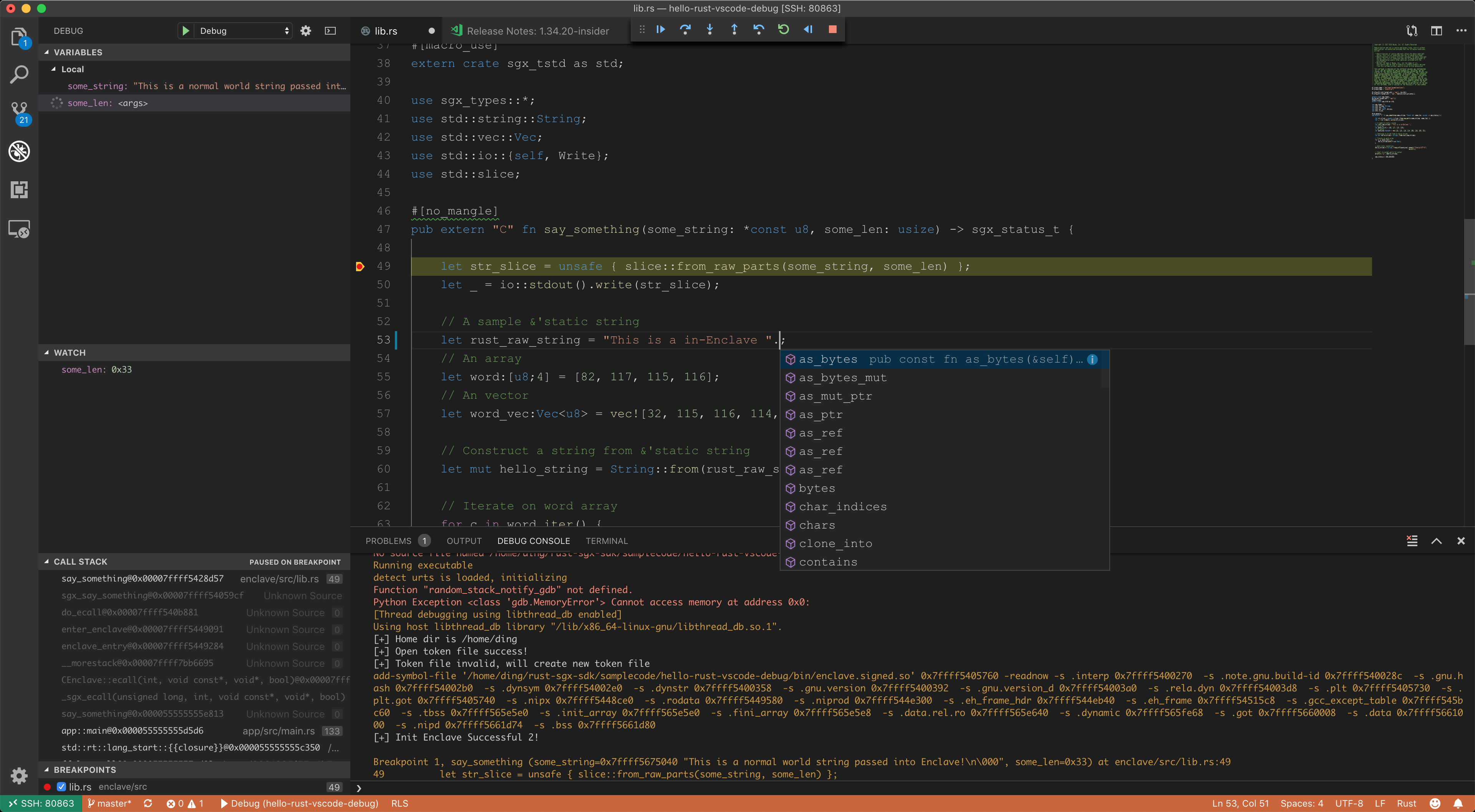
+
+# Solution overview
+1. Use Visual Code Insider and the [Remote -
SSH](https://marketplace.visualstudio.com/items?itemName=ms-vscode-remote.remote-ssh)
plugin to establish a vscode-ssh session.
+2. Tweak a project with a new `Cargo.toml` workspace and all `Makefile`s. This
enables `rls`.
+3. Tweak the build options for compiling in debug mode.
+4. Use [Native
Debug](https://marketplace.visualstudio.com/items?itemName=webfreak.debug)
plugin for graphic debugging.
+
+# Prerequisites
+
+* Visual Code Insider installed on your machine. OS is flexible.
+* Remote Linux supports Intel SGX, with SSH service started.
+* `rustup`, Intel SGX driver/PSW/SDKs are correctly installed. `hello-rust`
code sample works.
+* Remote Linux **could** be the same machine. Just ignore the `vscode-ssh`
plugin mentioned in this wiki page and you'll be fine.
+
+My personal setup is:
+* Macbook. MacOS 10.14.4 + VSCode Insider.
+* Remote desktop PC running Ubuntu Linux 18.04. Intel SGX v2.5.
+
+# Known bugs
+* `sgx-gdb` throws Python exception on `gdb` > 7.12 on some platforms, such as
mine. But native sgx-gdb may not throw that error. Don't have a solution for
VSCode yet. YMMV.
+
+# Steps
+
+## Setup the vscode-ssh session.
+0. Setup a convenient way for ssh login. I always append my
`~/.ssh/id_rsa.pub` to the remote `~/.ssh/authorized_keys`.
+1. Install the [Remote -
SSH](https://marketplace.visualstudio.com/items?itemName=ms-vscode-remote.remote-ssh)
plugin.
+2. Establish a vscode-ssh session to the remote Linux.
+
+## Create an rls-friendly rust-sgx project.
+
+[hello-rust-vscode-debug](https://github.com/apache/incubator-teaclave-sgx-sdk/tree/master/samplecode/hello-rust-vscode-debug)
is an example. Differences between this and `hello-rust` are:
+1. An extra `Cargo.toml` at the root, which contains two Rust crates: `app`
and `enclave`. This change would result in changing the path of `target`
folders.
+2. Tweak `Makefile` and `enclave/Makefile` and correct the path of `target`
folders.
+3. Tweak `Makefile` and `enclave/Makefile` to enable debug compilation.
Changes include: (1) remove `--release` in `cargo build`, (2) add `-ggdb` to
`SGX_COMMON_FLAGS`.
+
+After these steps, the `hello-rust-vscode-debug` should be an rls-friendly
project. And open the remote folder of it in the VSCode main screen "Start -
open folder". Then autocompletion should work!
+
+## Setup Native Debug with sgx-gdb
+
+Now we have a vscode-ssh session to the remote Linux and an opened folder of
`hello-rust-vscode-debug`. The next step is to configure a correct
`launch.json` for Native Debug plugin. Now open the debug panel of VS code and
click on the gear icon to open `launch.json` in the editor.
+```
+{
+ // Use IntelliSense to learn about possible attributes.
+ // Hover to view descriptions of existing attributes.
+ // For more information, visit:
https://go.microsoft.com/fwlink/?linkid=830387
+ "version": "0.2.0",
+ "configurations": [
+ {
+ "name": "Debug",
+ "type": "gdb",
+ "request": "launch",
+ "target": "app",
+ "cwd": "${workspaceRoot}/bin",
+ "valuesFormatting": "parseText",
+ "gdbpath": "sgx-gdb",
+ "ssh": {
+ "forwardX11": false,
+ "host": "172.19.32.44", // your IP
+ "cwd": "${workspaceRoot}/bin",
+ // SSH private key on remote machine. Add the pub key to
~/.ssh/authorized_keys
+ // This ssh configuration is established from host to host,
because the current
+ // vscode session is "within a ssh session established by
vscode-ssh".
+ // I think this might be a bug but can hardly be resolved.
+ "keyfile": "/home/ding/.ssh/id_rsa", // private key
+ "user": "ding",
+ "bootstrap": "source /opt/sgxsdk/environment",
+ "port": 22
+ }
+ }
+ ]
+}
+```
+`name`,`type`,`request`,`valuesFormatting` are default values. `cwd` is the
working directory we launch the app, so it should be the `bin` folder. `target`
is the debugee executable so it should be the `app`. `host` is the IP address
of your Linux machine. Then comes the tricky part: ssh. It means that we use an
extra ssh session for debugger, within the current vscode-ssh session. This
means that we are here creating an additional ssh session from remote machine
to itself. Only in this [...]
+
+Having this `launch.json` configured correctly, we could simply set up a
breakpoint on the first line of `say_something` and start debugging. Enjoy!
---------------------------------------------------------------------
To unsubscribe, e-mail: [email protected]
For additional commands, e-mail: [email protected]



