rhtyd commented on issue #53: Issue #27: Implement Tree-view based Domain List View URL: https://github.com/apache/cloudstack-primate/pull/53#issuecomment-561277294 @utchoang @svenvogel here are some issues from my testing: - On refreshing the view loses context and shows me the root domain, even if the nested domain may be selected (the refresh can happen if I add a new domain or perform an action like update count) - The + plus button the tree should only be shown the domain has `haschild` set to true (no need to show it otherwise) - In the src/config/section/iam.js for the createDomain action, you can add a mapping rule for `parentdomainid` (see compute.js for example) to return the parentdomain.id as the `record.id`, i.e. id of the selected domain - As in the info-card component, can we show additional details about the domain, or at least the button to view account under that domain (see old UI) - Would be great if the file icon could be replace with the `domain` icon in the tree if that's possible for leaf domains with no children - Remove the settings tab for the account, as it will be dealt by #26 Screenshots may help: - Old UI (refreshing does not reset the view)  - Info card for a domain per `master` branch, see comments and the view accounts button:  - screenshot that shows different in the list of rendered keys: 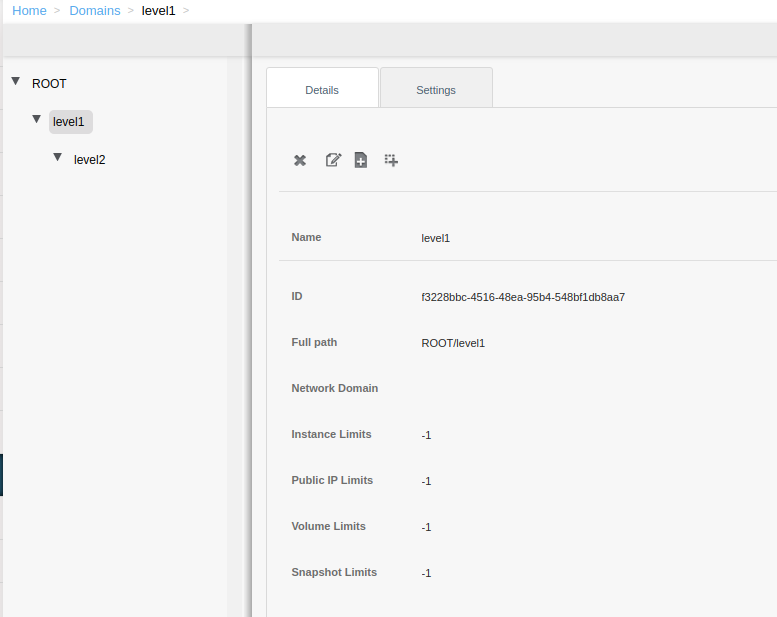 
----------------------------------------------------------------
This is an automated message from the Apache Git Service.
To respond to the message, please log on to GitHub and use the
URL above to go to the specific comment.

For queries about this service, please contact Infrastructure at:
[email protected]


With regards,
Apache Git Services




