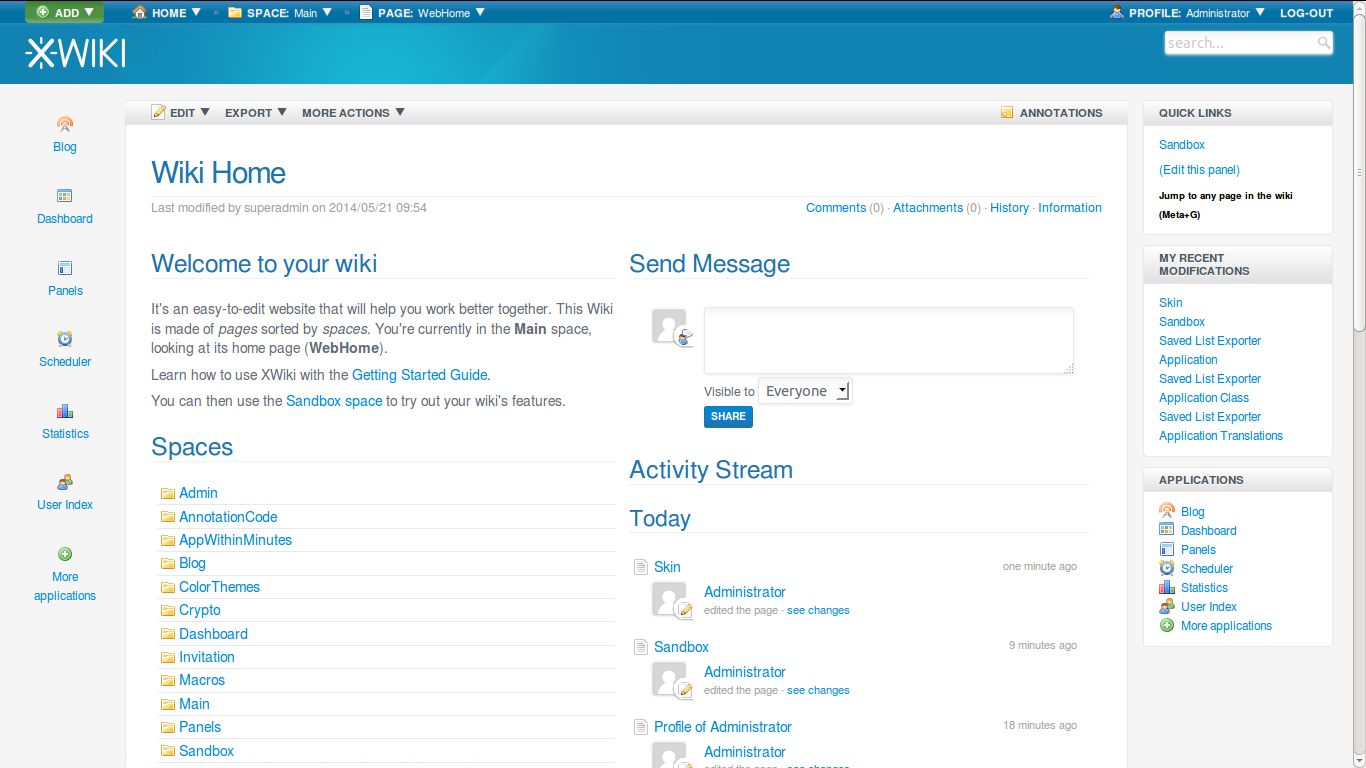
Solution 5: Provide the styling differences only in Panels.Applications.
Provide a ssx that with an IF handles both Colibri (we can consider the
default styling to include Colibri) and Flamingo. This way we are not
making the whole Panels app skin dependent, but only Panels.Applications.
Depending on the skin, the panels can provide a different style.
Initially, changing the skin to Flamingo, will have panels only on the
right side (a big panels applications, after the other standard panels). It
is in the duty of the Administrator to change the panels configuration and
choose the default arrangement (he will have to manually put the
Applications panel in the left area). So the order is default no matter the
skin.
Solution 6: Just like we have multiple ColorThemes, we could provide
something like a PanelsTheme (or something that stores the Panels order).
This application would store everything from Administration-Page
Elements-Panels section (Display, Width, List x 2 for left and right
panels). This application is dependent of Panels app.
When I want to customize the look of my wiki, I would go in Presentation,
choose the skin, the colortheme and the panels order (choose Flamingo,
choose a ColorTheme that matches better Flamingo and then I would choose
FlamingoPanelsOrder).
This solution is a good idea also for the customization of sub-wikis and
flavors. For example, in Knowledge Base wiki I need both left and right
column, with the Tree in the left side. On groupware flavor I need the
Applications on the left side. I can make some panels order that I display
for team's sub-wikis while I have another order for the main wiki, etc.

Thanks,
Caty


On Mon, Jun 2, 2014 at 9:49 AM, [email protected] <[email protected]>
wrote:

>
>
>
>
> On 29 May 2014 at 11:23:01, Marius Dumitru Florea (
> [email protected](mailto:[email protected]))
> wrote:
>
> > On Wed, May 28, 2014 at 4:18 PM, Guillaume "Louis-Marie" Delhumeau
> > wrote:
> > > Hi,
> > >
> > > In Flamingo, we have created the concept of Application Bar, that we
> have
> > > implemented as a Panel:
> > > http://jira.xwiki.org/browse/XWIKI-10254
> > >
> > > I propose to put the Application Bar by default on the left column.
> > >
> > > Since we do not have a configuration system at the skin level, it
> would be
> > > present for both Colibri & Flamingo. I think it is not a problem
> because I
> > > have managed to make it look good for both (except for the size of the
> > > icons) :
> > > http://jira.xwiki.org/secure/attachment/27707/appbar.png
> > >
> >
> > > WDYT?
> >
> > It doesn't look very well, and the Applications panel is redundant. I
> > don't have a solution though. Need to think about it.
>
> Note that Guillaume forgot to mention that the icons will be larger (see
> http://design.xwiki.org/xwiki/bin/download/Improvements/Skin4x/homepageDesktopDetails.png).
> Right now they are the ones from the panel in medium width mode because
> Guillaume has implemented it yet.
>
> @Guillaume: regarding icon colors, what would be your plan? Blue and white
> colors as on
> http://design.xwiki.org/xwiki/bin/download/Improvements/Skin4x/homepageDesktopDetails.png
> even for the Colibri skin or different coloring depending on the skin?
>
> I also think that it might be best to not change Colibri since people are
> probably used to it for now. Now we need to find a way to have panels
> defined differently for each skin for that.
>
> There are various solutions for this:
> * Solution 1: Add support for storing configuration (XWikiPreferences) in
> skin pages and modify the DefaultConfigurationSource to be profile > skin >
> space > wiki or possibly better: profile > space > wiki > skin
> * Solution 2: Refactor the UI configuration in the Admin UI by moving all
> UI-related configuration parameters in some UIConfig xobjects that depend
> on the selected skin (one xobject per skin). Make the skin selection the
> first item on the page and when you change it the rest of the UI
> configuration below reflects the content of the UIConfig page corresponding
> to that skin. This means introduction a UIConfigurationSource component
> impl but that’s easy to do.
> * Solution 3: Modify the leftpanels/rightpanels configuration properties
> from String to TextArea and allow scripting to be put inside. Then, by
> default, have some “if” to handle both Colibri and Flaming default panels.
> When the user uses the Panel Wizard the first time, the value will be
> overridden by the list of panels selected by the user.
> * Solution 4: In the DefaultSkin page, override
> leftpanels.vm/leftpanels.vm and check if the user has defined any panel
> preferences in XWikiPreferences. If so, then use them. If not, then compute
> the left and right panels default values.
>
> There are obviously downsides to all these solutions...
>
> Personally I think I prefer solution 1 with profile > space > wiki > skin,
> i.e. if the leftpanels/rightpanels xproperties are not defined at the
> profile, space, wiki levels (and by default we should leave it empty there)
> then the value is taken from the skin configuration component. We would
> need to define how the Panel Wizard works (we probably have an issue even
> now when the panels are defined in a user’s profile). It should probably be
> possible int he Panel Wizard UI to select what level is being configured
> (wiki, space, profile, skin). That’s the main issue for which we need a
> solution: that it is not too magical for the user when they go to the Panel
> Wizard. More generally speaking a we have an issue in the Admin UI. We
> should probably show the inferred values (real value used) and indicate the
> value for a given property at all levels (wiki, space, profile, skin) and
> allow users to easily change the value for the level they wish.
>
> We need some more brainstorming about this. Any other ideas or variations?
>
> Thanks
> -Vincent
>
> > > Thanks,
> > > Guillaume
>
> _______________________________________________
> devs mailing list
> [email protected]
> http://lists.xwiki.org/mailman/listinfo/devs
>
_______________________________________________
devs mailing list
[email protected]
http://lists.xwiki.org/mailman/listinfo/devs