On Mon, 13 Aug 2018 at 18:00, Mike Franklin via Digitalmars-d
<[email protected]> wrote:
>
> On Monday, 13 August 2018 at 18:48:21 UTC, Seb wrote:
>
> > Feedback is welcome ;-)
>
> Thanks a lot for doing this.  Honestly, I think this small
> change, if we can keep it maintained, will make a significant
> impact in users' perception of D.
>
> I don't think the issue is actually with the DMD executables, but
> with the DMD installer package.  I'm speaking somewhat in
> ignorance here, but I think what's most important is to sign the
> installer package.  I asked about what installer packaging
> software we are using (InstallShield, InnoSetup, etc...) at
> https://issues.dlang.org/show_bug.cgi?id=18786, but didn't get a
> response.
>
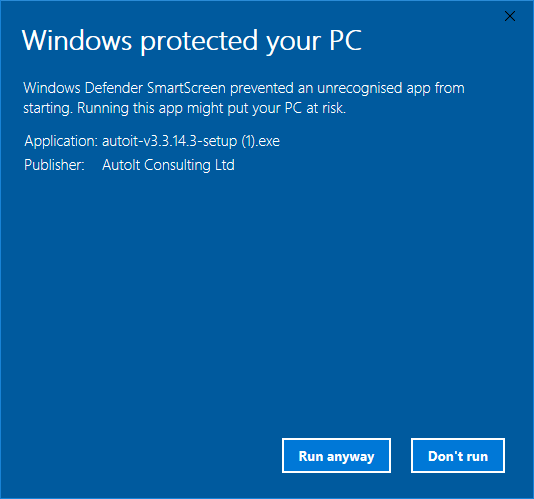
> When you try to run the installer on a recent Windows machine,
> you see this
> (https://cdn1.tekrevue.com/wp-content/uploads/2017/09/windows-protected-your-pc.jpg).
>   That is what's scaring people.  User's have to click the "More info" link,
> and then a "Run anyway" button appears
> (https://www.autoitscript.com/site/wp-content/uploads/2018/01/SmartScreen_Windows_Protected_Your_PC_Run_Anyway.png)
>
> So, I think the solution is to sign the installer package.  I've
> never done that before, but a quick search on the Internet
> yielded:
>
> http://www.samlogic.net/visual-installer/tips/tips-pages/code-sign-setup-package/code-sign-setup-package.htm
> https://learn.adafruit.com/how-to-sign-windows-drivers-installer/making-an-installer#sign-the-installer-5-28
>
> I don't think that will solve the virus problem, but it should at
> least remove the scary *Windows is protecting you* popup message.
>
> For the virus problem, it would be helpful to know what software
> we are using to create the installer package.  Is it legit?
>
> Mike
Indeed, it's the installer that's in critical need of being signed...
but all the binaries are worth signing if that's convenient.
But the installer is definitely priority #1! :)