branch: master
commit 752c2cc1ee635bb88a9a1627de1f0bb605962510
Author: Oleh Krehel <[email protected]>
Commit: Oleh Krehel <[email protected]>
    README.md: update
---
 README.md |   40 ++++++++++++++++++++++++++++++++--------
 1 files changed, 32 insertions(+), 8 deletions(-)

diff --git a/README.md b/README.md
index 357aa71..1b2f808 100644
--- a/README.md
+++ b/README.md
@@ -19,14 +19,14 @@ and pack it into a single key binding, similar to
`other-window`.
 ## Setup

 Just assign `ace-window` to a short key binding, as switching windows
-is a common task. I suggest **M-p** as it's short and not bound in the
-default Emacs.
+is a common task. I suggest <kbd>M-p</kbd>, as it's short and not
+bound in the default Emacs.

 ## Usage

 When there are two windows, `ace-window` will call `other-window`.  If
 there are more, each window will have its first character highlighted.
-Pressing that character will switch to that window.  Note that unlike
+Pressing that character will switch to that window.  Note that, unlike
 `ace-jump-mode`, the point position will not be changed: it's the same
 behavior as that of `other-window`.

@@ -35,20 +35,44 @@ you remember your window layouts, you can switch windows
without even
 looking at the leading char.  For instance, the top left window will
 always be `1`.

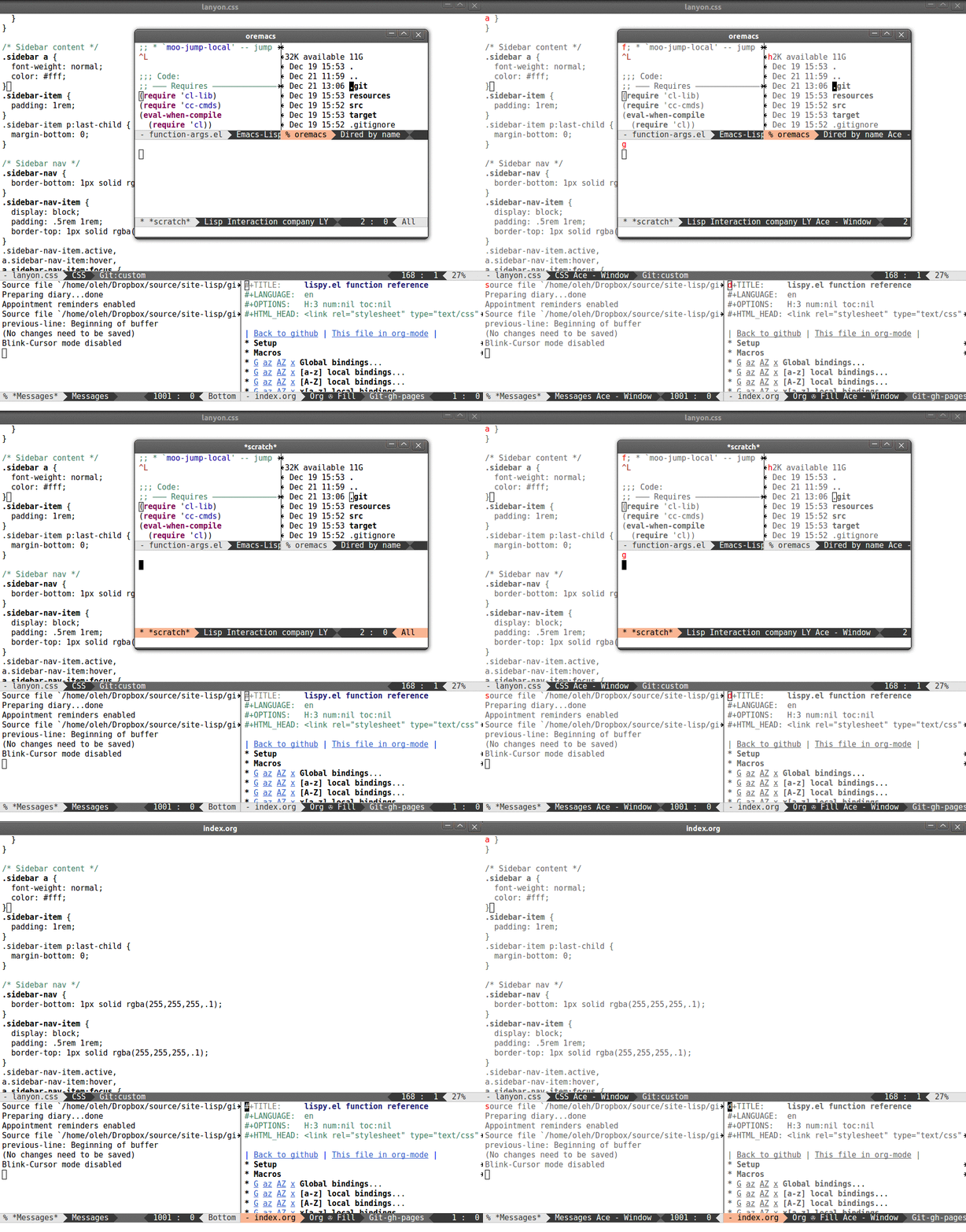
+`ace-window` works across multiple frames, as you can see from the
+[in-action gif](http://oremacs.com/download/ace-window.gif).
+
 ## Swap and delete window

-You can swap windows by calling `ace-window` with a prefix argument **C-u**.
+- You can swap windows by calling `ace-window` with a prefix argument
<kbd>C-u</kbd>.

-You can delete the selected window by calling `ace-window` with a double prefix
-argument, i.e. **C-u C-u**.
+- You can delete the selected window by calling `ace-window` with a double
prefix argument, i.e. <kbd>C-u C-u</kbd>.

 ## Customization
+Aside from binding `ace-window`:
+
+    (global-set-key (kbd "M-p") 'ace-window)

-Aside from binding `ace-window`, maybe you'd like to customize
+maybe you'd like the following customizations:
+
+### `aw-keys`
 `aw-keys` - the sequence of leading characters for each window:

-    (global-set-key (kbd "M-p") 'ace-window)
     (setq aw-keys '(?a ?s ?d ?f ?g ?h ?j ?k ?l))

 `aw-keys` are 0-9 by default, which is reasonable, but in the setup
 above, the keys are on the home row.
+
+### `aw-scope`
+The default one is `global`, which means that `ace-window` will work
+across frames. If you set this to `frame`, `ace-window` will offer you
+the windows only on current frame.
+
+### `aw-background`
+
+By default, `ace-window` temporarily sets a gray background and
+removes color from available windows in order to make the
+window-switching characters more visible. This is the behavior
+inherited from `ace-jump-mode`.
+
+This behavior might not be necessary, as you already know the locations
+where to look, i.e. the top-left corners of each window.
+So you can turn off the gray background with:
+
+    (setq aw-background nil)