I have 2 trail cameras pointing up and down my backyard trail, and they
frequently capture awesome footage like this:
https://www.youtube.com/watch?v=TYQj1fcSQJE
<https://www.youtube.com/watch?v=TYQj1fcSQJE>

You can actually hear her bonk him on the head!!

Assembling these clips in Da Vinci Resolve allows me to visually align the
clips exactly, but before I do that I need to generate still images from the
first frames of TrailUp.mp4 and TrailDown.mp4, e.g. TrailUpStill.jpg and
TrailDownStill.jpg, to fill in the timeline gap when one video needs to start
earlier than the other. See the above video where the "downhill" timestamp
doesn't start changing until a few seconds in.

I’d been creating these stills on my Mac by opening the MP4s in QuickTime
Player, copying the first frame, pasting into a new document in Preview, and
saving as a JPG, which is all tedious manual labor.

I thought maybe I could semi-automate this by doing this in ffmpeg:

ffmpeg -i TrailDown.mp4 -vframes 1 TrailDownStill.jpg

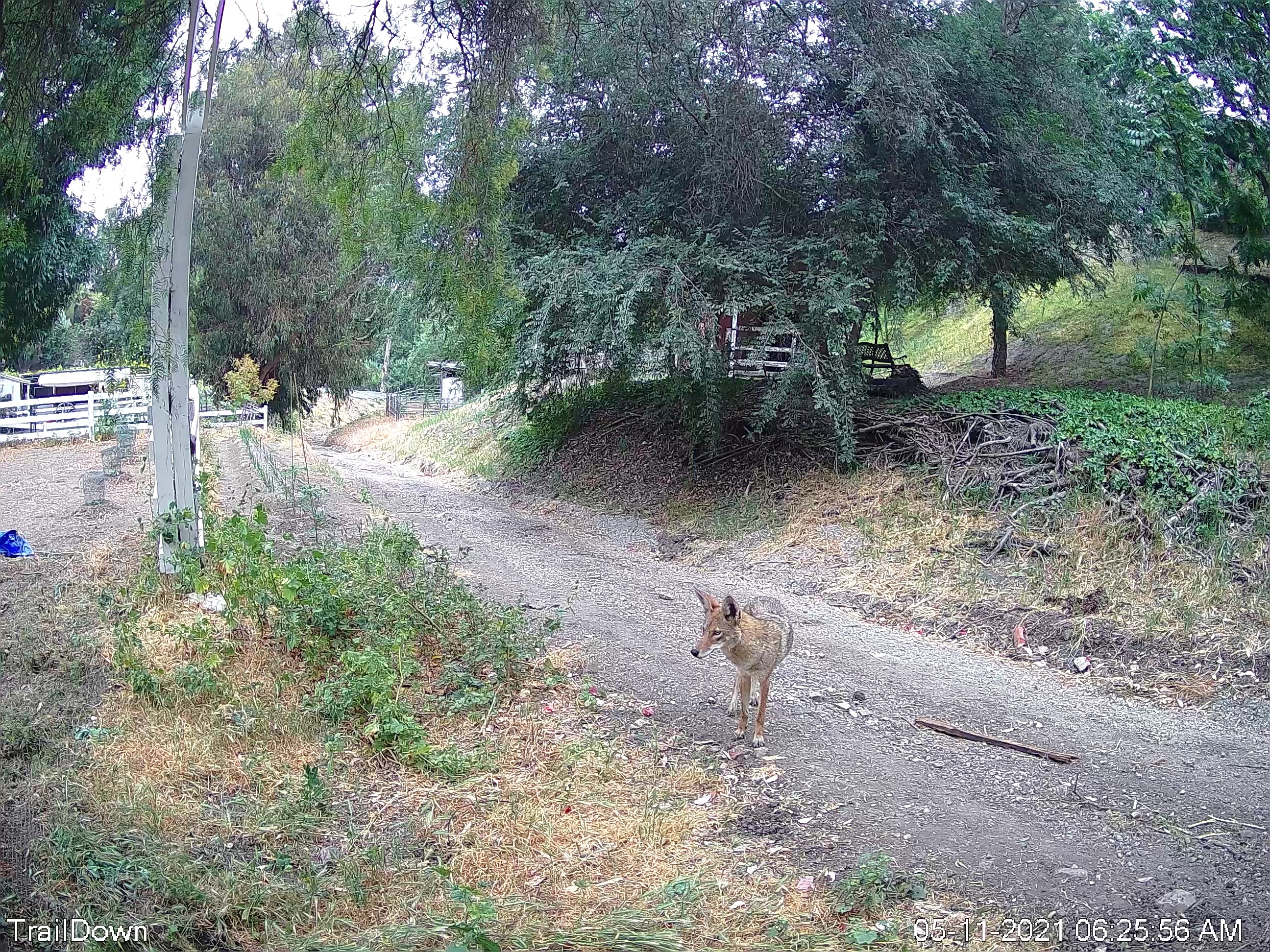
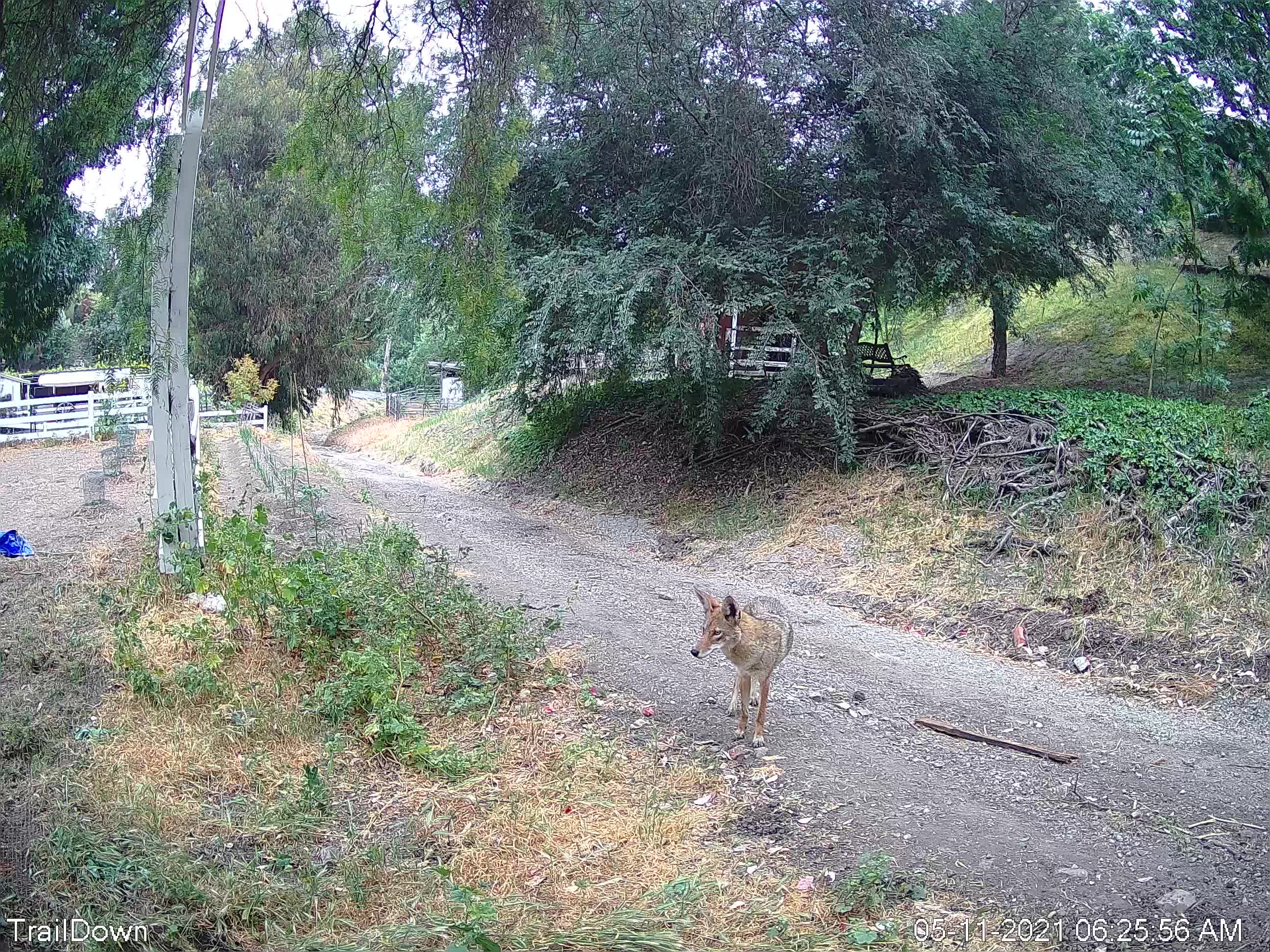
This works, but the resulting jpg looks slightly different than the jpg
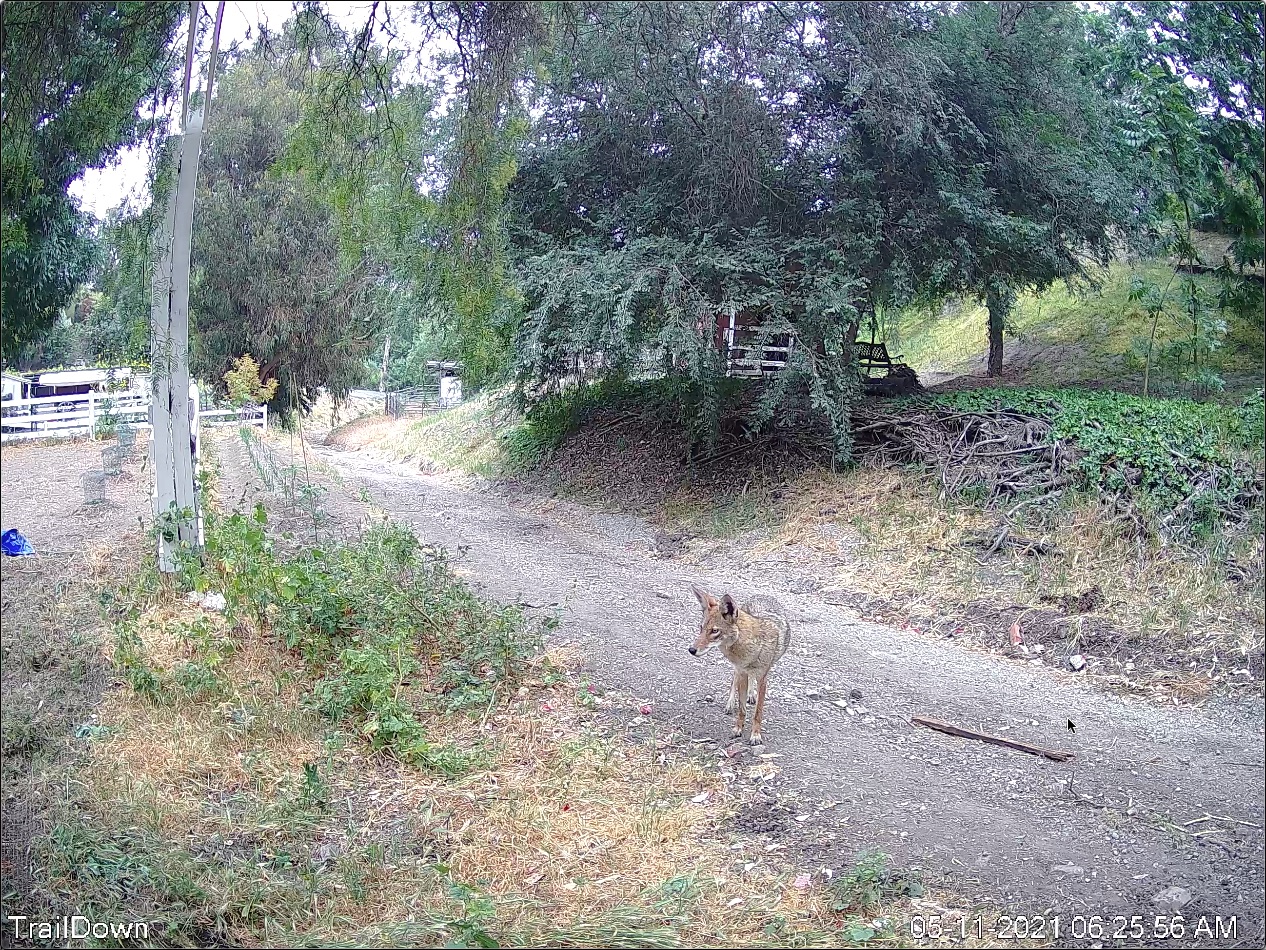
produced by Preview. The brightness is different. I also took a screen capture
of QuickTime Player and exported that as a jpg, and it look almost exactly the
copy/paste into Preview, and slightly unlike that produced by ffmpeg.

When I sequence these files into Resolve, the jpg produced via Preview looks
exactly like I’ve paused the MP4 (which is the effect I want), whereas the jpg
produced by ffmpeg has a slightly different brightness than the video, so
there’s a discontinuity when it’s sequenced:

https://www.kan.org/pictures/TrailDownStillQTPreview.jpg
<https://www.kan.org/pictures/TrailDownStillQTPreview.jpg>
https://www.kan.org/pictures/TrailDown.mp4
<https://www.kan.org/pictures/TrailDown.mp4>
https://www.kan.org/pictures/TrailDownStillffmpeg.jpg
<https://www.kan.org/pictures/TrailDownStillffmpeg.jpg>
https://www.kan.org/pictures/TrailDownStillQTScreenCap.jpg
<https://www.kan.org/pictures/TrailDownStillQTScreenCap.jpg>

Is there a flag I need to set in ffmpeg to get a jpg that looks like what
Preview produces? Is this error related to my issue?

"[swscaler @ 0x112d97000] deprecated pixel format used, make sure you did set
range correctly”

console output follows. Thanks!

ffmpeg -i TrailDown.mp4 -vframes 1 TrailDownStill.jpg
ffmpeg version N-100466-g29cef1bcd6-tessus  https://evermeet.cx/ffmpeg/
Copyright (c) 2000-2020 the FFmpeg developers
  built with Apple clang version 11.0.0 (clang-1100.0.33.17)
  configuration: --cc=/usr/bin/clang --prefix=/opt/ffmpeg
--extra-version=tessus --enable-avisynth --enable-fontconfig --enable-gpl
--enable-libaom --enable-libass --enable-libbluray --enable-libdav1d
--enable-libfreetype --enable-libgsm --enable-libmodplug --enable-libmp3lame
--enable-libmysofa --enable-libopencore-amrnb --enable-libopencore-amrwb
--enable-libopenh264 --enable-libopenjpeg --enable-libopus
--enable-librubberband --enable-libshine --enable-libsnappy --enable-libsoxr
--enable-libspeex --enable-libtheora --enable-libtwolame --enable-libvidstab
--enable-libvmaf --enable-libvo-amrwbenc --enable-libvorbis --enable-libvpx
--enable-libwebp --enable-libx264 --enable-libx265 --enable-libxavs
--enable-libxvid --enable-libzimg --enable-libzmq --enable-libzvbi
--enable-version3 --pkg-config-flags=--static --disable-ffplay
  libavutil      56. 62.100 / 56. 62.100
  libavcodec     58.115.102 / 58.115.102
  libavformat    58. 65.100 / 58. 65.100
  libavdevice    58. 11.103 / 58. 11.103
  libavfilter     7. 94.100 /  7. 94.100
  libswscale      5.  8.100 /  5.  8.100
  libswresample   3.  8.100 /  3.  8.100
  libpostproc    55.  8.100 / 55.  8.100
Input #0, mov,mp4,m4a,3gp,3g2,mj2, from 'TrailDown.mp4':
  Metadata:
    major_brand     : isom
    minor_version   : 512
    compatible_brands: isomiso2avc1mp41
    creation_time   : 2021-05-11T17:08:07.000000Z
    encoder         : Lavf58.45.100
  Duration: 00:00:08.06, start: 0.000000, bitrate: 6072 kb/s
    Stream #0:0(und): Video: h264 (Main) (avc1 / 0x31637661), yuv420p,
2592x1944, 6140 kb/s, 20 fps, 20 tbr, 16k tbn, 32k tbc (default)
    Metadata:
      creation_time   : 2021-05-11T17:08:07.000000Z
      handler_name    : VideoHandler
      vendor_id       : [0][0][0][0]
    Stream #0:1(und): Audio: aac (LC) (mp4a / 0x6134706D), 8000 Hz, mono, fltp,
15 kb/s (default)
    Metadata:
      creation_time   : 2021-05-11T17:08:07.000000Z
      handler_name    : SoundHandler
      vendor_id       : [0][0][0][0]
File 'TrailDownStill.jpg' already exists. Overwrite? [y/N] y
Stream mapping:
  Stream #0:0 -> #0:0 (h264 (native) -> mjpeg (native))
Press [q] to stop, [?] for help
[swscaler @ 0x112d97000] deprecated pixel format used, make sure you did set
range correctly
Output #0, image2, to 'TrailDownStill.jpg':
  Metadata:
    major_brand     : isom
    minor_version   : 512
    compatible_brands: isomiso2avc1mp41
    encoder         : Lavf58.65.100
    Stream #0:0(und): Video: mjpeg, yuvj420p(pc, progressive), 2592x1944,
q=2-31, 200 kb/s, 20 fps, 20 tbn (default)
    Metadata:
      creation_time   : 2021-05-11T17:08:07.000000Z
      handler_name    : VideoHandler
      vendor_id       : [0][0][0][0]
      encoder         : Lavc58.115.102 mjpeg
    Side data:
      cpb: bitrate max/min/avg: 0/0/200000 buffer size: 0 vbv_delay: N/A
frame=    1 fps=0.0 q=16.1 Lsize=N/A time=00:00:00.05 bitrate=N/A speed=0.308x

video:841kB audio:0kB subtitle:0kB other streams:0kB global headers:0kB muxing
overhead: unknown


_______________________________________________
ffmpeg-user mailing list
[email protected]
https://ffmpeg.org/mailman/listinfo/ffmpeg-user

To unsubscribe, visit link above, or email
[email protected] with subject "unsubscribe".