Your mail looks like a very good start to a Howto page.  Feel like
putting it up on the ALU wiki, or somewhere else appropriate?
Cheers
Brad

On 12/17/05, Frank Buss <[EMAIL PROTECTED]> wrote:
> LeAnthony Mathews wrote:
>
> > I'm a long time lisp lurker who has been playing with different
> > implementations of lisp IDE.  What I need is a simple walkthrough example
> > that will allow me to:
> >
> >    1. Install Lispbox on my windows machine.
> >    2. Install GUI toolkit( Say wxCL).
> >    3. Write a simple windows GUI application (lets say hello world).
> >    4. Compile this file to an .exe
> >    5. Run on any windows based machine "hello world" application
> >
> > Does this type of example exist?  This would make a great movie if some LISP
> > pro will show us the way.  This is a basic stepping-stone to get us new to
> > the language creating something productive.
>
> This is easy:
>
> - download CLISP from
> http://sourceforge.net/project/showfiles.php?group_id=1355 and install it
>
> - download wxcl-1.1.1 from
> http://prdownloads.sourceforge.net/wxcl/wxcl-1.1.1.zip?download and unzip
> it
>
> - change the DLL path in wxcl-1.1.1/clisp-wrappers:
> (defconstant +library-name+ "wxc-msw2.6.2.dll"))
>
> - open a command line prompt and change to the wxcl-1.1.1/examples
> directory
>
> - copy the wxCL DLL: copy ..\miscellaneous\wxc-msw2.6.2.dll .
>
> - use one of the example programs or create a file repl.lisp from
> http://www.frank-buss.de/tmp/repl.lisp
>
> - start CLISP, e.g. \Programme\clisp-2.36\clisp.exe -K full
>
> - load your program: (load "repl.lisp")
>
> - save the image: (ext:saveinitmem "repl" :init-function #'main)
>
> - quit CLISP: (quit)
>
> now you have the file repl.mem and you can start the program like this:
>
> \Programme\clisp-2.36\clisp.exe -K full -M repl.mem
>
> After this you can copy all files to one directory and perhaps add a
> lisp.exe.manifest in the "full" directory to enable the new Windows Look
> and Feel: http://www.frank-buss.de/tmp/lisp.exe.manifest
>
> Now you can pack it with zip, but more professional is to use an installer:
>
> - download Inno Setup from http://www.jrsoftware.org/isinfo.php
>
> - use this setup file: http://www.frank-buss.de/tmp/repl.iss (which shows
> you all files you need to copy to the same directory, too; uncomment the
> last line, if you like German installer messages)
>
> - open the repl.iss in Inno Setup and build the installer
>
> and finally you have a 2.7 mb file: http://www.frank-buss.de/tmp/repl.exe
>
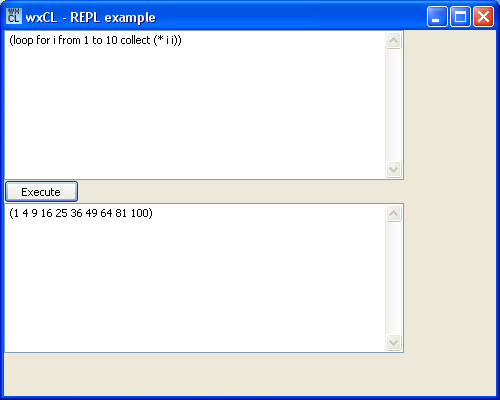
> which looks like this when installed and started:
> http://www.frank-buss.de/tmp/repl.jpg
>
> The only thing missing for a professional program is the DOS box, which is
> visible at program start. But you can donwload CLISP and substitute the
> "main" with "WinMain", which should solve this problem.
>
> But I wonder if I'm allowed to sell closed-sourced programs with CLISP. The
> CLISP FAQ says, that everything which is dynamicly loaded by CLISP must be
> GPL, is this a problem with wxWidgets, which has another licence? And if
> I'm developing some application specific DLLs, I'm is it possible not to
> publish the source code of these DLLs?
>
> But perhaps it is even easier, because the FAQ says it is GPL because of
> the GNU readline. Is it not GPL, if I compile it without readline (which
> should be possible, if it is used for the interactive prompt, only) ?
>
> --
> Frank Buß, [EMAIL PROTECTED]
> http://www.frank-buss.de, http://www.it4-systems.de
>
> _______________________________________________
> Gardeners mailing list
> [email protected]
> http://www.lispniks.com/mailman/listinfo/gardeners
>
_______________________________________________
Gardeners mailing list
[email protected]
http://www.lispniks.com/mailman/listinfo/gardeners