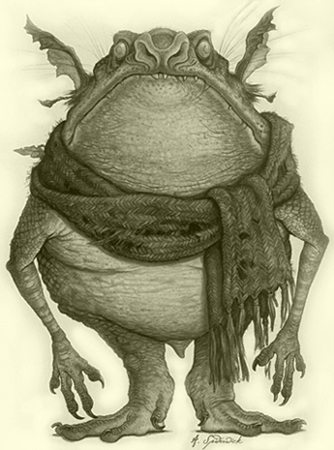
Thanks for the quick reply. Yes the smaller byte image is visibly degraded.
original
http://astarlite.com/heathfieldcastle/GoblinBW.jpg
105,148 bytes

uploaded june2013
https://lh5.googleusercontent.com/-kBJzRkgXZ18/ULhAKnRaQSI/AAAAAAAD0E8/6J-WUg67tP8/s0/GoblinBW.jpg
105,148 bytes

uploaded oct2013
https://lh5.googleusercontent.com/-5NVCraxhY4s/UmMViFxd9hI/AAAAAAAEFQM/YFkaAkfBesc/s0/astarlite-com-heathfieldcastle-goblinbw.jpg
49,643 bytes

uploaded manually today via
https://picasaweb.google.com > Add photos >Select photos from your computer
https://lh3.googleusercontent.com/-ZWuSRN8ZbrQ/UmPTxid5M2I/AAAAAAAEFQc/4Kv2T7gh3jk/s0/GoblinBW.jpg
47,595 bytes

Note that in both degraded cases the "my photos > photo > exif" view states
"file size 105148"
I have experimented with different means/urls of downloading the image, but
always get the degraded quality copy.
The problem seems similar to this post.
http://productforums.google.com/forum/#!topic/picasa/KwDDWjuLyrs
Some users there had the same problem when uploading from picasa desktop
and claim to have resolved it by "Try now, they fixed it, turn off auto
enchance and enable fullsize uploads in settings.", althought even if
correct that solution doesn't seem to apply to use of the API.

I do pay for additional storage.
https://picasaweb.google.com/lh/settings#storage
"In use: 70.41 GB (73.35%)"

Just in case, I tried:
https://www.google.com/settings/plus
[check] Upload my photos at full size.
This had no effect

I also tried:
https://www.google.com/settings/plus
[uncheck] Autoenhance
[uncheck] Autoawesome
This solved the problem

Thus, I conclude that the autoenhance and/or autoawesome settings in the
google+ profile associated with the userId component of a
https://picasaweb.google.com/data/feed/api/... url used to upload an image
over the picasa api causes the uploaded image to be degraded in quality.

For me, this problem is solved, however I think it should be stated on the
"posting a new photo" section of
https://developers.google.com/picasa-web/docs/2.0/developers_guide_protocol

On Saturday, 19 October 2013 23:47:14 UTC-4, Mike Erickson wrote:
>
> Standard size and full size refer to the image pixel height and width. If
> you upload an image larger than 2560 pixels on the longest edge it will
> upload at that original size. If you upload the same image through G+ it
> will be downsized automatically, but that's not the case with the Picasa
> API.
>
> I can look into why the image file is smaller in bytes but would be
> interested to know if there is any visible difference in quality between
> the two. Otherwise your image was not downsized in the way that we
> typically refer.
>
> Let me know how those two look.
> On Oct 19, 2013 8:05 PM, "Michael Holtstrom"  wrote:
>
>> In June 2013 I used the following code to upload to a picasa album.
>>
>> $curl = curl_init();
>> curl_setopt_array( $curl,
>>  array( CURLOPT_CUSTOMREQUEST => 'POST'
>>       , CURLOPT_URL => '
>> https://picasaweb.google.com/data/feed/api/user/...'
>>       , CURLOPT_HTTPHEADER => array( 'Content-Type: image/jpeg'
>>           , 'Content-Length: '.$lengthOfRawJpgData
>>           , 'Slug: '.$imageTitle
>>           , 'GData-Version: 2'
>>           , 'Authorization: Bearer '.$myAccessToken )
>>       , CURLOPT_POSTFIELDS => $rawJpgData
>>       , CURLOPT_REFERER => $theUrlOfThisScript
>>       , CURLOPT_RETURNTRANSFER => 1
>>  ) );
>> $response = curl_exec($curl);
>>
>> The result when viewed by a url like:
>> https://lh5.googleusercontent.com/.../s0/myImageTitle.jpg
>> is a 334px x 450px JPEG image that is 102KB
>>
>> If I repeat this process today (Oct.2013) uploading the same binary image
>> with the same source code then the result when viewed by a url like:
>> https://lh5.googleusercontent.com/.../s0/myImageTitle.jpg
>> is a 334px x 450px JPEG image that is 48KB
>>
>> I conclude that the picasa api is automatically compressing the image
>> during the upload.
>>
>> https://support.google.com/plus/answer/156348?hl=en
>> http://connect.dpreview.com/post/9680126717/picasa-redirect-google
>> These urls indicate that the default upload is now "standard size" and
>> that "full size" uploads are only supported by the desktop clients.
>>
>>
>> https://developers.google.com/picasa-web/docs/2.0/developers_guide_protocol
>> The latest protocol guide doesn't indicate any flag to select "standard
>> size" or "full size" during upload
>>
>> Can anyone confirm/deny my observations?
>> Does anyone know how to upload at "full size" via the picasaweb api?
>>
>> Thanks.
>>
>> --
>>
>>

--
You received this message because you are subscribed to the Google Groups
"Google Picasa Web Albums API" group.
To unsubscribe from this group and stop receiving emails from it, send an email
to [email protected].
To post to this group, send email to [email protected].
Visit this group at http://groups.google.com/group/google-picasa-data-api.
For more options, visit https://groups.google.com/groups/opt_out.