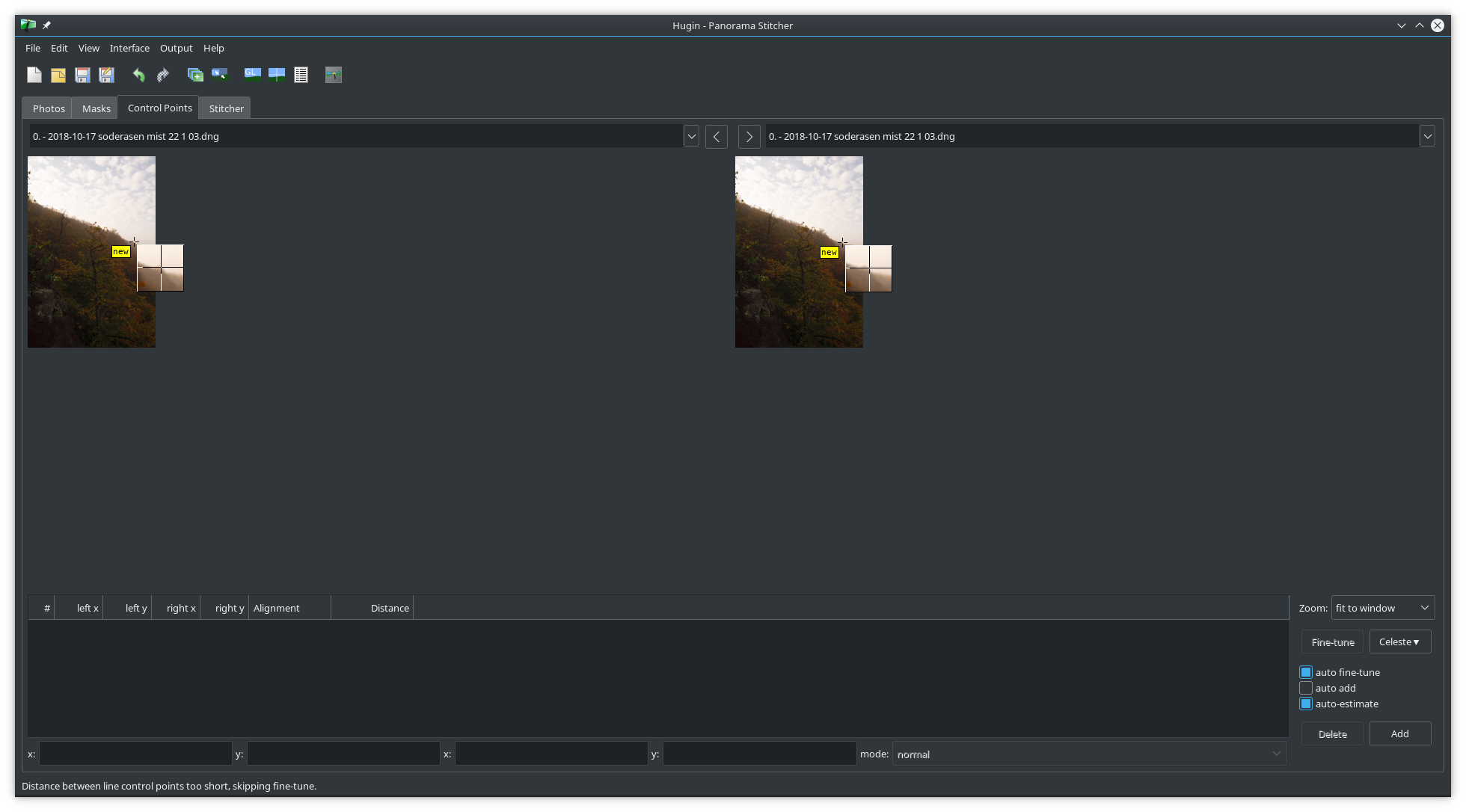
Screenshot showing that when I opened DNG files using Edit > Add Image,
only the small embedded thumbnail was used.
** Attachment added: "screenshot_20181103_124432.png"

https://bugs.launchpad.net/hugin/+bug/1801509/+attachment/5208759/+files/screenshot_20181103_124432.png

--
You received this bug notification because you are a member of Hugin Bug
Hunters, which is subscribed to Hugin.
https://bugs.launchpad.net/bugs/1801509

Title:
  Don't accept DNG or any raw files using Add Images window

Status in Hugin:
  New

Bug description:
  Hello, I'm Morgan from RawTherapee.

  Testing Hugin_Panorama_Creator-git-20181103-x86_64.AppImage for its
  integration with RawTherapee. I'll open separate issues for things I
  notice.

  Edit > Add Images, Hugin accepted raw files as input. Some raw file
  formats such as Canon's CR2 crash Hugin, some formats such as
  Fujifilm's RAF are rejected, while other formats such as NEF and DNG
  are opened and their embedded thumbnails are used.

  This is wrong, and there are two possible solutions:
  1. Do not accept any raw files in the Edit > Add Images dialog.
  2. Do accept raw images in the Edit > Add Images dialog, but when the user
clicks "Open" then automatically switch over to the "Import raw files" window.

To manage notifications about this bug go to:
https://bugs.launchpad.net/hugin/+bug/1801509/+subscriptions

_______________________________________________
Mailing list: https://launchpad.net/~hugin-bug-hunters
Post to     : [email protected]
Unsubscribe : https://launchpad.net/~hugin-bug-hunters
More help   : https://help.launchpad.net/ListHelp