https://bugs.kde.org/show_bug.cgi?id=492393
            Bug ID: 492393
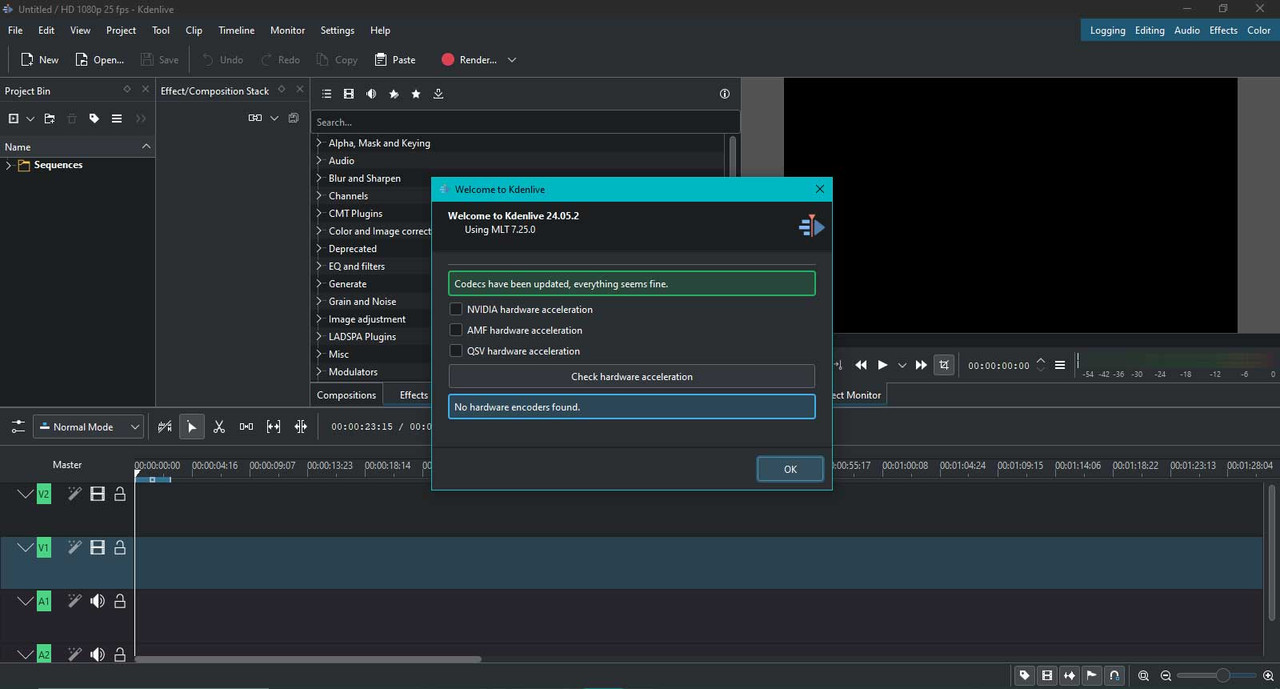
           Summary: Kdenlive is not recognizing Nvidia GT 730 2GB DDR5
                    graphics card
    Classification: Applications
           Product: kdenlive
           Version: 24.05.2
          Platform: Microsoft Windows
                OS: Microsoft Windows
            Status: REPORTED
          Severity: major
          Priority: NOR
         Component: Video Display & Export
          Assignee: [email protected]
          Reporter: [email protected]
  Target Milestone: ---

***
If you're not sure this is actually a bug, instead post about it at
https://discuss.kde.org

If you're reporting a crash, attach a backtrace with debug symbols; see
https://community.kde.org/Guidelines_and_HOWTOs/Debugging/How_to_create_useful_crash_reports
***

SUMMARY
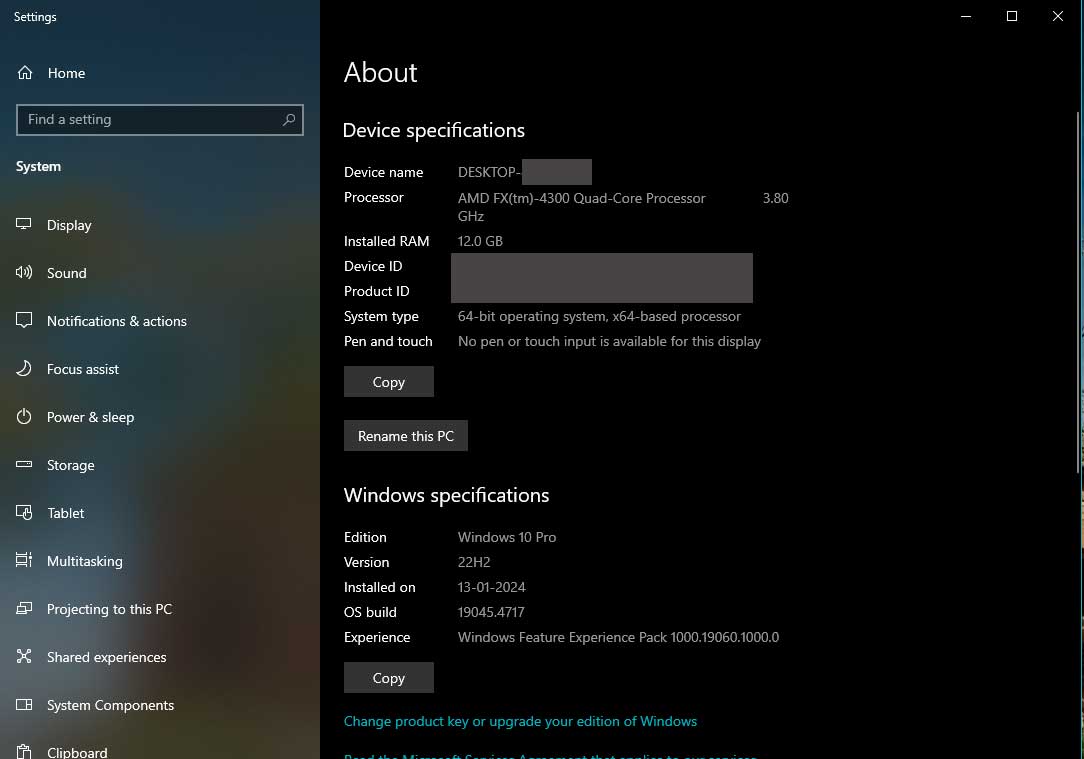
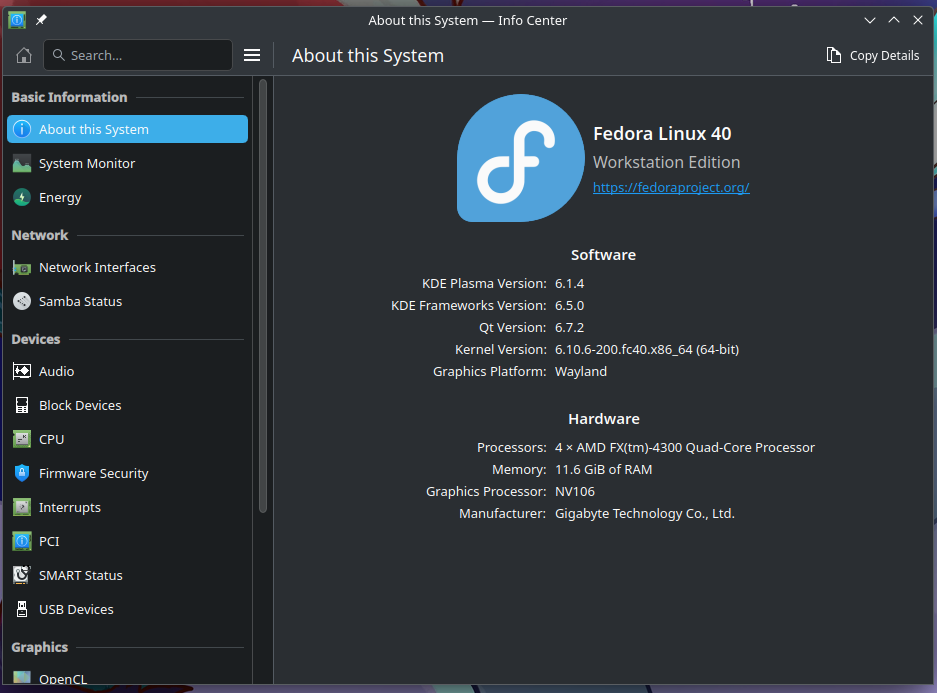
KDENLIVE is not recognizing Nvidia GT730 graphics card both in Windows 10 Pro
22H2 and in Fedora 40 Workstation.

STEPS TO REPRODUCE
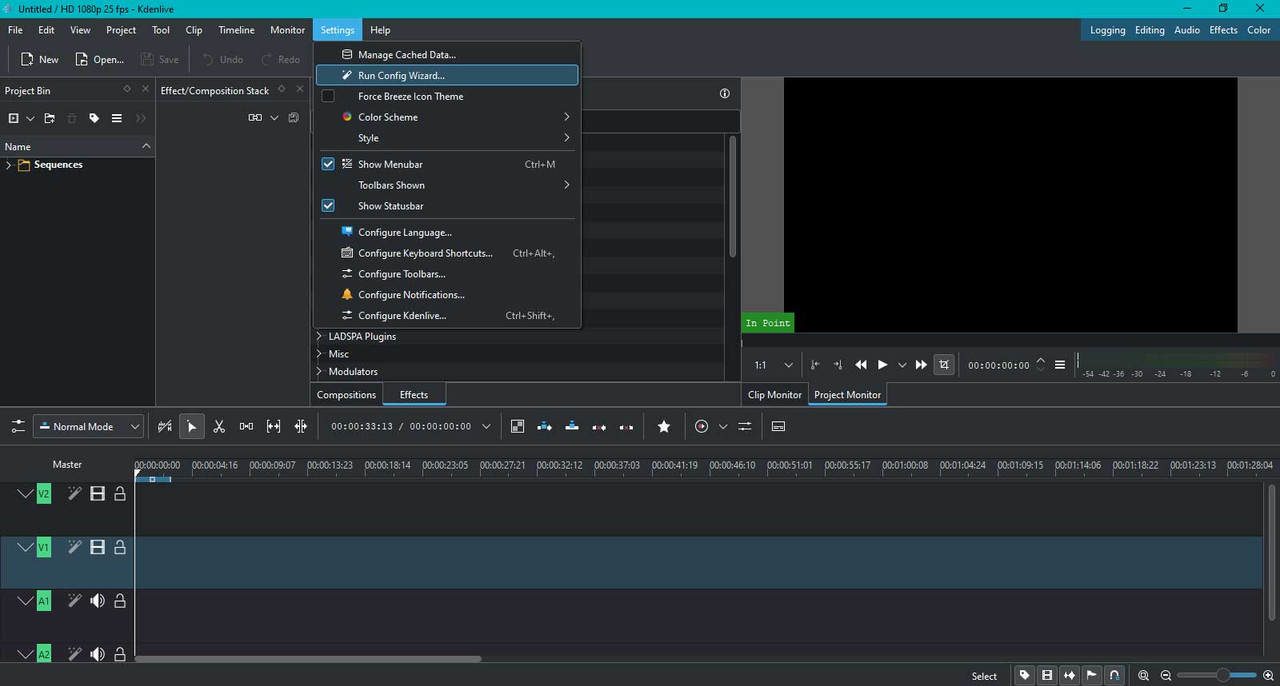
1. Go to Settings > Run Config Wizard
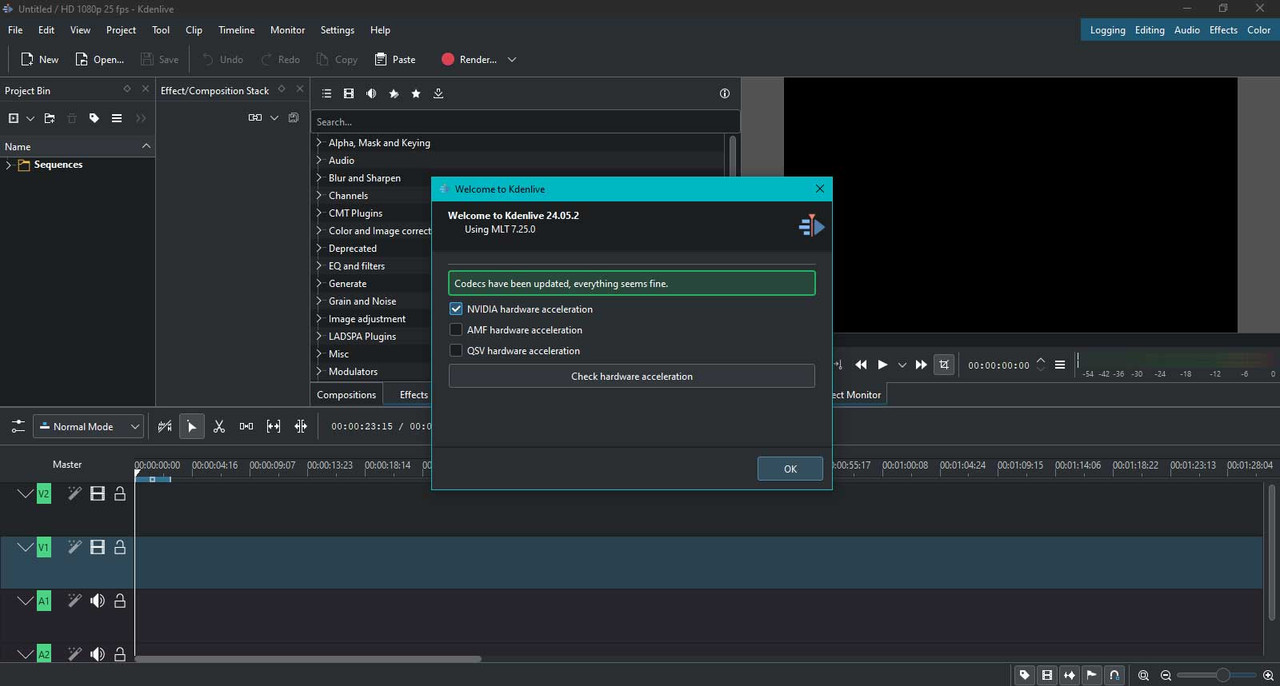
2. Select 'Nvidia hardware acceleration'
3. Click on 'Check hardware acceleration' button.

OBSERVED RESULT
'No hardware encoders found'.

EXPECTED RESULT
It should detect the Nvidia GT730 as all the other video editors including
Davinci Resolve 18.6 recognizing this GPU.

SOFTWARE/OS VERSIONS
Windows: 10 Pro 22H2
macOS: N/A
(available in the Info Center app, or by running `kinfo` in a terminal window)
Linux/KDE Plasma: Fedora40 Workstation/KDE Plasma 6
KDE Plasma Version: 6.1.4
KDE Frameworks Version: 6.5.0
Qt Version: 6.7.2

ADDITIONAL INFORMATION
Please note that Kdenlive has not been crashed or stop working for once but it
is not recognizing the GPU. So, GPU is not working at all. Please check the
attached files for additional details please see the images from these links:
1. Windows system: https://i.postimg.cc/4N11GhT3/windows-system.jpg
2. Fedora system: https://i.postimg.cc/Rh5TS7FW/fedora-system.png
3. Kdenlive 1: https://i.postimg.cc/D0rP8SJB/kdenlive-gpu-error-1.jpg
4. Kdenlive 2: https://i.postimg.cc/FF3ZPBW3/kdenlive-gpu-error-2.jpg
5. Kdenlive 3: https://i.postimg.cc/dtF9gjpX/kdenlive-gpu-error-3.jpg

--
You are receiving this mail because:
You are watching all bug changes.