Hello Rinse,

Thank you for your answer to my question
--- Rinse de Vries <rinse at kde.nl> wrote:
> Keramik is the default style of kde.
> So just click [defaults] in the configuration module

But there is a problem. When I hit default in the
"Style" window I get MS Windows 9x as widget style,
and we sure don't want that :). Perhaps this is some
idea of a joke from the SuSE people? I don't know...

So I hav to do this manually. The installed options
are : CDE, MS Windows 9x, Motif, Motif Plus, Platinum,
SIG and Thin Keramik. So I go for Thin Keramik.

There is another issue too. Reading the instructions
on http://i18n.kde.org/doc/screenshots.php, I'm
especially troubled by the 72 dpi and 8-bit depth
instructions. On the web-page it says :

"There is also KSnapShot and is highly configurable,
but you will need to reduce the color depth to 8bpp
yourself, in gimp or some other image editor."

and

"Create your screenshots in 72dpi mode.
 It's very important to keep the file size down for
the screenshots.
 Keramik does not run when X is in 8bpp mode, so you
can run X in your normal color depth."

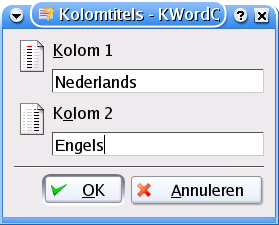
Now I've taken a screenshot using KSnapshot and from
the info in ImageMagik and The Gimp I think it has
been converted automatically to 8-bit depth (?) and I
must be running my X-server in 72 dpi inadvertantly,
because the screenshot is in that resolution too, and
I haven't done anything special.

So before I go and make these tons of new screenshots,
I would be very greatfull if you and others could have
a look at the attachement to this mail (I hope this
works...) and tell me if this is the right sort of
.png file to upload.

Thanks

Marc


__________________________________
Do you Yahoo!?
Yahoo! Domains ? Claim yours for only $14.70/year
http://smallbusiness.promotions.yahoo.com/offer
-------------- next part --------------
A non-text attachment was scrubbed...
Name: dlg-languages.png
Type: image/png
Size: 17284 bytes
Desc: dlg-languages.png
Url :
http://mail.kde.org/pipermail/kde-doc-english/attachments/20040524/e6732b4e/attachment.png