Yilialinn commented on code in PR #11860:
URL: https://github.com/apache/apisix/pull/11860#discussion_r1995223203
########## docs/en/latest/plugins/key-auth.md: ########## @@ -6,7 +6,7 @@ keywords: - Plugin - Key Auth - key-auth -description: This document contains information about the Apache APISIX key-auth Plugin. +description: The key-auth plugin supports the use of an authentication key as a mechanism for clients to authenticate themselves before accessing Upstream resources. Review Comment: ```suggestion description: The key-auth Plugin supports the use of an authentication key as a mechanism for clients to authenticate themselves before accessing Upstream resources. ``` ########## docs/en/latest/plugins/key-auth.md: ########## @@ -28,15 +28,21 @@ description: This document contains information about the Apache APISIX key-auth # --> +<head> + <link rel="canonical" href="https://docs.api7.ai/hub/key-auth"; /> +</head> + ## Description -The `key-auth` Plugin is used to add an authentication key (API key) to a Route or a Service. +The `key-auth` plugin supports the use of an authentication key as a mechanism for clients to authenticate themselves before accessing Upstream resources. Review Comment: Check similar errors ########## docs/en/latest/plugins/key-auth.md: ########## @@ -28,15 +28,21 @@ description: This document contains information about the Apache APISIX key-auth # --> +<head> + <link rel="canonical" href="https://docs.api7.ai/hub/key-auth"; /> +</head> + ## Description -The `key-auth` Plugin is used to add an authentication key (API key) to a Route or a Service. +The `key-auth` plugin supports the use of an authentication key as a mechanism for clients to authenticate themselves before accessing Upstream resources. Review Comment: ```suggestion The `key-auth` Plugin supports the use of an authentication key as a mechanism for clients to authenticate themselves before accessing Upstream resources. ``` ########## docs/en/latest/plugins/key-auth.md: ########## @@ -67,107 +73,499 @@ admin_key=$(yq '.deployment.admin.admin_key[0].key' conf/config.yaml | sed 's/"/ ::: +### Implement Key Authentication on Route + +The following example demonstrates how to implement key authentications on a Route and include the key in the request header. + +Create a Consumer `jack`: + ```shell -curl http://127.0.0.1:9180/apisix/admin/consumers -H "X-API-KEY: $admin_key" -X PUT -d ' -{ - "username": "jack", +curl "http://127.0.0.1:9180/apisix/admin/consumers"; -X PUT \ + -H "X-API-KEY: ${admin_key}" \ + -d '{ + "username": "jack" + }' +``` + +Create `key-auth` Credential for the consumer: + +```shell +curl "http://127.0.0.1:9180/apisix/admin/consumers/jack/credentials"; -X PUT \ + -H "X-API-KEY: ${admin_key}" \ + -d '{ + "id": "cred-jack-key-auth", "plugins": { - "key-auth": { - "key": "auth-one" - } + "key-auth": { + "key": "jack-key" + } } -}' + }' +``` + +Create a Route with `key-auth`: + +```shell +curl "http://127.0.0.1:9180/apisix/admin/routes"; -X PUT \ + -H "X-API-KEY: ${admin_key}" \ + -d '{ + "id": "key-auth-route", + "uri": "/anything", + "plugins": { + "key-auth": {} + }, + "upstream": { + "type": "roundrobin", + "nodes": { + "httpbin.org:80": 1 + } + } + }' ``` -You can also use the [APISIX Dashboard](/docs/dashboard/USER_GUIDE) to complete the operation through a web UI. +#### Verify with a Valid Key -First, create a Consumer object: +Send a request to with the valid key: -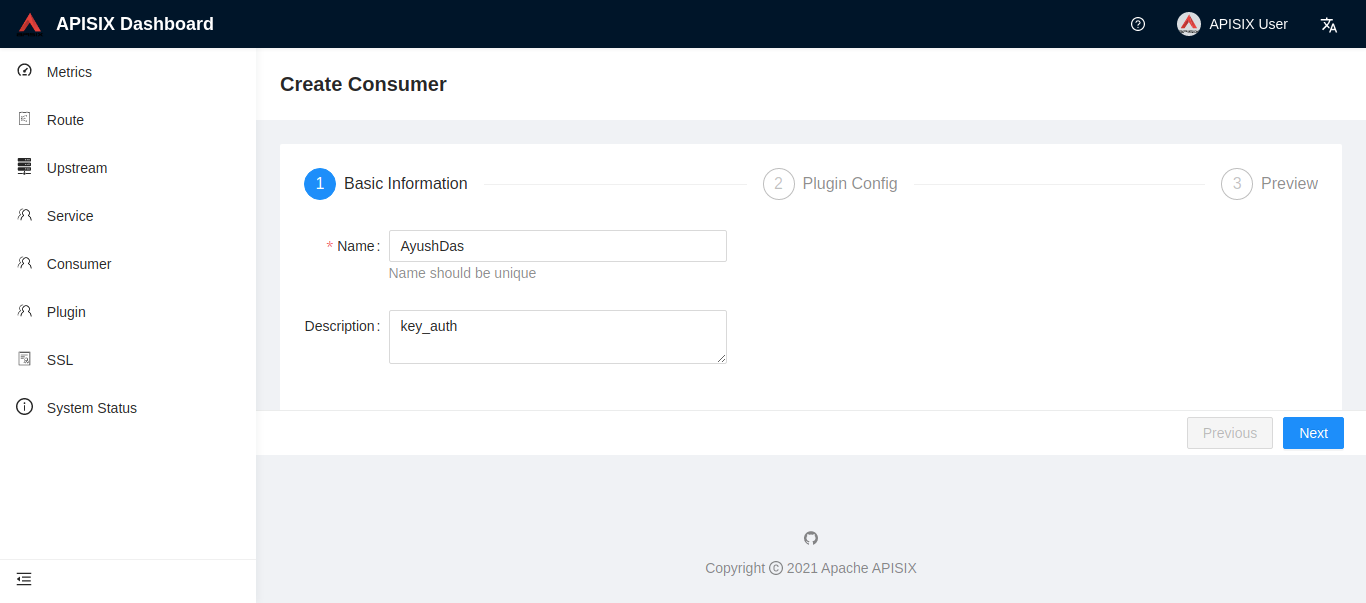 +```shell +curl -i "http://127.0.0.1:9080/anything"; -H 'apikey: jack-key' +``` -You can then add the `key-auth` Plugin: +You should receive an `HTTP/1.1 200 OK` response. -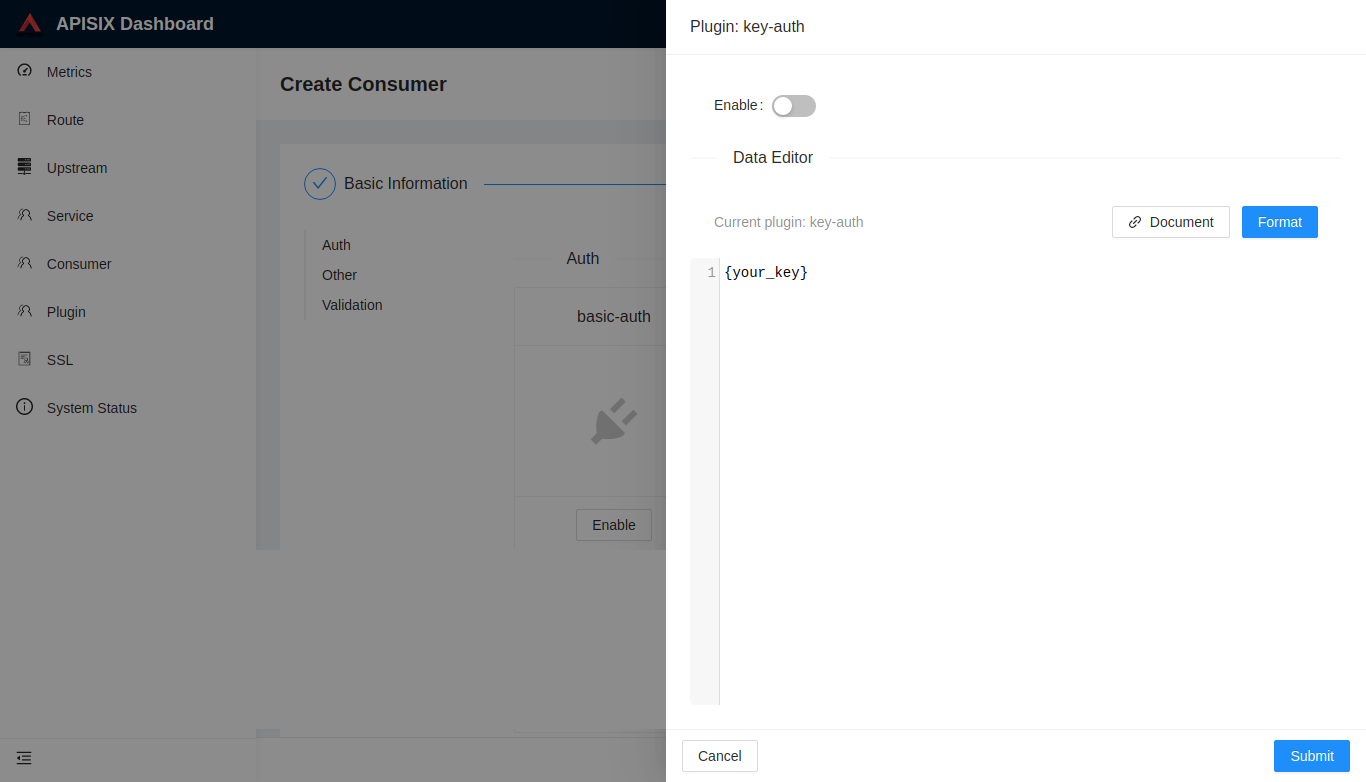 +#### Verify with an Invalid Key -Once you have created a Consumer object, you can then configure a Route or a Service to authenticate requests: +Send a request with an invalid key: ```shell -curl http://127.0.0.1:9180/apisix/admin/routes/1 -H "X-API-KEY: $admin_key" -X PUT -d ' -{ - "methods": ["GET"], - "uri": "/index.html", - "id": 1, +curl -i "http://127.0.0.1:9080/anything"; -H 'apikey: wrong-key' +``` + +You should see an `HTTP/1.1 401 Unauthorized` response with the following: + +```text +{"message":"Invalid API key in request"} +``` + +#### Verify without a Key + +Send a request to without a key: + +```shell +curl -i "http://127.0.0.1:9080/anything"; +``` + +You should see an `HTTP/1.1 401 Unauthorized` response with the following: + +```text +{"message":"Missing API key found in request"} +``` + +### Hide Authentication Information From Upstream + +The following example demonstrates how to prevent the key from being sent to the Upstream services by configuring `hide_credentials`. By default, the authentication key is forwarded to the Upstream services, which might lead to security risks in some circumstances. + +Create a Consumer `jack`: + +```shell +curl "http://127.0.0.1:9180/apisix/admin/consumers"; -X PUT \ + -H "X-API-KEY: ${admin_key}" \ + -d '{ + "username": "jack" + }' +``` + +Create `key-auth` Credential for the consumer: Review Comment: ```suggestion Create `key-auth` Credential for the Consumer: ``` ########## docs/en/latest/plugins/key-auth.md: ########## @@ -46,19 +52,19 @@ NOTE: `encrypt_fields = {"key"}` is also defined in the schema, which means that For Route: -| Name | Type | Requirement | Default | Valid | Description | +| Name | Type | Required | Default | Valid | Description | Review Comment: Shall we remove the "Valid" column as it's all blank? -- This is an automated message from the Apache Git Service. To respond to the message, please log on to GitHub and use the URL above to go to the specific comment. To unsubscribe, e-mail: [email protected] For queries about this service, please contact Infrastructure at: [email protected]


