Le lundi 01 octobre 2012, à 05:21 -0600, Sankar P a écrit :
> > Le lundi 01 octobre 2012, à 02:46 -0600, Sankar P a écrit :
> > > Hi,
> > >
> > > I have had my Control and Capslock keys swapped ever since I started
> > > using
> > Linux. Recently I updated to 3.6 on 12.2 and lost this feature. I am not
> > able
> > to open a new tab without straining my hand.
> > >
> > > The "Layout Options" displays a big keyboard on the screen but it seem to
> > be of no use. I am not able to enable this feature at all. What is the way
> > to
> > get this back ?
> >
> > This is now handled in the same control center panel as the keybindings,
> > see the hints at the end of
> > http://library.gnome.org/misc/release-notes/3.6/i18n-ibus.html.en
>
> Hmm. Somehow I am not able to figure it out. I do not get that icon at
> all next to the accesibility icon. Also, I cant find a setting for
> this in the tweak tool.
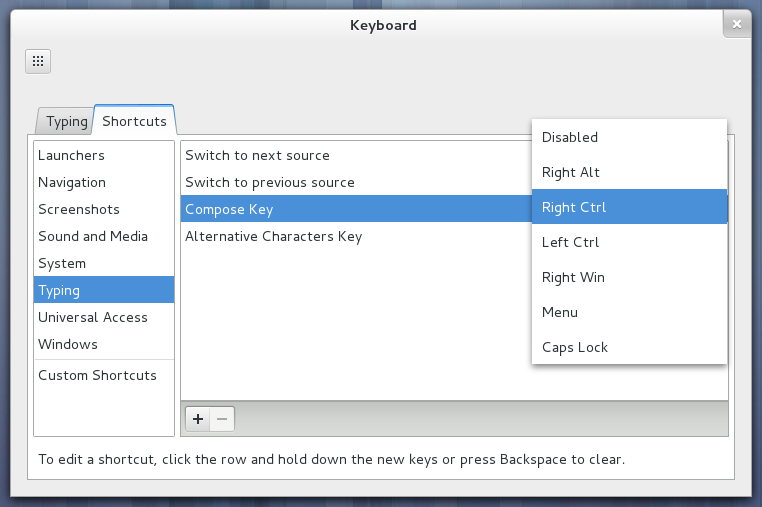
You should get the icon if you use more than one layout. But anyway,
this is not what I was talking about :-) I was mentioning the
keybindings panel in the control center. See
http://blogs.gnome.org/mclasen/files/2012/09/shortcuts.png

Vincent

--
Les gens heureux ne sont pas pressés.
--
To unsubscribe, e-mail: [email protected]
To contact the owner, e-mail: [email protected]