>>>
Currently, there are no PROPERTY commands to Pre-Set the Filter Bar
as On After
Start EEP. However, it would be a good enhancement request
([email protected]).
<<<
The request was submitted on 3/28/2011.

I also submitted a request to modify the:

PROPERTY RBASE_FORM PRINT 'PRINTER'

Command to capture the screen to JPG or PNG file instead of sending it the
printer; something along the lines of:

PROPERTY RBASE_FORM CAPTURE 'my_screen.jpg'

I have a form with a web browser object that is used to access a vendor web
site to select parts. The client wants to generate a report with a screen
shot of the web page along with other vendor and account information. I have
not found a way to incorporate a web browser control in a report other than
capturing a form screen and displaying the captured image in the report.
My workaround is to open a screen with just the browser, capture it using an
external program, and then use the image of the captured screen in the
report. An all R:Base solution such as:

PROPERTY RBASE_FORM CAPTURE x1,y1,x2,y2 'my_screen.jpg'

Would be absolutely awesome. Knowing the dream team, I know it is just a
matter of time until these enhancements are implemented.

Javier,

Javier Valencia, PE
913-829-0888 Office
913-915-3137 Cell
913-649-2904 Fax
[email protected]
-----Original Message-----
From: [email protected] [mailto:[email protected]] On Behalf Of A. Razzak
Memon
Sent: Thursday, April 14, 2011 11:52 PM
To: RBASE-L Mailing List
Subject: [RBASE-L] - RE: Tip of the Day - Dynamically Changing BandList
Properties

At 01:53 PM 4/14/2011, Javier Valencia wrote:

>R:azzak,
>
>When I am using an Enhanced grid in a form, I really like the Filter Bar
>option, as it allows selecting records quickly. I know I can limit the
>rows on the table by using the WHERE clause when opening the form to select
>a sub-set; however, once a sub-set is selected, the entire set cannot be
>seen without exiting the form or using views and then closing, redefining
>and re-opening the view. I am trying to get away from this by using a grid
>with a pre-set value on the Filter bar so the user can, if necessary, just
>delete the filter value and then the entire set is displayed. I would like
>to be able to pre-set the Filter Bar with a value by using the PROPERTY
>command on the After Start EEP, such as:
>PROPERTY GridComponentID FILTER->COLUMNNAME->' 'value'
>So, when the form opens, the grid has a pre-set 'value' for the COLUMNNAME
>filter, and only the records meeting this criteria are shown and the user
>can then reset or delete the value to show a different or the entire set
>of records.
>
>I have gone over every possible PROPERTY option for the Enhanced Grid and
>I have not been able to find one that would allow me to do what I described
>above; however; there are so many PROPERTY options for the Enhanced grid
>that I could have missed an obvious one. Is there a PROPERTY option that
>would allow me to do this?

Javier,

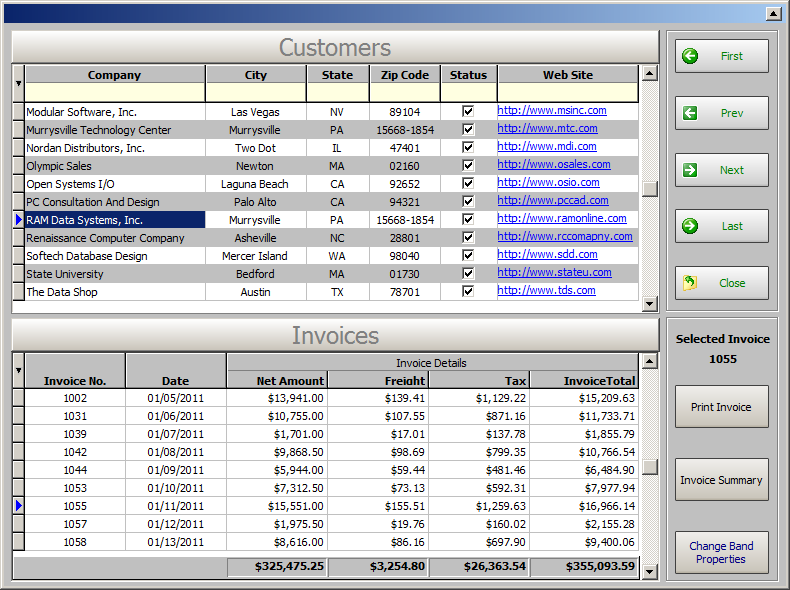
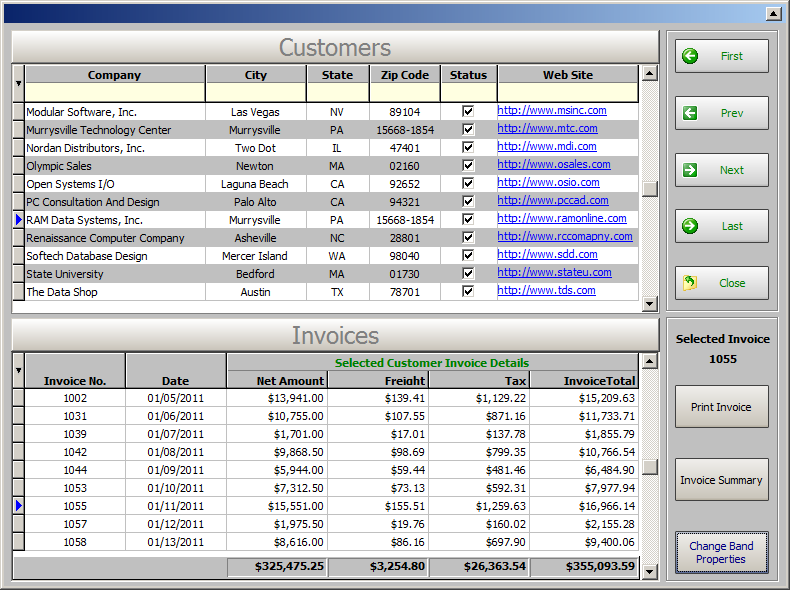
The following command/syntax is used for the illustration below:

-- EnhancDBGrd_BandList_Properties.RMD
IF (CVAL('DATABASE')) <> 'RRBYW17' OR (CVAL('DATABASE')) IS NULL THEN
    CONNECT RRBYW17 IDENTIFIED BY NONE
ENDIF
    CLS
    EDIT USING RBG91_EnhancDBGrd_BandList_Properties +
    ARRANGE InvoiceHeader BY TransID +
    ORDER BY Company
    RETURN

    Before: http://www.razzak.com/tips/Enhanced_DB_Grid_BandList_Before.png
    After: http://www.razzak.com/tips/Enhanced_DB_Grid_BandList_After.png

In reference to your question, the entire data set must be loaded
first without
a WHERE clause in order to provide a range of filter options to end-user(s).

Currently, there are no PROPERTY commands to Pre-Set the Filter Bar
as On After
Start EEP. However, it would be a good enhancement request
([email protected]).

On the other side, you may clear all filter values at once using the
following
PROPERTY command:

PROPERTY <Component ID> CLEARFILTER 'TRUE'
RETURN

Very Best R:egards,

Razzak.