# [Tails 7.1](https://tails.net/news/version_7.1/)
# Changes and updates * Change the home page of _Tor Browser_ in Tails to an _offline_ page, very similar to the home page of _Tor Browser_ outside of Tails, instead of an [_online_ page from our website](https://tails.net/home/). [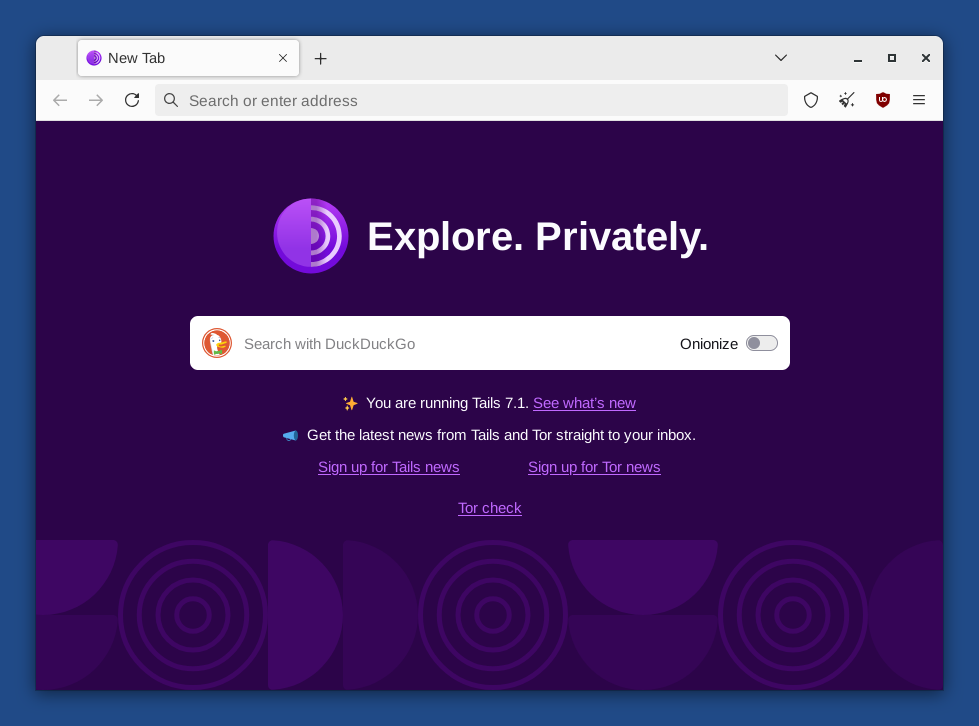](https://tails.net/news/version_7.1/about_tor.png) * Improve the message when an [administration password](https://tails.net/doc/first_steps/welcome_screen/administration_password/index.en.html) is required to open an application but no administration password was set in the Welcome Screen. [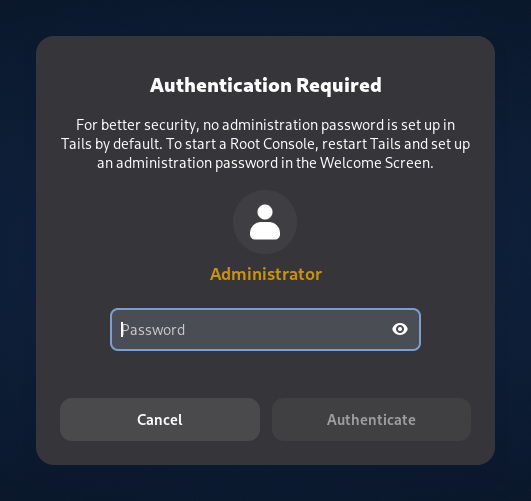](https://tails.net/news/version_7.1/authentication_required.png) * Update _Tor Browser_ to [14.5.8](https://blog.torproject.org/new-release-tor-browser-1458). * Update the _Tor_ client to 0.4.8.19. * Update _Thunderbird_ to [140.3.0](https://www.thunderbird.net/en-US/thunderbird/140.3.0esr/releasenotes/). * Remove the package `ifupdown`. # Fixed problems * Hide the message "_Your connection to Tor is not being managed by Tor Browser_ " in new tabs of _Tor Browser_. ([#21215](https://gitlab.tails.boum.org/tails/tails/-/issues/21215)) [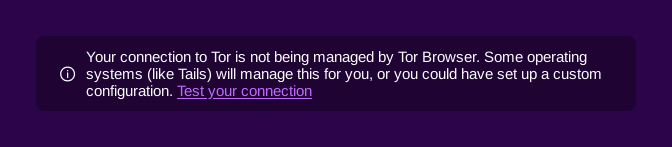](https://tails.net/news/version_7.1/not_managed.png) For more details, read our [changelog](https://gitlab.tails.boum.org/tails/tails/-/blob/master/debian/changelog). # Get Tails 7.1 ## To upgrade your Tails USB stick and keep your Persistent Storage * Automatic upgrades are available from Tails 7.0 or later to 7.1. * If you cannot do an automatic upgrade or if Tails fails to start after an automatic upgrade, please try to do a [manual upgrade](https://tails.net/doc/upgrade/index.en.html#manual). ## To install Tails 7.1 on a new USB stick Follow our installation instructions: * [Install from Windows](https://tails.net/install/windows/index.en.html) * [Install from macOS](https://tails.net/install/mac/index.en.html) * [Install from Linux](https://tails.net/install/linux/index.en.html) * [Install from Debian or Ubuntu using the command line and GnuPG](https://tails.net/install/expert/index.en.html) The Persistent Storage on the USB stick will be lost if you install instead of upgrading. ## To download only If you don't need installation or upgrade instructions, you can download Tails 7.1 directly: * [For USB sticks (USB image)](https://tails.net/install/download/index.en.html) * [For DVDs and virtual machines (ISO image)](https://tails.net/install/download-iso/index.en.html) URL: <https://tails.net/news/version_7.1/>
--
Tails News
https://www.autistici.org/mailman/listinfo/amnesia-news
To unsubscribe, send an empty email to [email protected].
_______________________________________________
Tails-dev mailing list
[email protected]
https://www.autistici.org/mailman/listinfo/tails-dev
To unsubscribe from this list, send an empty email to
[email protected].



