<https://lh3.googleusercontent.com/-BYbjN_RMvlk/VtQvU2lOafI/AAAAAAAAAAQ/v6WPLeoIcvI/s1600/Error.png>
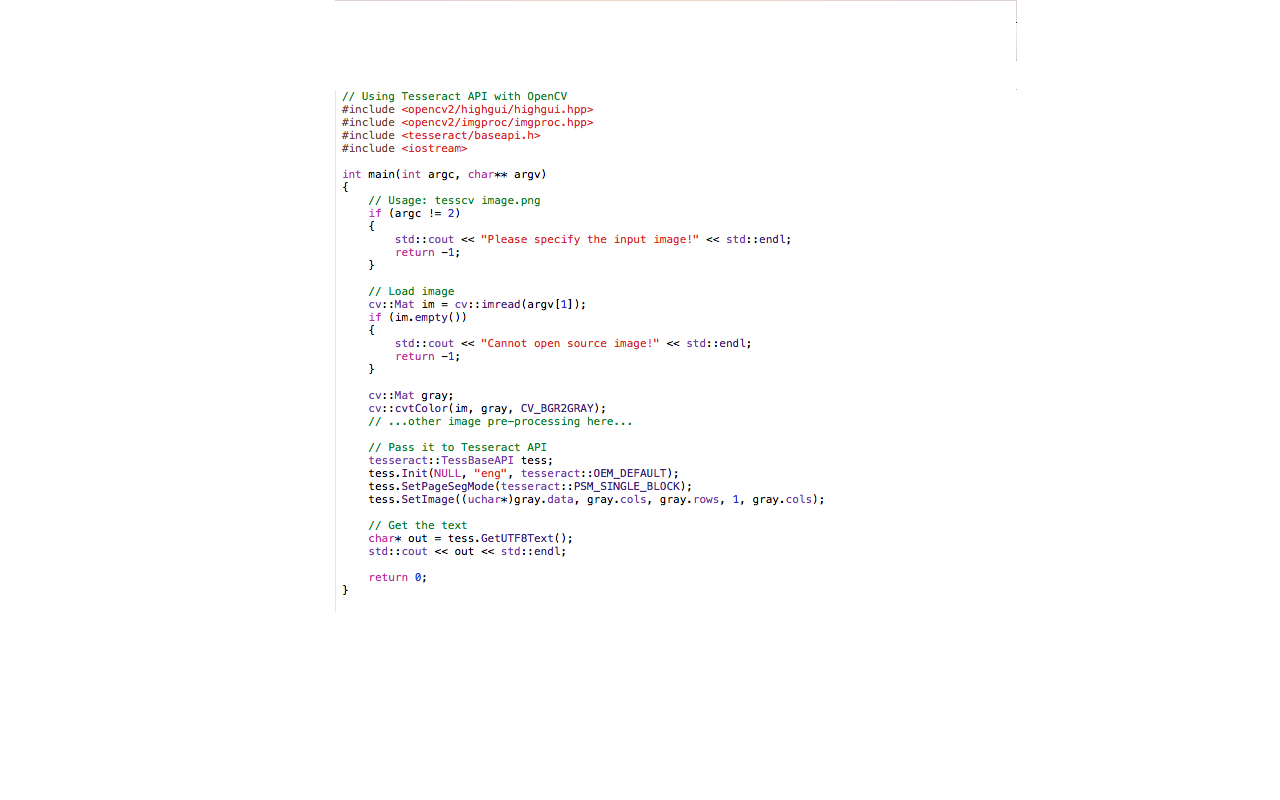
<https://lh3.googleusercontent.com/-2MxuzkY0aDE/VtQvSQokKlI/AAAAAAAAAAM/xXAdVdbR3IU/s1600/Code.png>
Thank you! It works now in the terminal. But in Xcode I just get errors
when I build it. But now I do not get an error because of the header :)

Am Donnerstag, 25. Februar 2016 21:51:32 UTC+1 schrieb Tom Morris:
>
> On Thursday, February 25, 2016 at 10:35:33 AM UTC-5, [email protected]
> wrote:
>>
>>
>> I was trying to install and compiling Tesseract first in Visual Studio
>> 2013 Express for Windows and then because I was not successful with it I
>> tried to install it in Xcode for Os X. I googled so many different websites
>> for finding any help but none of them was very helpful because they are all
>> from 2 years ago.
>>
> ...
>
>
>> For Os X I installed Tesseract with MacPort but I get an error because it
>> does not find the header for Tesseract. But I do not know what I have been
>> doing wrong.
>>
>
> I think the default build assumes that you're using Homebrew, not
> MacPorts.  To compile on OS X with MacPorts, add /opt/local/lib like this:
>
>     ./configure --with-extra-libraries=/opt/local/lib
>
> So your complete quick start would be:
>
>   git clone [email protected]:tesseract-ocr/tesseract.git
>   cd tesseract
>   ./autogen.sh
>   ./configure --with-extra-libraries=/opt/local/lib
>   make
>   sudo make install
>
> Tom
>

--
You received this message because you are subscribed to the Google Groups
"tesseract-ocr" group.
To unsubscribe from this group and stop receiving emails from it, send an email
to [email protected].
To post to this group, send email to [email protected].
Visit this group at https://groups.google.com/group/tesseract-ocr.
To view this discussion on the web visit
https://groups.google.com/d/msgid/tesseract-ocr/b56ee8bf-fa08-4a8d-befa-df7f94cead92%40googlegroups.com.
For more options, visit https://groups.google.com/d/optout.