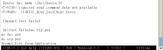
I recently upgraded the u-boot on my Pinebook Pro, and lo and behold!, the new
version supports the built-in display.
So, now I'm experimenting.  I hit the any key to stop the autoboot, and I get
the command prompt.  I type "help", and a large quantity of information spews
out to my screen, faster than I can read it, and scrolls off the top.

So, this prompts a few questions:
1) is there a paginator, so I can do "help | more" or something like that?
2) is there a scroll-back buffer, so I can do something like "Ctrl-Alt-PageUp"
to view stuff that scrolled off the top of the screen?
3) Is there a website that lists (and documents) the commands available at the
command prompt?