weizhouapache commented on issue #6826:
URL: https://github.com/apache/cloudstack/issues/6826#issuecomment-1285253985
> @DaanHoogland @weizhouapache @slavkap The systemvm version is 4.16.1. > > ``` > root@s-26640-VM:~# cat /etc/cloudstack-release > Cloudstack Release 4.16.1 Mon 31 Jan 2022 10:02:56 AM UTC > > ---------------------------------------------------------------------------- > root@v-26641-VM:~# cat /etc/cloudstack-release > Cloudstack Release 4.16.1 Mon 31 Jan 2022 10:02:56 AM UTC > ``` > > 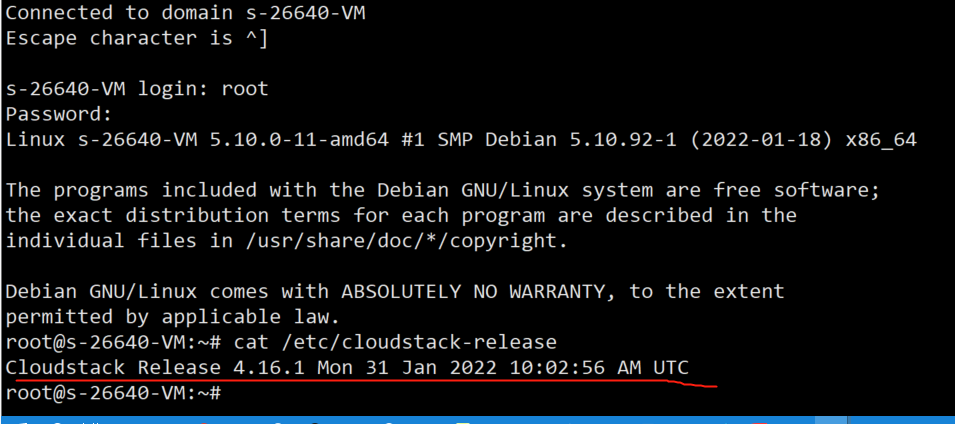 > > The cloudstack management node version: > > ``` > # rpm -qa | grep cloudstack > cloudstack-management-4.17.1.0-1.el7.x86_64 > cloudstack-common-4.17.1.0-1.el7.x86_64 > ``` > > I have do as below steps in cloudstack management node: > > 1. download: systemvmtemplate-4.17.0-kvm.qcow2.bz2 > 2. mount second storage node to management node: > > ``` > mount 10.26.246.10:/image /image > ``` > > 3. /usr/share/cloudstack-common/scripts/storage/secondary/cloud-install-sys-tmplt -m /image -f systemvmtemplate-4.17.0-kvm.qcow2.bz2 -h kvm -F > > But I think it is failed. How to upgrade the systemvm template manually? @xuanyuanaosheng the script downloads the template to secondary storage and overwrite the last systemvm template. but the references of the template on primary storage pools are not updated, which are save in `template_spool_ref` table as a workaround, you can remove the records from `template_spool_ref` table (delete from template_spool_ref where template_id=xxxxxx). Please backup your database before the change. After that, cloudstack will copy the systemvm template from secondary storage to primary storage pools when new systemvms/vrs are created. -- This is an automated message from the Apache Git Service. To respond to the message, please log on to GitHub and use the URL above to go to the specific comment. To unsubscribe, e-mail: [email protected] For queries about this service, please contact Infrastructure at: [email protected]

