I've always liked the Norton Commander style of a 2-pane file
manager, and I'm currently trying Gnome Commander under Trixie with
xfce.  But I have two problems with it - either bugs, or possibly
something I've done wrong installing it.
Are the following known bugs?  I haven't found any mention of them by
googling.

**********' Problem (a):

When trying to enter a directory in which it does not
have read permission, it immediately crashes.  Example: create a
directory with mode 111, and try to enter it with Gnome Commander.

When it crashes, it leaves something like this in syslog:
026-02-02T15:32:07.919765+01:00 andy kernel: gnome-commander[297175]:
segfault at 942296e8 ip 000055997ac78517 sp 00007ffcb15404b0 error 4 in
gnome-commander[81517,55997ac36000+a7000] likely on CPU 15 (core 35,
socket 0)
2026-02-02T15:32:07.919774+01:00 andy kernel: Code: d3 48 83 ec 30 64 48
8b 04 25 28 00 00 00 48 89 44 24 28 31 c0 e8 a9 26 02 00 48 85 ed 0f 84
bf 00 00 00 48 8d 3d c9 77 06 00 <4c> 8b 6d 08 4c 8d 74 24 10 e8 5b eb
fb ff 4c 89 34 24 49 89 c4 48
**********' Problem (b):

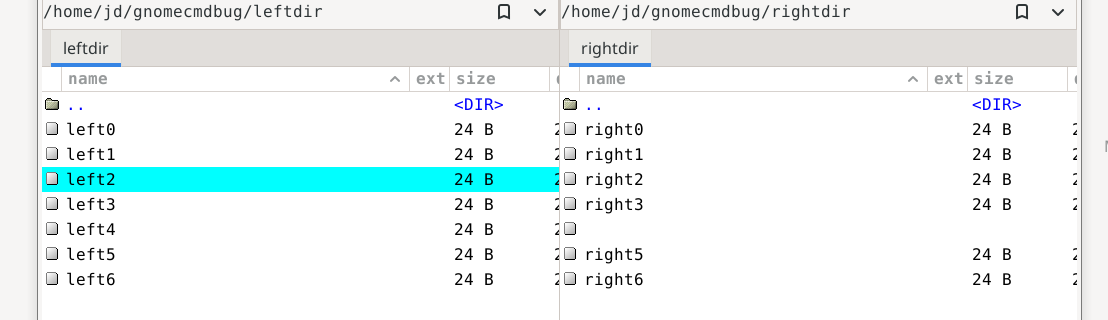
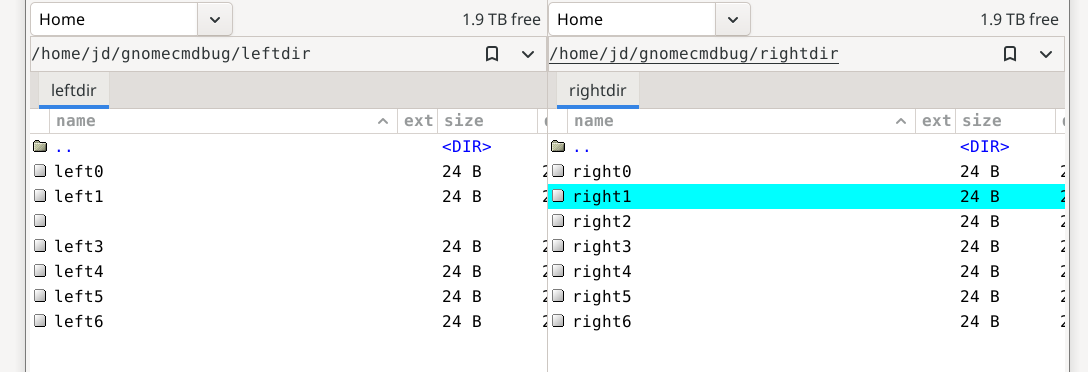
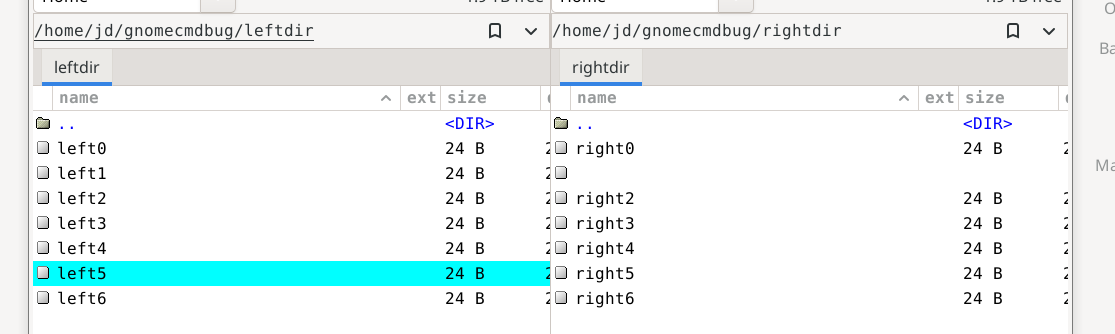
It shows the selected file in the not-selected pane as blank.

I have an example in the form of 3 screen shots:

https://www.dybdal.dk/gnomecmdbug/Screenshot1.png :
In Screenshot1.png, the file left2 in the left pane is selected. But
notice that the place where right4 could be expected in the right
pane, there is a blank line.

https://www.dybdal.dk/gnomecmdbug/Screenshot2.png :
I then clicked on the right1 file (right pane), and now left2 (the
formerly selected file) became blank.

https://www.dybdal.dk/gnomecmdbug/Screenshot3.png :
I then clicked on left5, and right1 became blank.


--
Jesper Dybdal
https://www.dybdal.dk