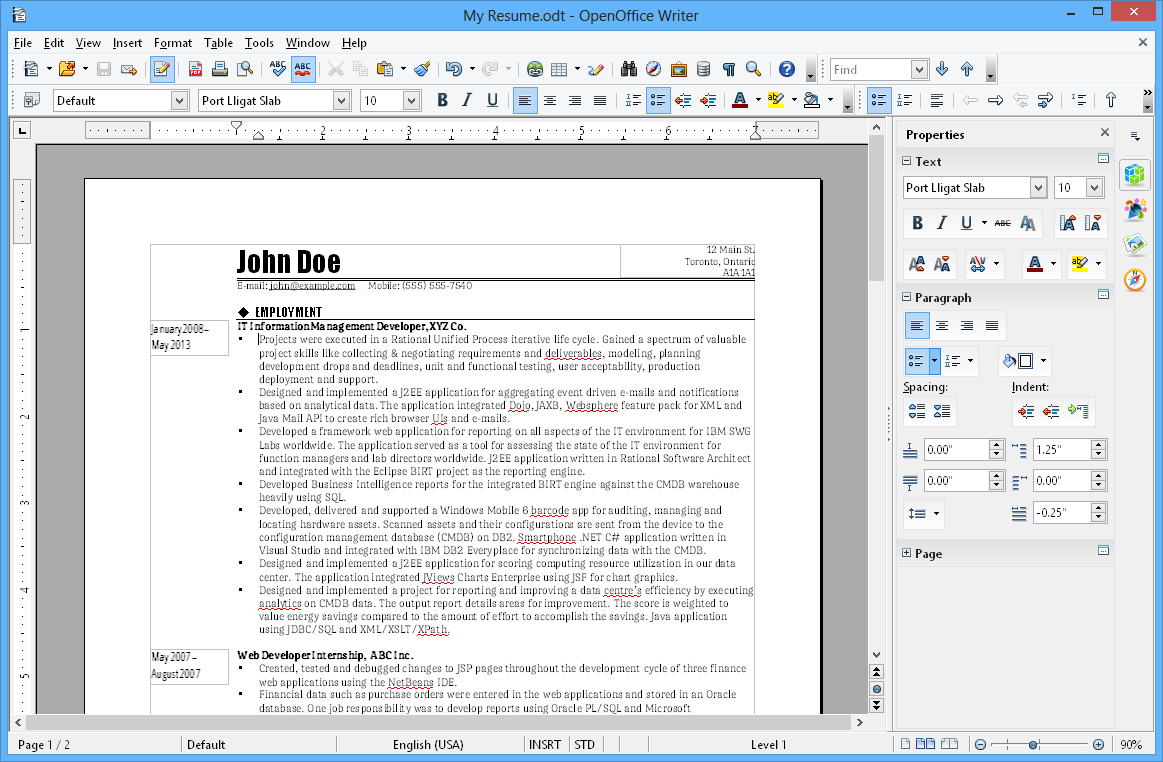
Hi John, hi Ivan, everyone!

Am Freitag, den 13.02.2009, 15:36 +0000 schrieb John McCreesh:
> On Fri, February 13, 2009 08:56, Ivan M wrote:
> > [...] I will play around with your concept and add a few
> > tweaks... now, what about the content - maybe people could start
> > putting together screenshots of some nice looking documents /
> > spreadsheets, etc...?
That would be truly great, as I don't have the knowledge to "do the
work" ;-) And by the way, I seem to have missed "OpenOffice.org" in
terms of a suite.

Concerning the content, I could imagine that the content is organized in
such a way (below the tabs):

        +----------------------+
        | Main Screenshot      |   Please enjoy some introductory text
        about
        |                      |   OpenOffice.org bla bla bla
        |                      |
        |                      |   Key features:
        |                      |   * List item
        +----------------------+   * List item
                                   * List item
        +---------+  +---------+   * List item
        | 2.      |  | 3.      |
        |         |  |         |   Further description, e.g. what
        documents
        +---------+  +---------+   can be created, what's new in the
        most
                                   recent release, ... an appeal to
        download
        +---------+  +---------+   this great piece of software.
        Whatever.
        | 4.      |  | 5.      |
        |         |  |         |
        +---------+  +---------+

        More Screenshots...

------------------------------------------------------------------------

Some comments:
      * From my point of view, the main screenshot should reflect the
        main user base [1], e.g. platform, default theming, ... with a
        decent looking document. Maybe the new survey currently
        prepared/analyzed by UX will provide updated data.
      * The next screenshots may contain other platforms or more complex
        documents to show the modules' capabilities and strengths.
      * Ivan, is there any way to get a nice screenshots handling ...
        like presenting them in the foreground without opening a new
        window? Presenting some complementary text, switching
        forward/backward?
      * The site should contain a "Download" button for people who want
        to get the product after it has been described in detail. I
        don't know how many people request information on system
        requirements...


> The 3.0 screenshots page is here:
> http://www.openoffice.org/screenshots/ooo20/index.html
>
> The current screenshots are around 660x465 (full size), 225x155
> (thumbnail). Are these sensible? should the full size be bigger?

>From my point of view, the full size pictures should be even bigger. Or
maybe not bigger, it would be an improvement to improve the impression
of the real size - at the moment the document area and the area for the
control elements isn't balanced well. Example:
http://www.openoffice.org/product/pix/writer-big.png

This would also resolve some other issues, especially the somehow
"destructed" status bar :-)

> It would be great to have screenshots in a variety of languages
> (especially non-European), operating systems, etc...

Absolutely! And - providing some basic hints - this should be easy
compared to other task.

John, Ivan, thank you very much!

Bye,
Christoph


[1] Tunhemberg, Erwin: "Who is using OpenOffice.org", Presentation
OpenOffice.org Conference, 2007
http://marketing.openoffice.org/ooocon2007/programme/wednesday_182.pdf


---------------------------------------------------------------------
To unsubscribe, e-mail: [email protected]
For additional commands, e-mail: [email protected]