On Tuye 11-Sep-2012 at 21:41 -0700, TvE wrote:
I took a hand-held test spherical pano and would really appreciate if
someone could tell me how to optimize translation in hugin on this. It's a
shot of a boring empty office cubicle, sorry...
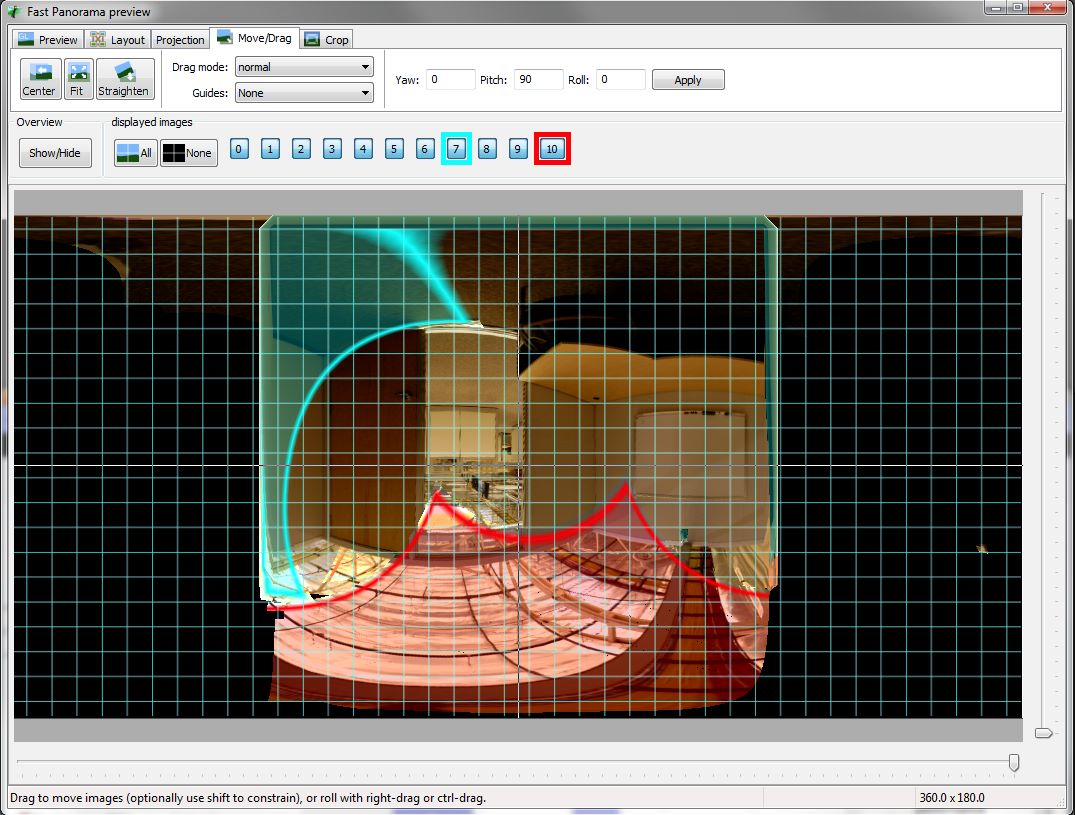
And then I hit the same "optimize position and translation" and again I get
garbage:

<https://lh4.googleusercontent.com/-2NP-FFm4Qrg/UFARRA-_eUI/AAAAAAAAAYg/nbwr_QUCfDw/s1600/HandTest1d.jpg>
This looks like you have vertical control points, these are forcing the panorama back to level.
I also think that you can't use this "optimise position and translation" preset, this will optimise translation for all photos, whereas you only want to optimise this for the 'floor' photos.
I suggest that you use 'custom parameters' and lock the position of your 'normal' photos, then optimise just the translation parameters for only the photos that need it.
If this still doesn't work, start with just one of these photos and bring the others into the optimisation one at a time.
--
Bruno

--
You received this message because you are subscribed to the Google Groups "Hugin and
other free panoramic software" group.
A list of frequently asked questions is available at:
http://wiki.panotools.org/Hugin_FAQ
To post to this group, send email to [email protected]
To unsubscribe from this group, send email to
[email protected]
For more options, visit this group at http://groups.google.com/group/hugin-ptx