kinow commented on PR #271:
URL: https://github.com/apache/commons-imaging/pull/271#issuecomment-1399431498
Hi @kpouer > Hey, I was not sure how I could squash commits without deleting my branch and pushing it again so I created a new branch and a new pull request (same code but squashed into one commit) #272 It's probably useful to get used to squashing commits, both for Apache Commons code contributions, but for other OSS that follow similar approach. The issue with opening new PR's is that a) you may have to add more commits again, and then squash again, and b) it gets more complicated to keep track of discussions and reviews (there's also c) where users/devs subscribed to the repo may get spammed by similar changes). If you'd like you can try on this PR, as it's still open: https://gitready.com/advanced/2009/02/10/squashing-commits-with-rebase.html I squash rebasing interactively. Basically what I'd do here would be something similar to: ```bash git fetch --all git rebase upstream/master # upstream for me is apache/commons-imaging, kinow for me is the kinow/commons-imaging gitk # or git log -n N, but I like to take a look at the GUI too, then count the number of commits since the top of master # you have 17 commits here, ATOW git rebase -i HEAD~17 # -i is interactive, i.e. I will interact with git to decide how to rebase # each commit is prefixed by an action code, I mark the first line as r-eword # and for each new commit line in the VIM/editor, I mark as f-ixup ``` 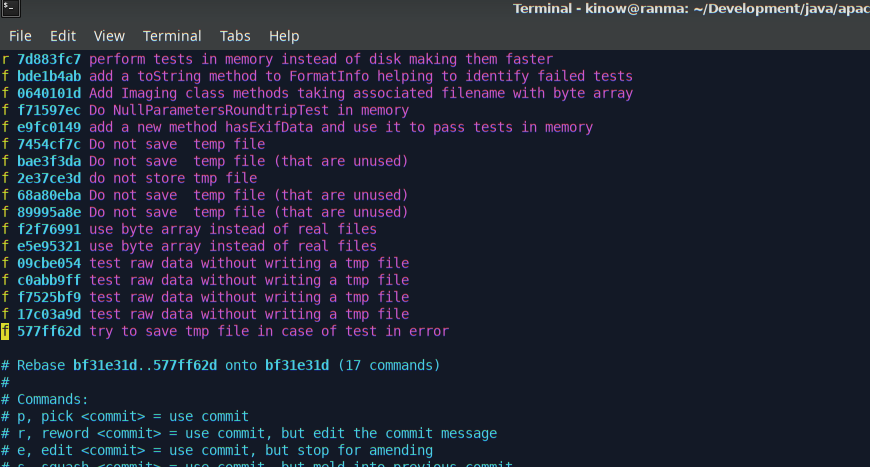 When I save my editor, `git rebase` proceeds, opening the editor again as I asked to reword the fix commit. Now I write a good commit line. If I already have the JIRA number I prefix the commit message with [IMAGING-NNNN] Perform tests in memory instead of disk, making them faster". When I save this file again, git will use the text as the commit message of the reworded commit. The other commits have been all "fixed-up". So now everything has been "squashed" into a single commit. At this point I `gitk` again, or `git log -n 1` or `-n 2` to look at the commit history again. 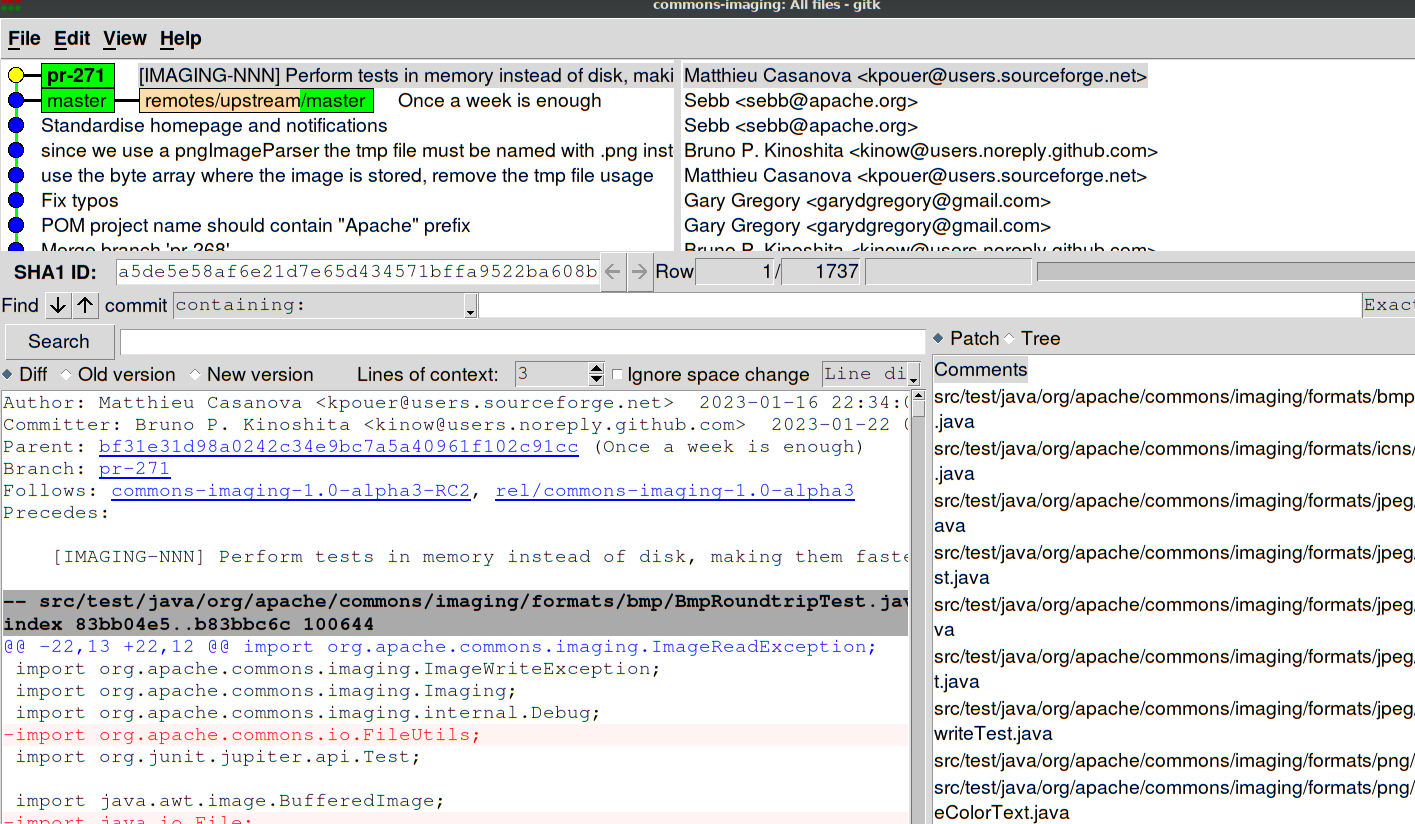 At this point your local branch contains the squashed commits for your change. You can browse the code, run `mvn`, etc., until you are sure that everything is in order. Then you are ready to `push -f kinow/branch-name` (where kinow will be your personal remote, and branch-name must be `unit_test_tmp_fil....`, I think). And the pull request will have been updated with your forced (-f) commit, showing a single commit for reviewers :+1: If that works you can close your other PR. Or if you prefer to try this later, feel free to close this issue :+1: up to you. > I would be happy to create a JIRA ticket but I don't have an account on it. It says I could send an email to [[email protected]](mailto:[email protected]) if that email is setup. Is it ? I am sorry, due to bots SPAMing our JIRA server we had to lock it for new users :disappointed_relieved: Send the email, please, to the commons private mail (it's the email address you mentioned above, minus the "-imaging" part) with the info on https://infra.apache.org/jira-guidelines.html#account, and I or another committer will create your account. Really sorry for the inconvenience :bow: Thanks @kpouer ! -- This is an automated message from the Apache Git Service. To respond to the message, please log on to GitHub and use the URL above to go to the specific comment. To unsubscribe, e-mail: [email protected] For queries about this service, please contact Infrastructure at: [email protected]


