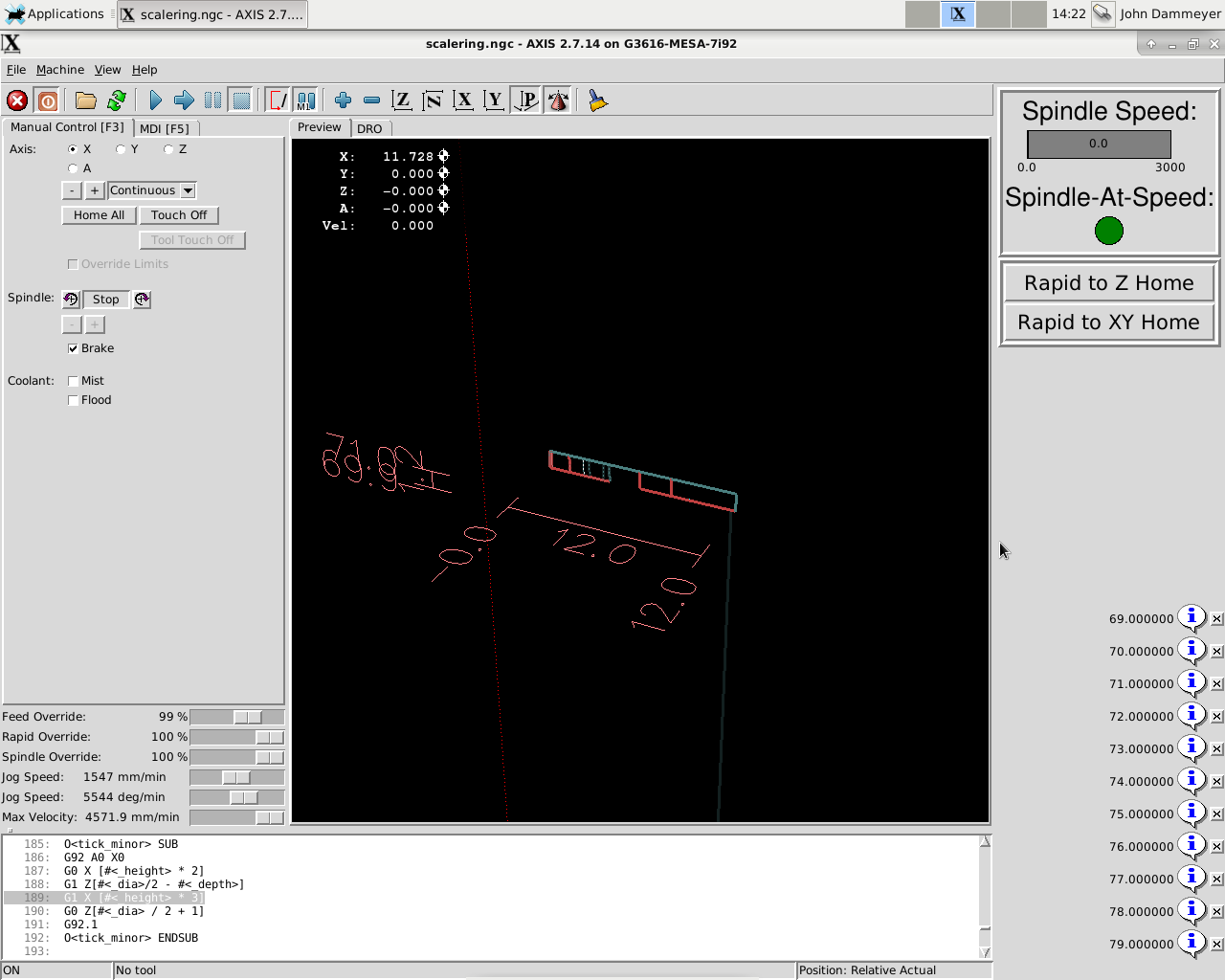
Sam,
Yahoo mail with Firefox on Debian 10.
Yes I noticed it really trashed the formatting, It didn't look like this when
sent.
Your project is looking good.

Scott

    On Wednesday, March 31, 2021, 9:25:00 PM CDT, Sam Sokolik
<[email protected]> wrote:

 John - what ui are you using?

On Wed, Mar 31, 2021 at 9:08 PM Scott Harwell via Emc-users <
[email protected]> wrote:

> G-code to engrave numbers on cylinders
>
> |
> |
> |
> |  |  |
>
>  |
>
>  |
> |
> |  |
> G-code to engrave numbers on cylinders
>
> [edit 30/8/18: I added tick marks, see
> https://forum.linuxcnc.org/20-g-code/27169-g-code-to-engrave-numbers-on-c.
> ..
>  |
>
>  |
>
>  |
>
>
> John,
>
> The file at the bottom of page 2 works in 2.9.0. No error for "F".
> Scott
>
>
>
>    On Wednesday, March 31, 2021, 5:19:05 PM CDT, John Dammeyer <
> [email protected]> wrote:
>
>  Forgot to mention I had tried that.  I have it set to AXYZ.  The tool
> images starts with the flat of the tool cone facing away from me.  I can
> now also see the A change briefly to say 20 and then back to zero, probably
> due to the G92.
>
> But it's still drawing the image as if it's in one spot.  Which in effect
> it is since the rotary axis, in line with the X axis is turning so the XYZ
> remain the same other than Z moving into the work to cut and out to
> retract.  X moves along the graduations and AX move to draw the letters.
>
> So something else in the INI or HAL file is still confusing the system.
>
> John
> > From: Sam Sokolik [mailto:[email protected]]
> >
> > You need in the display section of the INI file
> >
> > GEOMETRY = AXYZ
> >
> > On Wed, Mar 31, 2021, 5:00 PM John Dammeyer <[email protected]>
> wrote:
> >
> > >
> > > > From: Sam Sokolik [mailto:[email protected]]
> > > >
> > >
> http://electronicsam.com/images/greenmachine/Screenshot_2021-03-30_18-00-14.png
> > > >
> > > Alright, I'm confused.
> > > I've got the G-Code turning the 4th axis A.  The X moves back and forth
> > > for carving the lines as does A when letters are carved.  At 90
> degrees the
> > > conical tool image on the AXIS screen has rotated 90 degrees but the
> > > location of A is still zero on the screen as well as I don't get that
> > > circular image that Sam has.
> > > http://www.autoartisans.com/mill/Screenshot_2021-03-31_14-22-48.png
> > >
> > > So physically the Axis is turning.  But it doesn't seem to be
> represented
> > > on the screen.  What could be missing?  Something in the HAL or INI
> file?
> > >
> > > Thanks
> > > John
> > >
> > >
> > >
> > > _______________________________________________
> > > Emc-users mailing list
> > > [email protected]
> > > https://lists.sourceforge.net/lists/listinfo/emc-users
> > >
> >
> > _______________________________________________
> > Emc-users mailing list
> > [email protected]
> > https://lists.sourceforge.net/lists/listinfo/emc-users
>
>
>
> _______________________________________________
> Emc-users mailing list
> [email protected]
> https://lists.sourceforge.net/lists/listinfo/emc-users
>
> _______________________________________________
> Emc-users mailing list
> [email protected]
> https://lists.sourceforge.net/lists/listinfo/emc-users
>

_______________________________________________
Emc-users mailing list
[email protected]
https://lists.sourceforge.net/lists/listinfo/emc-users

_______________________________________________
Emc-users mailing list
[email protected]
https://lists.sourceforge.net/lists/listinfo/emc-users