--- In [email protected], "know_mystery" <[EMAIL PROTECTED]> wrote:
>
> ts-
>
> i am guessing it is a browser setting on your computer as it works
> fine on mine and i am using FireFox.
>
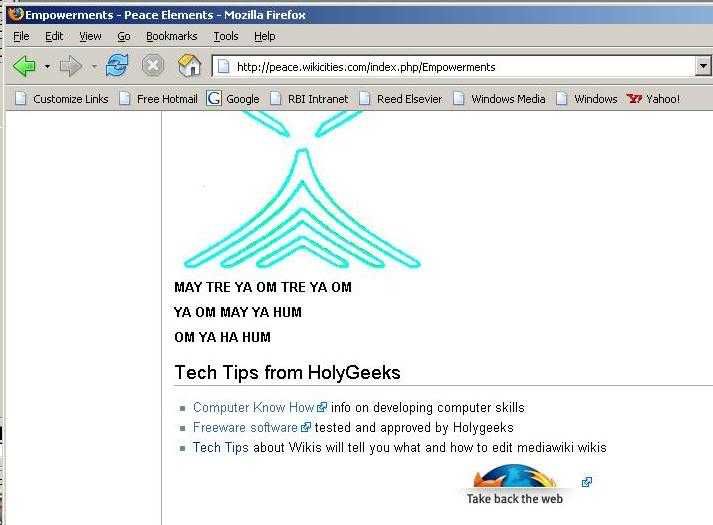
> Here is a screen print of it just now:
> http://img.photobucket.com/albums/v514/HolyGeek/foxfire_button_print.jpg
>
> Good luck fixing your browser to get it to work, probably nothing big
> at all.
>
> love and peace,
> joyce

ah!
so there is the icon and the external link box.
i still don't know how this is done.
shouldn't we then be able to import other pics ...
iow ... shouldn't you be able to have your photobucket
pics show up in the same way?

this is what i don't understand.

i imagine my browser is somehow blocking the pic then.
does the same thing for the pics on the yahoo profiles.
and a few other sites as well.
hmmmmmmmm .....
i keep looking at the cookies ...
to see if they block stuff but ...
that should only be on sites.
maybe if i let the firefox site "have it's way" with me ...
i will get the correct cookie.

or it may be my earthlink popup blocker.
maybe it sees it as advertising.

any suggestions about what settings i might check?

thanks.

-ts-


------------------------ Yahoo! Groups Sponsor --------------------~-->
It is better to give....
Especially when giving to a child in poverty.
Click here to meet a child you can help.
http://us.click.yahoo.com/uq3f6C/hJlJAA/i1hLAA/wDkolB/TM
--------------------------------------------------------------------~->


Yahoo! Groups Links

<*> To visit your group on the web, go to:
    http://groups.yahoo.com/group/HolyGeek/

<*> To unsubscribe from this group, send an email to:
    [EMAIL PROTECTED]

<*> Your use of Yahoo! Groups is subject to:
    http://docs.yahoo.com/info/terms/