Oct 5, 2013 v 9:21 PM, Bruce <bruce at tomo.co.nz>: > Draw some scrap entities that extend to the far reaches of what will be your > drawing area. > Save your th2 file and close Xtherion > Rename the xvi file so that Xtherion temporarily cannot find it > Open the th2 file in Xtherion then âDrawing paneâ Auto Adjust button so > that Xtherion zooms the drawing extents > Save your th2 file and close Xtherion > Rename the xvi file back to its original name > Open the th2 file in Xtherion and it should have remembered your new drawing > area and drawing position in the window, even though the xvi grid and > (spurious) drawings may extend far outside of that area. > > Bruce
My workflow:

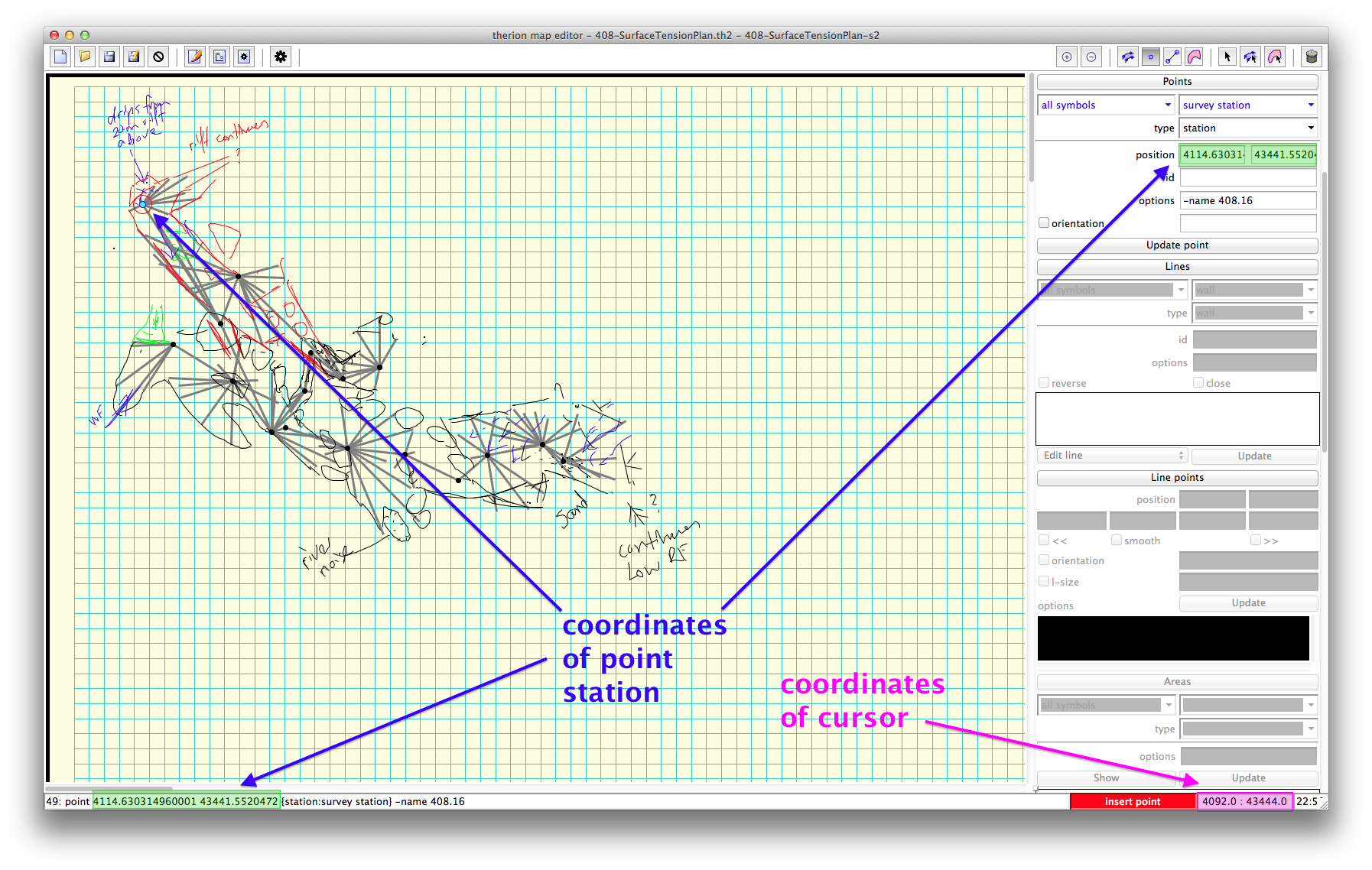
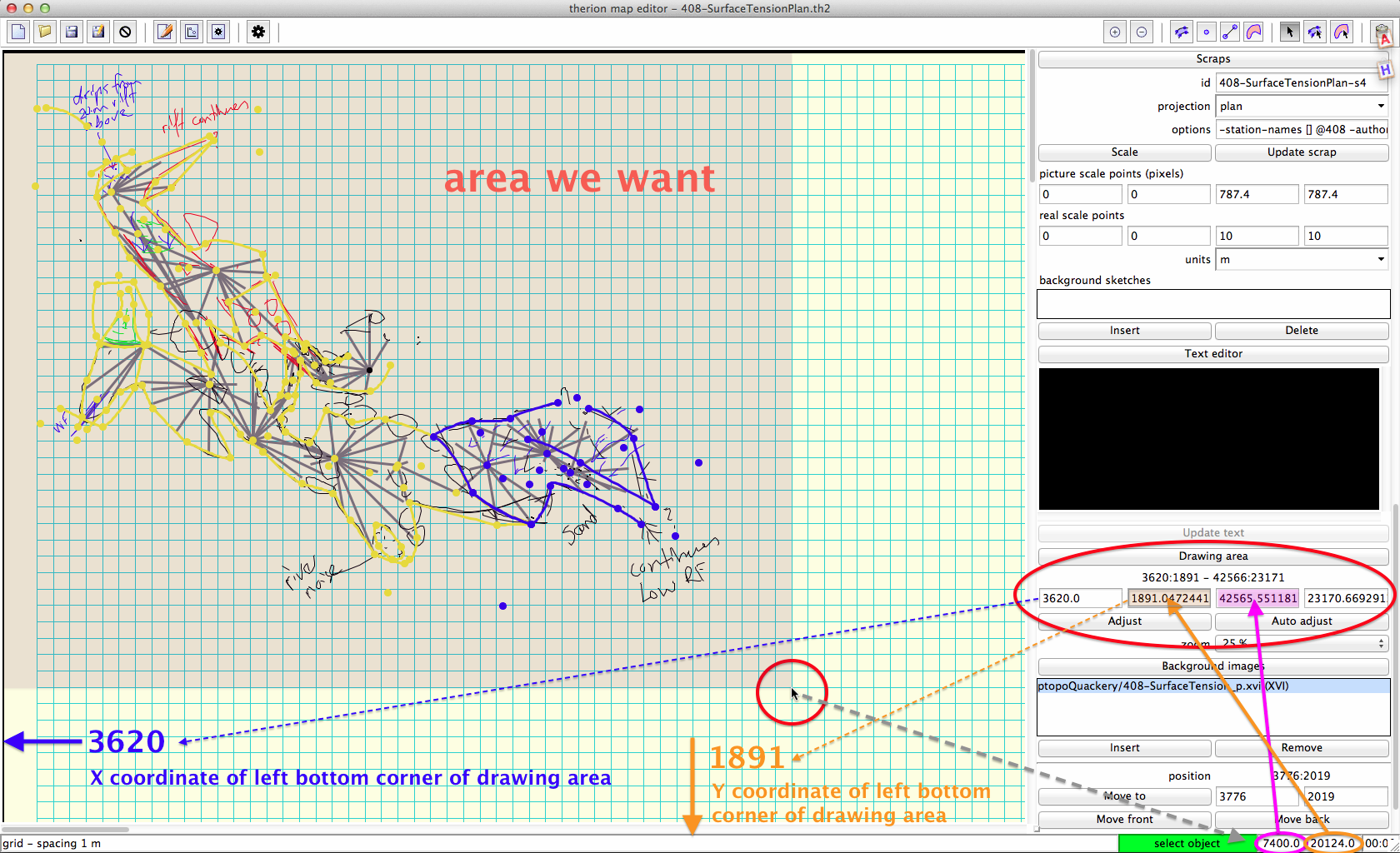
there are several places you may find the coordinates of object: cursor, point,
left bottom corner of background image or left bottom corner of scrap. Check
the attached screenshots.

insert xvi, set zoom factor to 25 %
use Autoadjust in Scraps part of menu
find the sketch - in this case in the left up corner of working area
move cursor to right bottom corner of drawing area you want and note the
coordinates of cursor
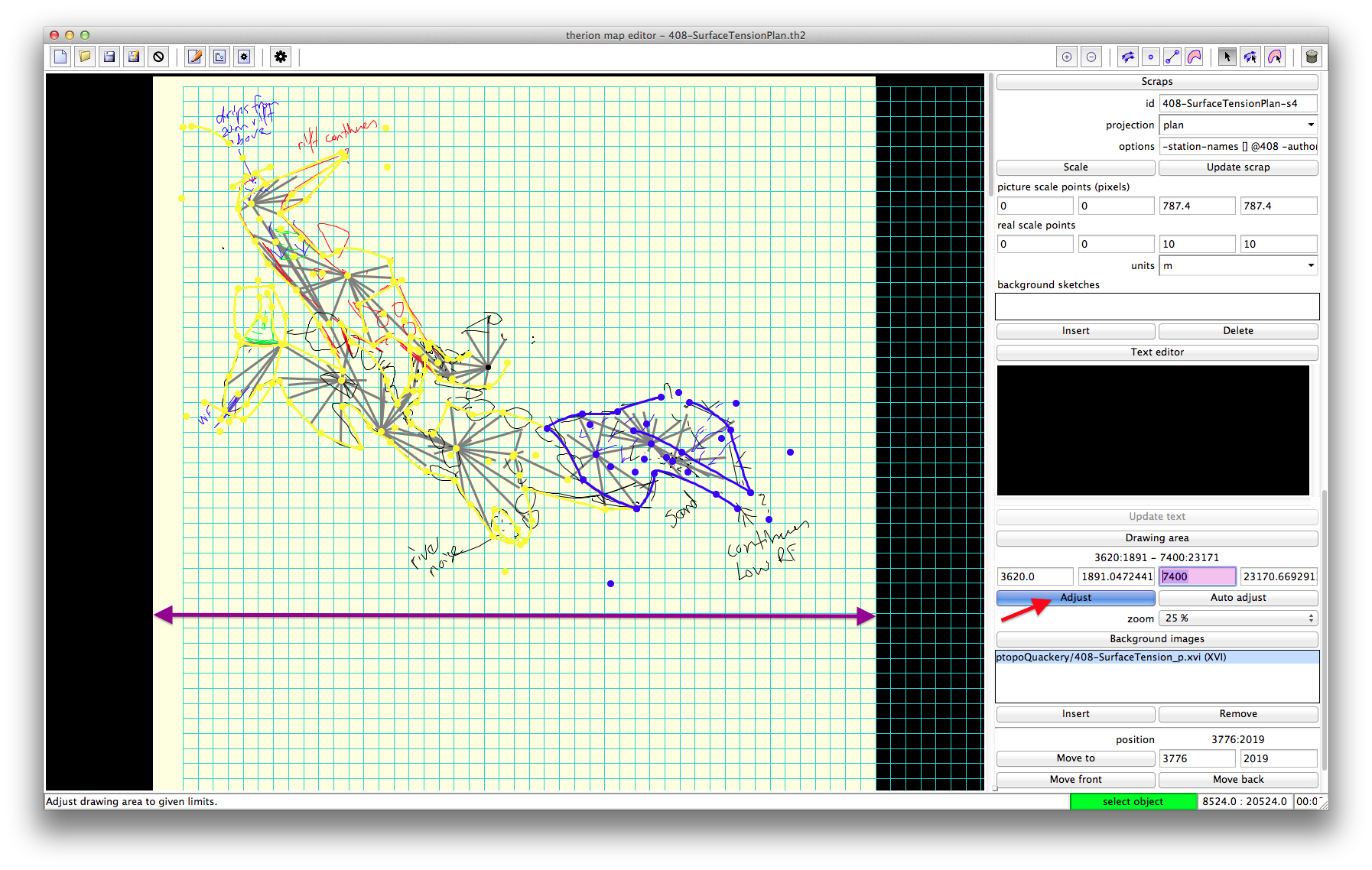
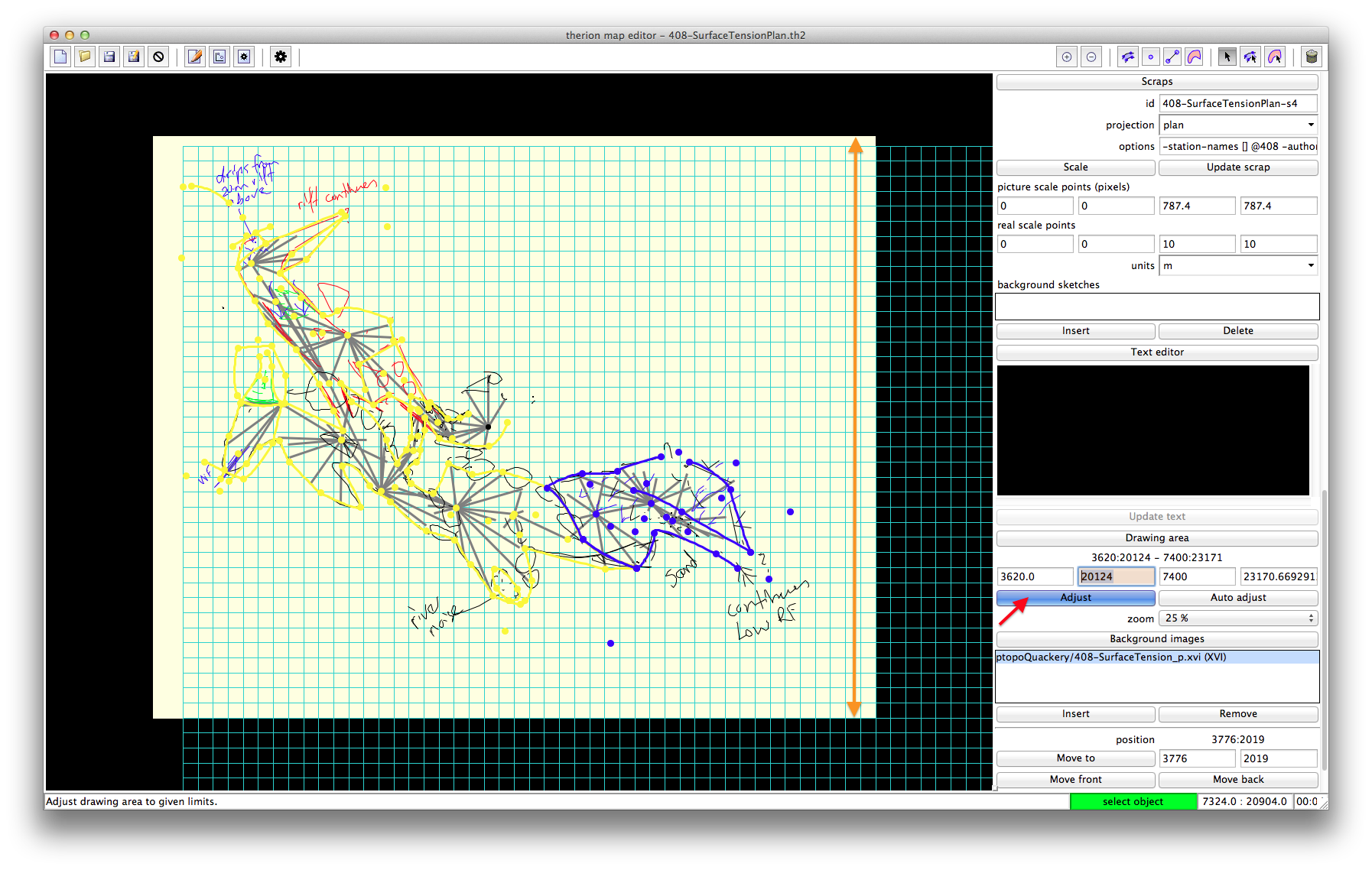
write the coordinates to appropriate fields of Drawing area coordinates
press Adjust button
don't press Auto adjust button!
save


Martin Sluka


-------------- next part --------------
An HTML attachment was scrubbed...
URL:
<http://mailman.speleo.sk/pipermail/therion/attachments/20131006/d8676cb0/attachment.html>
-------------- next part --------------
A non-text attachment was scrubbed...
Name: coordinates.png
Type: image/png
Size: 427560 bytes
Desc: not available
URL:
<http://mailman.speleo.sk/pipermail/therion/attachments/20131006/d8676cb0/attachment.png>
-------------- next part --------------
A non-text attachment was scrubbed...
Name: principle.png
Type: image/png
Size: 494122 bytes
Desc: not available
URL:
<http://mailman.speleo.sk/pipermail/therion/attachments/20131006/d8676cb0/attachment-0001.png>
-------------- next part --------------
A non-text attachment was scrubbed...
Name: width.png
Type: image/png
Size: 400510 bytes
Desc: not available
URL:
<http://mailman.speleo.sk/pipermail/therion/attachments/20131006/d8676cb0/attachment-0002.png>
-------------- next part --------------
A non-text attachment was scrubbed...
Name: final.png
Type: image/png
Size: 401356 bytes
Desc: not available
URL:
<http://mailman.speleo.sk/pipermail/therion/attachments/20131006/d8676cb0/attachment-0003.png>